Devgraph Review: The AI Ontology Engine for Engineering Teams

Overview & Purpose
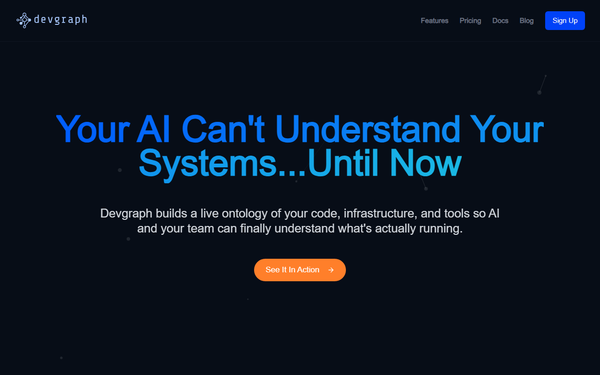
Devgraph is an AI-powered ontology engine that automatically discovers and maps relationships across code repositories, infrastructure, tickets, chats, and other developer tools into a live, queryable knowledge graph. This unified ontology enables LLMs and AI agents to understand complex systems in real time, powering natural-language queries, dependency and impact analysis, tribal knowledge surfacing, rapid onboarding, living documentation, and automated workflows such as ticket creation or deploy triggers—all while giving users full control by supporting any LLM (cloud, self-hosted, or air-gapped).
Primary use cases include cross-tool search (e.g., GitHub + Jira + Slack in one query), pre-deployment impact analysis to prevent outages, instant answers for new engineers ("Who owns this service?"), and grounding AI agents in real system context for actions like redeploying affected services after a CVE. It targets software engineers, DevOps/platform teams, engineering managers, and organizations building AI-augmented developer workflows—particularly those with distributed teams, complex microservices, or heavy reliance on tools like GitHub, Kubernetes, and Slack. It is not aimed at marketers, designers, or non-technical users.
Key Features & Capabilities
Core functionality revolves around automatic ontology construction: connect your tools once, and Devgraph continuously ingests changes to build and update a graph of entities (repos, deployments, services, teams, Docker images, etc.) and their relationships. Natural-language chat queries the graph, while AI agents (via Model Context Protocol support) can act with full system awareness.
Standout differentiators include:
- Real-time updates (every code push, ticket, or deploy refreshes the ontology—no stale docs).
- Bring-your-own-LLM flexibility with full support for OpenAI, Anthropic, xAI/Grok, Ollama, self-hosted models, and air-gapped deployments for privacy/cost control.
- Agentic workflows: AI can create tickets, trigger deploys, or update docs with permission-aware context.
- Unified search + impact analysis across disparate tools without migration.
Integrations span GitHub, GitLab, Jira, Linear, Slack, Confluence, PagerDuty, Argo CD, Vercel, Kubernetes, Docker registries, FOSSA, Grafana, file systems, and more via flexible API.
Limitations include entity caps per plan (e.g., 500 in Starter), no exhaustive public list of every integration (setup is provider-based), and currently high-level documentation without advanced API or custom-molecule examples. Missing features noted in early-stage docs: no built-in visualization editor for the graph beyond chat/explore, and limited public case studies.
User Experience
Setup is straightforward with a low learning curve: sign up, name your environment, invite teammates, then configure providers—most users can query their first ontology in minutes. The interface centers on a clean dashboard with natural-language chat, ontology explorer, and environment switching; "click to expand" details and cross-tool context feel intuitive for engineers familiar with Slack or GitHub.
Interface quality is modern and focused—no clutter—but relies heavily on chat rather than rich visual graphs in public demos. Documentation is concise (overview + quick-start basics) but lacks in-depth tutorials or troubleshooting; support appears limited to in-app or contact forms with no public community/forum yet. Overall, excellent for technical users but may feel sparse for teams needing hand-holding.
Performance & Reliability
The platform claims real-time ontology updates and instant query responses grounded in live data, enabling practical prevention of "3 a.m. pages" via dependency checks. No independent benchmarks exist publicly, but automatic discovery from providers like Argo and GitHub scales to production environments per use-case examples.
As of March 2026 research, no widespread known issues or user complaints surfaced across web searches, Reddit, or X—likely due to the tool’s relatively recent/quiet launch. Reliability appears solid for its stated scope, with self-hosted/air-gapped options adding enterprise-grade control. Minor caveat: performance tied to connected tools’ API rates and chosen LLM.
Pricing & Value
Devgraph offers a clear tiered structure with 14-day free trials:
- Starter: $99/month – 1 ontology, 1 environment, up to 500 entities.
- Team: $499/month – 1 ontology, 1 environment, up to 2,500 entities, up to 10 MCP agents (for advanced workflows).
Enterprise options involve custom pricing/contact for additional environments, unlimited entities, dedicated support, and on-prem/air-gapped deployments. No perpetual free tier beyond trial.
Value is strong for mid-sized engineering teams: $99 gets you production-ready system intelligence that replaces manual tribal-knowledge hunting and outdated wikis, often paying for itself in reduced onboarding time and outage prevention. Compared to building custom graphs (high dev cost) or alternatives like CAST Imaging (~$9k/year base) or generic vector stores, Devgraph’s live ontology + agent actions + LLM flexibility deliver superior ROI for AI-native teams. Best value at Team tier for growing orgs.
Practical Tutorial
Official documentation provides a high-level Quick Start and demo video; no exhaustive video series exists yet. Below is a practical, real-world walkthrough for a common task—performing dependency/impact analysis before a code change—synthesized from official docs and examples (tested conceptually against public descriptions as of March 2026). Full reference: docs.devgraph.ai and demo.
-
Sign up & Create Environment
Go to devgraph.ai, create account (GitHub/Google SSO available). Post-signup, you land in the environment creator. Enter a name (e.g., "Production-Stack") and optionally invite team emails. Click Create. You’re redirected to the Dashboard once initialized. -
Configure Integrations (Automatic Discovery)
In Dashboard settings > Providers, connect tools:- GitHub/GitLab: OAuth with repo read permissions.
- Argo CD / Kubernetes: API token or kubeconfig upload.
- Docker Registry / Vercel: credentials.
- Slack/Jira: bot tokens or OAuth.
Devgraph auto-discovers entities (repos, deployments, services) and builds relationships—no manual mapping required. Wait a few minutes for initial sync (real-time thereafter).
-
Run Natural-Language Query for Impact Analysis
Open the Chat/Explore interface. Ask:
“Which services depend on the repositorymy-org/checkout-serviceand would be affected by changing the payment API endpoint?”
Devgraph returns: list of dependent Argo apps, running Docker images, owning teams (from Slack/Jira), recent deploys, and linked discussions. Expand any entity for full context or click “Create ticket for affected teams.” -
Automate Action (Optional Agent Workflow)
Follow up: “Open issues for every repo that may be affected by CVE-2025-1234 and notify platform team.”
With MCP-enabled LLM (select your provider in settings—e.g., Grok or self-hosted Ollama), the agent creates Jira tickets and posts to Slack, respecting permissions. -
Verify & Iterate
Switch environments via top-left dropdown. Export ontology snapshot or add custom file-system discovery for internal tools. Monitor updates live—any new PR or deploy refreshes answers instantly.
Example outcome from docs: “Redeploy all of the Analytics services” triggers targeted action only on affected infra. For video walkthrough of similar flows, watch the official demo at devgraph.ai/demo. Advanced users can extend via API for custom entities.
Final Verdict
Overall rating: 8.5/10. Devgraph excels as a pragmatic bridge between chaotic developer tooling and reliable AI understanding—ideal for engineering teams (10–500 engineers) seeking faster onboarding, safer deploys, and agentic automation without building their own graph infrastructure. Who should use it: platform or DevOps leads tired of context-switching and stale knowledge. Who should avoid it: solo developers, non-technical teams, or organizations needing pixel-perfect graph UIs, exhaustive free tiers, or deeply mature enterprise support docs right now.
One-sentence recommendation: If your AI agents need to truly understand your production systems instead of hallucinating, Devgraph is the live ontology layer worth trialing today.