Didocs AI Review: The Ultimate AI Tool for Analyzing Documents
Overview & Purpose
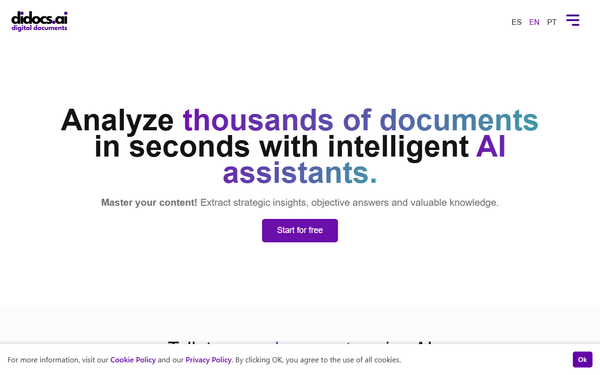
Didocs.ai is an AI-powered platform that lets users upload digital documents in multiple formats, then converse with them using retrieval-augmented generation (RAG) and advanced NLP/ML models (powered by OpenAI). It rapidly extracts key information, answers questions, generates summaries, tables, articles, analogies, analyses, and even quizzes or social-media content—all while citing exact sources for traceability and accuracy. Primary use cases include distilling insights from research papers, comparing legal clauses, reviewing technical manuals, creating marketing copy from briefs, or analyzing lecture transcripts alongside slides. It shines for anyone overwhelmed by large document volumes who needs instant, objective knowledge without manual skimming.
Target audience spans students, researchers, and academics (via the dedicated Academic Assistant); legal professionals handling contracts and case files; engineers working with standards and specs; marketing teams generating content ideas; and business users requiring quick decision support from reports or spreadsheets.
Key Features & Capabilities
Core functionality revolves around “chat folders” where users upload multiple files (or web/YouTube links in higher plans), select a domain-specific Smart Assistant, and query the collection conversationally. Supported formats include searchable PDFs, Word (.doc/.docx), Excel (.csv/.xls/.xlsx), PowerPoint (.ppt/.pptx), ePub, HTML/TXT, websites, and YouTube videos (with automatic transcription). Responses always include page- or timestamp-specific citations, enabling verification.
Standout features that differentiate it include four pre-built Smart Assistants (Academic, Engineering, Legal, Marketing) that require zero prompt engineering; simultaneous multi-document and multi-format analysis (including video); organized side conversations within folders; and content-generation tools (tables, analogies, full articles). Compared with general tools like ChatGPT or NotebookLM, Didocs.ai provides cleaner source tracking, native multi-format support beyond PDFs, and domain-tuned intelligence.
Limitations include no native OCR for scanned/image-based PDFs (users must preprocess with external tools like PDF24); strict per-plan storage and question quotas (e.g., 100 MB / 3,000 questions on Starter); 70 MB per-file cap; and reliance on OpenAI models, meaning occasional hallucinations require user verification. No pre-loaded public knowledge base—everything is user-uploaded.

User Experience
The interface is clean and web-based, centered on familiar chat windows with sidebar folder management—very low learning curve. Most users can start productively within minutes of signing up. Folder organization and the ability to spawn side conversations keep complex projects tidy. Documentation consists of an FAQ section, assistant-specific landing pages, and blog posts explaining workflows; support is available via contact form (no live chat or phone listed). Third-party reviews praise the intuitive design and time-saving “talk-to-your-docs” feel.
Performance & Reliability
Official claims and early reviews confirm analysis of thousands of pages occurs in seconds, with consistent source citations improving trust. AWS infrastructure plus Cloudflare security ensures data protection and scalability. Common user feedback (where available) highlights speed and productivity gains; no widespread reliability complaints surfaced in 2026 searches. The main caveat is standard for LLM-based tools: outputs should always be cross-checked against cited passages, as accuracy is high but not infallible.
Pricing & Value
Didocs.ai offers an 8-day free trial followed by three paid tiers (monthly or annual, with two months free on annual billing):
- Starter ($14/mo or $140/yr): PDFs only, 100 MB storage, 3,000 questions/mo, single user.
- Premium ($20/mo or $200/yr): All formats, 1 GB storage, 8,000 questions/mo.
- Professional ($28/mo or $280/yr): Adds web/YouTube links, 2 GB storage, 10,000 questions/mo, two simultaneous users. Custom enterprise plans available on request. Value is strong for heavy document users—specialized assistants and traceable multi-format support outperform generic LLM workflows at a modest price point. Casual or scanned-PDF-heavy users may find limits restrictive compared with unlimited tools like NotebookLM (free but narrower scope).
Practical Tutorial
A common task—conducting a quick literature review across three research PDFs—is straightforward:
- Go to https://app.didocs.ai/register and create a free account (or start the 8-day trial).
- On the dashboard, click “Create Chat Folder” and name it (e.g., “Q3 Literature Review”).
- Upload your documents (PDFs, Word files, or even YouTube lecture links in Professional tier). Multiple files upload simultaneously.
- Select the Academic Assistant from the assistant dropdown.
- Start querying:
- “Summarize the key findings of all three papers in a bullet-point table.”
- “Compare the methodologies used in Paper A versus Paper B, citing page numbers.”
- “Generate a 300-word literature-review paragraph suitable for my thesis, with in-text citations.”
- “Create a quiz with 5 questions testing understanding of the main arguments.”
Responses appear instantly with clickable source references. You can spawn a side conversation (“Now focus only on statistical limitations”) or export the output. For video lectures, the Professional plan transcribes YouTube links automatically so you can ask “What timestamps discuss the results section?” The entire process typically takes under five minutes. Official assistant pages and blog posts provide additional examples.
Final Verdict
Overall rating: 4.3/5
Didocs.ai excels for students, researchers, legal teams, engineers, and marketers who regularly wrestle with multiple documents and want specialized, source-tracked AI assistance without prompt gymnastics. Its domain assistants, multi-format support, and clean organization deliver genuine time savings and clearer insights.
Avoid it if you primarily handle scanned/image PDFs (extra preprocessing needed), require unlimited questions/storage on a budget, or prefer completely free tools with fewer specialized features.
One-sentence recommendation: Try the free trial—Didocs.ai is one of the most practical AI document companions available in 2026 for anyone whose work lives inside files.