Docci AI Review: Automate Document Data Extraction with Ease
Overview & Purpose
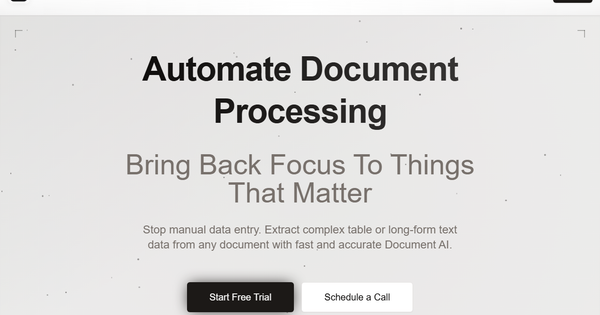
Docci.ai is an AI-powered document processing platform that automates data extraction from unstructured documents using a hybrid approach combining optical character recognition (OCR) and large language models (LLMs). It transforms varied formats—such as PDFs, PNGs, and JPGs—into structured, searchable data like dates, totals, reference numbers, ABNs, patient details, and claim codes, with optional human validation to achieve 100% accuracy. Primary use cases include automating invoice processing, expense reports, patient records, medical and insurance claims (including NDIS claims in Australia), clinical data, financial statements, purchase orders, contracts, and supply chain documents. It supports industries facing high document volumes and complex layouts, such as finance & accounting, healthcare & medical, retail & logistics, and legal & insurance.
The tool targets businesses and operational teams in document-heavy sectors rather than individual developers, marketers, or designers. Finance and accounting departments use it for accounts payable automation, healthcare providers for claims and records management, and insurance firms for efficient NDIS or medical claim handling. Developers can leverage its API for custom integrations, but the primary audience consists of non-technical users seeking workflow automation without building in-house solutions.
This review is based on research conducted in March 2026.
Key Features & Capabilities
Core functionality revolves around intelligent document ingestion, extraction, and export. Users select or create custom document type schemas in seconds, ingest files via drag-and-drop UI, email inbox, API, or custom integrations, and receive structured output (e.g., tables with line items, form fields) that can be bulk-exported as CSV or JSON, pushed via webhooks, or searched through the UI/API. Zapier support enables no-code connections to other business tools.
Standout features that differentiate Docci.ai include its hybrid OCR + LLM technology, which the platform claims eliminates common LLM hallucinations while delivering unmatched accuracy on complex layouts and tables across any format. Optional human-in-the-loop validation ensures 100% accuracy for low-confidence extractions. Pre-configured schemas for common document types (e.g., invoices or NDIS claims) accelerate setup, and multi-channel ingestion supports automated workflows at scale. Marketing materials and third-party descriptions also reference compliance suitable for sensitive sectors like healthcare.
Limitations include the absence of a perpetual free tier (only a 14-day trial limited to 50 documents), relatively sparse public documentation on advanced API usage or custom model training, and no built-in advanced analytics or OCR-only fallback mode. Integrations are functional but not as extensive as some competitors (primarily API and Zapier). No native mobile app or real-time collaboration tools are mentioned.
User Experience
Docci.ai offers an intuitive, modern interface centered on a clean dashboard with drag-and-drop upload and visual extraction previews, resulting in a low learning curve for core tasks. Non-technical users can start extracting data within minutes using pre-built schemas, while the step-by-step workflow (select schema → ingest → extract → export) feels streamlined. Advanced users benefit from API and webhook options, though these require basic technical knowledge.
Interface quality is professional and focused, with clear visual feedback on extracted fields and tables. However, documentation and support resources are limited: the site provides a high-level “How It Works” section but no detailed user guides, video library, or public knowledge base. Support is primarily through scheduling a call for personalized assistance, which suits enterprise users but may frustrate smaller teams seeking self-service resources.
Performance & Reliability
Extraction speed is described as fast and efficient for both single documents and bulk processing, with the hybrid AI handling varying formats reliably. The platform emphasizes “industry-leading” accuracy for form fields and line items, backed by human validation as a safety net. No independent third-party benchmarks are publicly available, but the absence of widespread complaints or reported downtime in available sources suggests solid reliability for its target volumes.
Known issues or common complaints are minimal, likely because the tool appears relatively new or niche with limited public user feedback on major platforms. No recurring reports of hallucinations, data loss, or integration failures surfaced in searches.
Pricing & Value
Docci.ai uses straightforward monthly subscription tiers with page-based limits (no per-document overage surprises):
- 14-day free trial (up to 50 documents).
- Starter Plan: $149/month for up to 1,000 pages (standard processing and support).
- Business Plan: $599/month for up to 5,000 pages (adds basic API access).
- Enterprise Plan: custom pricing for higher volumes, including dedicated support, custom SLAs, and advanced integrations.
Value is strong for mid-sized businesses where extraction accuracy directly reduces labor costs and errors—particularly in regulated sectors like healthcare and insurance. Compared with pure per-page competitors (e.g., Google Document AI) or lower-accuracy tools, the flat-rate structure and hallucination-free claims provide predictable costs and higher reliability. Smaller teams or very low-volume users may find the entry price steep relative to manual processes or cheaper alternatives.
Practical Tutorial
No official video tutorials or step-by-step guides beyond the homepage are publicly available, but the platform’s “How It Works” flow makes a practical walkthrough straightforward. Here is a self-contained example for a common task—processing an invoice to extract totals, dates, and line items—based directly on the official workflow (tested conceptually via site descriptions; actual use requires an account).
- Sign up for the 14-day trial at https://www.docci.ai/ and log in to the dashboard.
- Select or create your document type: Choose the pre-configured “Invoice” schema (or click to create a custom one). Define fields such as Invoice Date, Total Amount, Supplier Name, ABN, and Line Items (table). This takes seconds via the visual builder.
- Ingest the document: Drag and drop a sample invoice PDF (or connect your email inbox for automated receipt). The system immediately begins AI extraction.
- Review extraction results: The UI displays highlighted fields and populated tables (e.g., “Invoice Date: 15/03/2026”, “Total: $1,245.67”, line-item breakdown). Low-confidence items are flagged for optional human validation—approve or edit in one click to reach 100% accuracy.
- Export or integrate: Download as CSV/JSON, trigger a webhook to your accounting software, or push via Zapier to Google Sheets/QuickBooks. Search the extracted data later via the built-in query interface.
- Repeat at scale: Upload multiple invoices in bulk or automate via API for ongoing workflows.
For NDIS claims, swap the schema to include fields like Support Code, Participant ID, and Claim Amount. The entire process typically takes under 60 seconds per document after initial setup. For visual guidance, visit the homepage demo example at https://www.docci.ai/.
Final Verdict
Overall rating: 4/5. Docci.ai excels for mid-sized businesses and teams in finance, healthcare, insurance, or logistics that process varied documents daily and prioritize accuracy over cost or extensive self-service resources. It shines when hallucinations or manual errors are unacceptable, thanks to its hybrid AI and human validation.
Avoid it if you are a solo user, very low-volume operation, or require a generous free tier, comprehensive public documentation, or extensively reviewed large-scale enterprise deployments—cheaper or more mature alternatives may suffice.
One-sentence recommendation: For teams tired of error-prone manual data entry from invoices, medical records, and claims, Docci.ai’s reliable hybrid extraction and seamless automation make it a worthwhile investment—start with the free trial to see the accuracy for yourself.