Drafter AI Review: Build Powerful No-Code AI Automations Fast
Overview & Purpose
Drafter AI is a no-code platform designed for building AI-powered tools, automating workflows, and embedding AI features into existing products or processes without requiring coding or machine learning expertise. It allows users to combine hundreds of data sources (such as web content, PDFs, videos, and public datasets) with various AI technologies to create custom automations that handle tasks like text generation, data enrichment, summarization, text analysis, image and speech recognition, and more. The primary value proposition is rapid deployment—users can launch functional AI apps or workflows in minutes—while cutting development costs by up to 90% and integrating internal company knowledge for tailored, context-aware outputs.
Key use cases span sales (lead research, personalized outreach, CRM enrichment), marketing (content generation, social media automation, brand monitoring), customer experience (feedback analysis, automated responses), competitive intelligence (data collection and structuring), and internal operations (document processing, knowledge extraction, translation). It also supports adding AI capabilities to tools like Google Sheets via an add-on or through API integrations for broader product enhancement.
The target audience includes non-technical professionals such as marketers, sales teams, operations managers, and product owners who want to implement AI quickly. It also appeals to small-to-medium businesses, agencies, and enterprises seeking to prototype or scale AI features without hiring developers, as well as no-code enthusiasts building internal tools or client-facing automations.
Key Features & Capabilities
Core functionality revolves around a no-code builder for creating AI workflows that chain multiple steps: data ingestion, AI processing (e.g., custom classification, sentiment analysis, entity extraction), and output generation or integration. Users can upload internal documents (PDFs, videos, web pages) for the AI to index and reference, create reusable prompt templates, and generate automatic API endpoints for embedding outputs into other tools. Pre-built AI apps cover common needs, while custom apps allow tailored logic. Integrations include Slack, Make.com, Zapier, and direct API calls; it also supports batch processing for hundreds of entries at once.
Standout features that differentiate it from competitors (such as general no-code platforms like Zapier or Make with AI add-ons) include seamless multi-AI technology orchestration in unified workflows, flexible internal knowledge integration akin to retrieval-augmented generation (RAG), and automatic API generation for product integration. The credit-based system allows mixing any data sources and AI modules without rigid limits, and enterprise options add white-label portals and dedicated support.
Limitations include a variable credit consumption model (e.g., image recognition uses far more credits than text generation), which can lead to unpredictable costs for heavy users. There is no free tier beyond the 30-day trial, advanced customization is capped at no-code boundaries (no direct code edits), and public documentation appears basic with complex use cases potentially requiring support. Scalability for very high-volume or highly regulated environments may require the top-tier plan.
User Experience
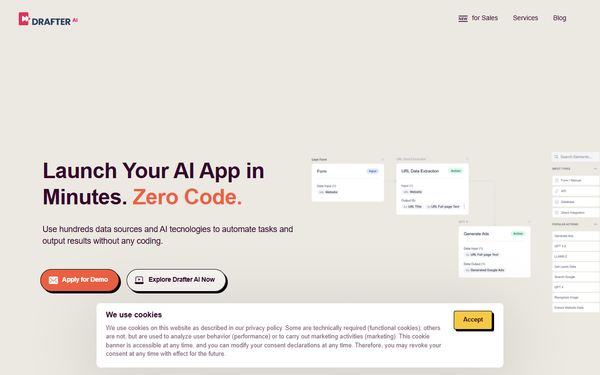
Drafter AI emphasizes ease of use with a visual no-code builder, enabling users to drag-and-drop components for workflows without prior AI experience. The learning curve is low for basic automations—many users can create functional tools in minutes after signup—though mastering advanced chaining or knowledge base optimization may take a few hours. The interface is described as clean and intuitive, focused on rapid iteration rather than complex dashboards.
Documentation is available at docs.drafter.ai, covering account setup and workflow basics, but it remains relatively sparse for in-depth examples. Support resources include a 30-day trial, demo requests, and in-app guidance; enterprise plans add dedicated consulting. User feedback on support is limited but notes occasional gaps in self-serve resources for niche scenarios. Overall, it prioritizes speed for business users over exhaustive developer-style docs.
Performance & Reliability
Workflows execute efficiently for batch tasks, with claims of handling hundreds of entries simultaneously and delivering results in seconds for common operations like summarization or enrichment. Speed benefits from underlying AI models and data sources, though exact latency depends on the chosen modules and data volume.
As of April 2026, public user reviews and complaints are minimal due to the tool's niche positioning and recent maturation; no widespread reliability issues, downtime, or major bugs are documented on major review sites like G2 or Capterra (which show zero aggregated reviews). Early mentions highlight reliable rapid prototyping, but real-world long-term performance for mission-critical enterprise use remains less tested in public forums.
Pricing & Value
Drafter AI uses a tiered subscription model with usage-based credits and a 30-day free trial on all plans (no perpetual free tier).
- Use Plan: $24/month – 1,000 operations/month, access to default AI apps, Slack + Make.com integrations, single user.
- Customize Plan: From $79/month – 500,000 AI credits/month, default + custom AI apps, up to 5 users, unlimited apps, multiple roles.
- Scale Plan: From $1,999/month (limited promotional spots noted) – 1,000,000 AI credits/month, unlimited users, white-label portal, custom API integrations, developer API access, dedicated consulting, local deployment option.
Additional credits cost $79 per 500,000 package. Billing is flexible and post-usage for overages.
Value is strong for teams needing quick AI automation without custom development, offering significant time and cost savings compared to hiring engineers or using fragmented tools (e.g., Zapier + OpenAI). It provides better out-of-the-box business-specific apps and knowledge integration than pure no-code builders, though heavy users may find credit costs add up versus unlimited enterprise alternatives. The pricing suits startups and mid-market teams best.
Practical Tutorial
Official documentation offers basic "Getting Started" and "Workflow Basics" guides (available after signup at docs.drafter.ai), along with a YouTube video "How to Get Started with Drafter AI." For a common task—creating a reusable workflow to summarize articles and extract key insights (useful for marketing or competitive intelligence)—here is a practical walkthrough based on the platform's no-code capabilities:
-
Sign up and access the builder: Create a free account at app.drafter.ai (30-day trial). Once verified, navigate to the dashboard and click "Create New Workflow" or "New AI App."
-
Set up data input: Add an input block for "Web URL" or "Upload Document." Configure it to accept article links or PDFs. For batch use, connect a CSV upload or Google Sheets integration for multiple entries.
-
Build the core AI steps: Drag in an "AI Text Analysis" or "Summarization" module. Set parameters (e.g., "Summarize in 200 words, extract entities, sentiment, and key phrases"). Chain a second module for "Custom Prompt" using a reusable template: "Based on the summary, generate 3 social media post ideas tailored for [target audience]."
-
Integrate knowledge (optional): Upload company PDFs or web pages in the Knowledge Base section. Enable the AI to reference them for context-aware outputs (e.g., align summaries with brand guidelines).
-
Add output and integrations: Connect an "Output" block for results (email, Slack notification, or API response). For automation, link to Make.com or Slack to post summaries automatically. Generate an API endpoint if embedding in another tool.
-
Test and deploy: Run a test with sample data. Monitor credit usage in the dashboard. Save as a reusable app or template. Trigger manually, via schedule, or webhook for production use.
-
Monitor and iterate: View execution logs and refine prompts. For Google Sheets users, install the add-on from the Workspace Marketplace to apply the workflow directly to spreadsheet rows.
This process typically takes 10-15 minutes for a first-time user. For video guidance, search "How to Get Started with Drafter AI" on YouTube. Official demos highlight similar sales or content workflows.
Final Verdict
Overall rating: 4.2 out of 5. Drafter AI excels as an accessible entry point for no-code AI automation, delivering fast value for business teams through intuitive workflows and knowledge integration. It is ideal for marketers, sales professionals, and operations leads in small-to-medium businesses who need to prototype or scale AI features quickly without technical overhead. Avoid it if you require extensive custom coding, have extremely high-volume needs without budgeting for credits, or prioritize platforms with extensive public reviews and community support. One-sentence recommendation: If you're a non-technical professional looking to embed powerful AI automations into your workflows without the hassle of coding or hiring experts, Drafter AI is a smart, cost-effective starting point worth trialing today.