Drawer AI Review: Automate Electrical Takeoffs and Estimating

Overview & Purpose
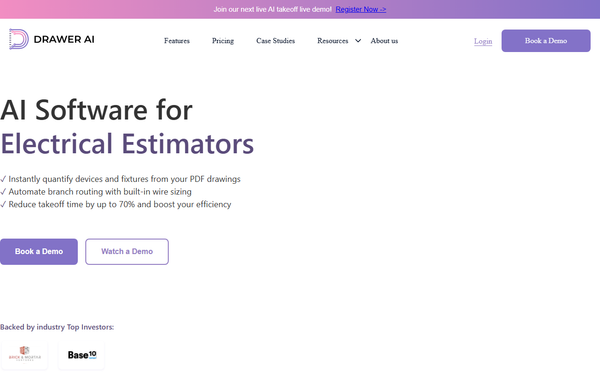
Drawer AI is a specialized web-based AI platform that automates electrical takeoffs and estimating by analyzing PDF drawings to instantly detect, count, classify, and quantify electrical devices, fixtures, lighting controls, low-voltage systems (fire alarm, telecom, security), and circuits. It further automates branch circuit routing (testing thousands of route options for efficiency), wire sizing with voltage drop calculations, panel schedule extraction, multi-sheet plan stitching into unified layouts, and generates marked-up PDFs plus Excel material reports—transforming what traditionally takes hours or days into minutes.
Primary use cases include preparing competitive bids for commercial, healthcare, institutional, and multi-family electrical projects; reducing estimating errors that lead to costly change orders; increasing bid volume without hiring additional staff; and feeding accurate takeoff data into downstream estimating or project management software. It is purpose-built for the electrical trade and not intended for general developers, marketers, designers, or non-electrical construction professionals.
Target audience is electrical contractors, estimators, and subcontractors (trusted by 140+ leading firms across the US as of 2026), particularly those handling complex plan sets with hundreds or thousands of devices.
Key Features & Capabilities
Core functionality centers on an end-to-end AI workflow: drag-and-drop PDF upload with automatic preparation (title block reading, schedule extraction), generative AI for symbol detection and tagging, intelligent circuit grouping, automated branch routing with code-compliant wire sizing, plan stitching for split drawings, built-in QA/review tools (bulk edit, visual markup), and one-click Excel/PDF exports.
Standout features that differentiate it from competitors (such as basic digital takeoff tools like Takeoff Live or manual methods in Bluebeam) include true generative AI for full branch routing optimization (not just counting), automatic voltage drop calculations, seamless multi-plan stitching, and support for low-voltage systems beyond basic power/lighting. An optional “Takeoff Concierge Service” lets teams outsource the entire process (with human QA) for a fee. The platform also offers priority processing and enterprise controls (SSO, admin tools).
Limitations include PDF-only support (no native CAD/DWG import), project-scale caps on lower tiers (e.g., 250 home runs or 20 feeders in Starter), and the need for human review/QA since AI is powerful but not infallible. No free tier exists, mobile app is absent, and public integration details with popular estimating platforms remain limited despite blog mentions of compatibility.

User Experience
Drawer AI emphasizes simplicity with a clean, modern web interface: intuitive drag-and-drop upload, side-by-side drawing markups, Bulk Edit panels for quick corrections, and visual routing previews. The learning curve is low—“no training needed” per official materials—with most users productive after a short webinar.
Interface quality feels professional and estimator-focused, with clear property panels, color-coded devices, and export-ready markups. Documentation and support are strong: weekly public webinars (every Monday 10 AM Pacific), on-demand product videos, case-study walkthroughs, in-product training, instructor-led sessions, and responsive sales/support for paid users. The concierge service provides an additional hand-holding option for teams new to AI tools.
Performance & Reliability
Performance is a highlight: real-world case studies report processing 2,600+ lighting fixtures and 3,400+ power devices in minutes with ~70% time savings and high accuracy after QA. Automated routing and stitching eliminate manual tracing errors and handle complex, multi-sheet projects reliably.
As of March 2026 research, no widespread technical issues or downtime complaints appear in public forums. Reliability is bolstered by built-in QA tools and concierge QA, though users must still spot-check (a deliberate design choice for accountability). Independent reviews are sparse (0 verified G2 reviews publicly visible; overall sentiment from industry mentions is positive but limited), which is typical for a specialized newer tool.
Pricing & Value
Drawer AI offers three annual subscription tiers with 15-day money-back guarantee; exact pricing requires contacting sales (no self-serve public quotes on the site). Third-party sources consistently list Starter at approximately $150 per user per month (core detection, counting, exports, unlimited storage) and Pro at $300 per user per month (adds full branch routing, stitching, priority processing, circuit grouping). Enterprise is custom with advanced admin, SSO, unlimited scale, and analytics. Add-on concierge service is available à la carte or via token bundles.
Value proposition is compelling for mid-to-large electrical contractors: 10x ROI and 35% overall cost savings are frequently cited through higher bid volume and fewer errors. Compared to manual processes or basic software, the AI automation pays for itself quickly; however, smaller firms or occasional users may find the annual commitment and lack of monthly/flexible options less accessible.
Practical Tutorial
Official tutorials are available via free weekly webinars, on-demand videos, and resources page; a popular YouTube demo (“Electrical Takeoffs in Minutes”) and Starr Electric case study provide real examples. Here is a practical step-by-step walkthrough for a common task—performing a full takeoff on a multi-sheet commercial project—based directly on the platform’s documented workflow.
-
Create Account & Upload Plans – Log in at drawer.ai (or book a demo for guided onboarding). Drag and drop PDF sheets (or upload a ZIP of an entire set). AI automatically reads title blocks, extracts panel/lighting schedules, and stitches multiple floor plans into one unified layout.
-
AI Quantification – Click “Process.” Generative AI detects and classifies every device, fixture, and low-voltage symbol, links tags, counts quantities, and groups circuits. This step typically completes in minutes even for 300,000 sq ft projects.
-
Automated Branch Routing & Sizing – Review the auto-generated routes (AI tests thousands of options for shortest/efficient paths). Adjust zones or home runs if needed; the system instantly recalculates wire sizes and voltage drop. Use Bulk Edit for any corrections.
-
QA & Review – Open the Takeoff Pad and marked-up drawings. Visually inspect, edit properties, or flag issues. (Optional: submit to Concierge Service for expert QA and returned reports.)
-
Generate Reports – Export a detailed Excel bill of materials (quantities, wire lengths, etc.) and a marked-up PDF with all properties. Import the Excel directly into your estimating software.
For hands-on practice, register for the next live webinar at https://drawer.ai/webinars or watch the official demo video. The Starr Electric Cancer Center case study (https://drawer.ai/resources/starr-case-study) shows this exact process on a real 300,000 sq ft project with before/after metrics.
Final Verdict
Overall rating: 4.5/5 (strong on specialized automation and speed; docked slightly for opaque public pricing, limited independent reviews, and necessary human QA).
Electrical contractors and estimators who regularly bid from PDF plan sets and want to dramatically increase output while reducing errors should use Drawer AI—it delivers measurable competitive advantage through true AI routing and stitching that generic tools lack. Avoid it if you prefer completely free or open-source solutions, work exclusively with CAD files, or need zero human oversight in the process.
Electrical estimators serious about 70% faster, more accurate bids should book a Drawer AI demo today—your next project timeline will thank you.