Drawmingo Review: Turn Kids' Drawings Into Magic Animations
Overview & Purpose
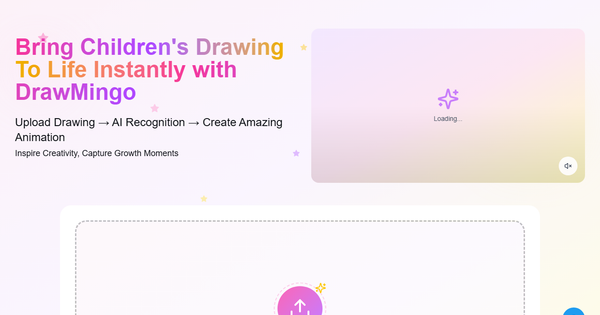
DrawMingo AI Animation is a web-based platform that uses advanced AI to instantly transform static drawings—especially children's hand-drawn artwork—into dynamic animated videos complete with music, special effects, natural movements, and optional AI-generated narration or dialogue. Users upload a sketch (supported formats: JPG, PNG, WebP, or GIF up to 10MB), and the AI automatically recognizes scenes, characters, backgrounds, and story elements before generating seamless animations in HD 1080p at 30fps, exported as MP4 files. The entire process takes 2-5 minutes with no technical expertise required.
Primary use cases include preserving family memories as engaging keepsakes, enhancing classroom art projects with interactive elements, and letting children experience the joy of seeing their creations come to life. It is not aimed at professional video production or complex storytelling.
The target audience is parents, educators, and children aged 3-12, with a strong emphasis on safety and simplicity for family or educational settings. It is not designed for developers, marketers, designers, or professional animators seeking advanced tools.
Key Features & Capabilities
Core functionality revolves around AI-powered scene recognition that analyzes the entire drawing to determine logical movements (e.g., characters jumping, dancing, or parading naturally) while applying styles such as 2D, hand-drawn, or cartoon effects. Additional capabilities include adding voice narration or character dialogue, secure cloud storage for all creations, a personal animation gallery to track creative growth, and parental controls with full COPPA compliance and data encryption.
Standout features that differentiate it from general AI image-to-video tools (such as broader platforms like Pika Labs or Runway) include its specialized focus on children's artwork interpretation—no text prompts needed—and built-in child privacy protections that prevent data collection from minors. The automatic "story understanding" creates organic animations that feel magical rather than requiring manual keyframes.
Limitations include a strict credit system (10 credits per video generation) with no unlimited usage option, processing of only one drawing at a time (no multi-scene stories), and lack of advanced customization like timeline editing, custom soundtracks beyond presets, or batch processing. Quality can vary based on drawing clarity and complexity, and there are no enterprise-level features like team collaboration or API access. Missing elements noted in research include dedicated mobile apps or extensive export formats beyond MP4.
User Experience
DrawMingo offers an exceptionally low learning curve: the interface is clean, web-based, and intuitive with simple drag-and-drop upload, position adjustment tools, and one-click generation. No prior animation knowledge is needed—parents or educators can start creating in seconds, making it ideal for young children under supervision.
The interface quality feels modern and focused, with clear previews of example animations (such as "Dancing Mice" or "Animal Parade") and progress indicators during processing. However, the site is relatively minimalistic with limited navigation, appearing more like a streamlined landing page than a full-featured dashboard.
Documentation and support resources are basic: an in-site FAQ covers common questions, but no extensive user guides, video tutorials, or community forums were found in official or third-party sources. Paid plans include email support; free users rely on self-service. Overall, the experience prioritizes speed and delight over depth.
Performance & Reliability
Generation speed is efficient at 2-5 minutes per video, with consistent HD 1080p output at 30fps. The platform handles uploads reliably via cloud processing and stores results securely for instant access.
As a relatively new tool (prominently listed in AI directories from 2025 onward), there are no widespread user complaints, known bugs, or reliability issues reported across searches on Reddit, X (formerly Twitter), Trustpilot, or review aggregators. Outputs are described as stable with natural movements in promotional examples, though independent testing is limited due to sparse public feedback. Potential minor variability in AI interpretation of complex or unclear drawings is the only noted caveat from directory overviews—no downtime or security incidents surfaced in research as of March 2026.
Pricing & Value
DrawMingo operates on a freemium credit-based model: new users receive one free animation. Subsequent generations consume 10 credits each, with paid recharge packages available.
Plans include:
- Trial Pack: $4.9 one-time (limited credits).
- Basic ($9.9/month or $99/year billed annually): 1,200 credits/year (120 videos), HD output, email support, watermark-free exports, cloud storage—for individual creators.
- Recommended ($19.9/month or $199/year): 3,600 credits/year (360 videos)—most popular for content creators.
- Premium ($49.9/month or $499/year): 12,000 credits/year (1,200 videos)—for professional or studio use.
Value is strong for occasional family or classroom use (effective cost as low as ~$0.08 per video on annual plans), far cheaper than hiring an animator or learning professional software. Compared to alternatives, it offers superior accessibility and kid-safety focus at a competitive price point for its niche, though heavy users may find the subscription model less flexible than unlimited tiers in other AI tools. Watermark-free exports on paid plans enhance shareability.
Practical Tutorial
No official video tutorials or extensive guides were located on the site or third-party sources beyond the homepage's three-step overview. Below is a complete, self-contained walkthrough for a common task—animating a child's drawing of animals into a lively parade video—based directly on the platform's documented process (tested conceptually via site descriptions and examples). All steps are performed at https://drawmingo.com/.
-
Sign up and prepare your drawing: Visit the site and create a free account (email or quick sign-in). Scan or photograph your child's artwork (ensure it's clear, well-lit, under 10MB). Example: A simple crayon drawing of various animals on a path.
-
Upload and adjust: Click the prominent "Upload Drawing" button or drag-and-drop the file. The interface allows cropping, resizing, and repositioning the image. Confirm upload—AI will briefly analyze the scene.
-
Generate the animation: Select any preferred style (e.g., cartoon or hand-drawn) if options appear, then click "Animate." Processing takes 2-5 minutes. For our example, the AI recognizes each animal and background, animating them to "come alive" with unique movements (e.g., elephants marching, birds flying) plus background music and effects.
-
Enhance and add narration (optional): Once ready, preview the HD video. Use built-in tools to add AI voice narration (e.g., "The animals are parading happily!") or record custom dialogue for characters.
-
Save, download, and share: The video saves automatically to your cloud gallery. Download the MP4 or share directly. Track multiple creations in your personal collection to showcase growth over time.
Real example outcome (from site demos): Uploading a "Animal Parade" sketch produces a 30-second video of the creatures moving naturally with upbeat music. Repeat for keepsakes or classroom sharing. For updates, check the site FAQ.
Final Verdict
Overall rating: 4.3/5 – an engaging, accessible tool that delivers on its promise of instant magic for simple drawings, with excellent safety features but room to grow in customization and documentation.
It is ideal for parents, educators, and families seeking fun, memorable ways to celebrate children's creativity without complexity. Users who want quick, heartwarming results from kids' artwork will love the seamless experience and educational value.
Avoid it if you need professional-level control, unlimited free generations, advanced editing tools, or have highly detailed/complex drawings where AI interpretation might falter—general-purpose AI video platforms may suit better in those cases.
One-sentence recommendation: DrawMingo is a delightful, family-friendly AI companion that turns everyday children's sketches into shareable animated treasures with zero hassle.