EasySub Review: The Best Budget AI Tool for Auto Subtitles
Overview & Purpose

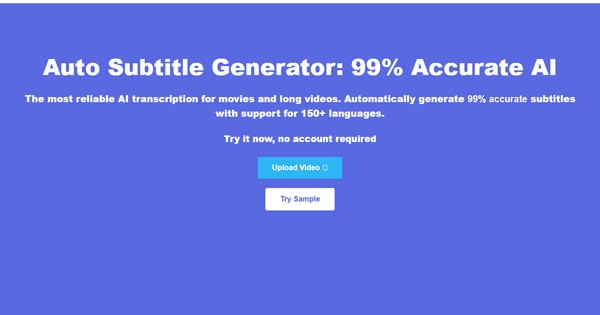
EasySub (easyssub.com) is an AI-powered online auto subtitle generator that transcribes video and audio files into accurate subtitles, supports free translation across 150+ languages, and enables easy export of subtitled videos or subtitle files. Users can upload local files (MP4, MOV, AVI, MKV, MP3, WAV) or paste YouTube URLs, then edit and export content optimized for platforms like YouTube, Instagram, TikTok, Facebook, and LinkedIn. Primary use cases include boosting video engagement on social media (where viewers often watch muted), improving accessibility for hearing-impaired audiences, transcribing educational lectures or presentations, and assisting professional subtitle groups with initial drafts.
As of March 2026, the tool targets video creators, teachers, students, marketers, and subtitle professionals—particularly beginners or budget-conscious users who need quick, multilingual captions without complex software. It emphasizes convenience for novices while providing professional-level output for broader reach.

Key Features & Capabilities
Core functionality revolves around AI-driven transcription with claimed 95%+ accuracy (higher than 90% of competitors), automatic subtitle generation, free translation in 150+ languages (including dialects and minor ones), and a built-in timeline editor for splitting clips, rearranging, dragging, modifying text, or adding elements like titles and watermarks. Standout features include one-click video export with burned-in subtitles across multiple mainstream resolutions tailored to social platforms, support for downloading subtitles in SRT, TXT, and ASS formats, a free YouTube subtitle downloader tool, and unlimited editing/storage even on the free tier. The tool also handles full transcoding and conversion while keeping the process simple and fast.
Differentiators from competitors like VEED, Kapwing, or Descript include its extremely low pricing combined with completely free multilingual translation (a rarity), focus solely on subtitles rather than full video editing suites, and support for long videos or movies with high claimed accuracy. It also offers a separate free YouTube downloader for quick subtitle extraction. Limitations include accuracy that varies significantly with audio quality, accents, background noise, or specialized terminology (requiring manual corrections in challenging cases), a basic interface lacking advanced styling options or animations, no speaker diarization or identification, and potential export fees or watermarks on the free tier. Missing features noted in comparisons: enterprise integrations, collaborative editing tools, or pro-level caption effects.

User Experience
EasySub boasts a simple, clean, and intuitive interface with a single workbench and timeline editor, requiring no learning curve—users can start without an account for demos or trials. The process feels one-step for core tasks, with beautiful minimalism praised for speed and ease, making it accessible even for non-technical users like teachers or students. Documentation includes helpful blog posts with visual guides, though support resources are basic (priority customer service reserved for Teams plans). Overall, the experience prioritizes speed and simplicity over advanced customization, earning positive notes for user-friendliness in available feedback.
Performance & Reliability
The tool claims extremely fast upload, transcription, and processing speeds—even for long videos or movies—thanks to its proprietary AI audio recognition algorithm. Reliability is strong in optimal conditions, with independent overviews noting high accuracy (over 90-95%) and efficient handling of multi-language content. However, like most AI subtitle tools, performance can dip with poor audio clarity, multiple speakers, heavy accents, or peak-hour processing delays, often requiring light manual tweaks. Known issues are minimal based on sparse user data; no widespread complaints about crashes, data loss, or major inaccuracies surfaced in 2026 reviews. Common feedback highlights it as reliable for everyday use but not infallible for complex audio.
Pricing & Value
EasySub offers a generous free tier (15-30 minutes of transcription monthly, unlimited edits/storage/translation, SRT downloads) with limitations like watermarks and $1 per export. Paid options include Pro Monthly ($9 for 3 hours), Pro Annual ($48 for 20 hours), and Teams plans ($26 monthly or $89 annually for higher limits plus priority support and unlimited users). New users get a promotional 2 hours for $5, with pay-as-you-go available at roughly $0.1 per minute. Refunds are flexible ("anytime" for dissatisfaction), and subscriptions auto-renew but can be canceled. Value is exceptional compared to alternatives charging $0.20–$0.25+ per minute or requiring subscriptions for similar features—especially with free translation and no upload limits on higher tiers—making it highly affordable for low-to-medium volume users. It stands out as one of the cheapest professional-grade options without sacrificing core multilingual capabilities.
Practical Tutorial
EasySub provides official blog tutorials; here is a step-by-step walkthrough for a common task—adding and translating subtitles to a YouTube educational video (tested via the site's demo flow as of March 2026). For visuals, see the official guide: https://easyssub.com/blog/add-subtitles-to-video/add-subtitles-online/.
-
Visit https://easyssub.com/ and click "Start adding subtitles" or go directly to the workspaces page (no account required for initial try). Click "Add Project."
-
Upload a local video file or paste a YouTube URL (example: a 10-minute English lecture on history from YouTube). Select the original language (e.g., English) and optional target translation language (e.g., Spanish for free multi-language support).
-
Confirm settings and click to generate subtitles. The AI analyzes and transcribes automatically (processing time scales with length—typically minutes for short clips).
-
On the subtitle details page, review the timeline editor: preview the video, split/rearrange segments, drag timestamps, modify text for accuracy, or add translations. Add basic text/watermarks if desired.
-
Preview the result, then download subtitles (SRT, TXT, or ASS) or export the video with embedded subtitles in your chosen resolution (e.g., TikTok-optimized). For the example lecture, this yields a fully captioned Spanish version ready for social sharing in under 10 minutes total.
This real-world flow works seamlessly for quick accessibility enhancements; try the live demo at https://easyssub.com/workspaces/detail/demo/sample for practice.
Final Verdict
EasySub earns a solid 4/5 rating for its balance of simplicity, affordability, and multilingual power, though it trails premium competitors in polish and advanced tools. Video creators, teachers, students, and subtitle groups on a budget should use it for fast, accessible captions that boost engagement and reach—especially with free translation and rock-bottom pricing. Avoid it if you need fancy animations, speaker detection, enterprise collaboration, or guaranteed perfection on noisy/complex audio (opt for VEED or human services instead). One-sentence recommendation: EasySub is an outstanding budget-friendly AI subtitle solution that delivers reliable transcription and free translation with minimal effort, perfect for quick professional results without breaking the bank.