Eddie AI Review: The Ultimate AI Assistant for Video Editors
Overview & Purpose
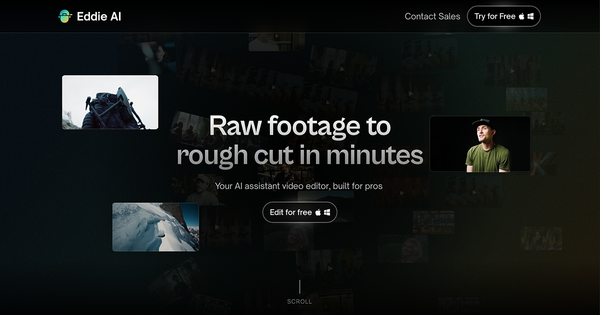
Eddie AI is an AI-powered assistant video editor designed specifically for professional workflows. It transforms raw footage into structured rough cuts by analyzing video and audio through natural language chat prompts, handling tasks like logging interviews, tagging B-roll, syncing multicam setups, and building narrative assemblies. Primary use cases include creating quick rough cuts from interview or documentary footage, organizing A-roll and B-roll for podcasts or long-form content, and generating social media clips—allowing editors to focus on storytelling rather than tedious manual logging and initial assembly.
The target audience is professional video editors, creators, filmmakers, and teams working on interview-heavy, documentary, or podcast projects. It is particularly valuable for those already using non-linear editing (NLE) software like Adobe Premiere Pro, DaVinci Resolve, or Final Cut Pro, serving as a "ChatGPT for video editing" rather than a standalone consumer tool. As of March 2026 research (drawing from the official site, help documentation, and independent reviews), Eddie AI is trusted by over 40,000 users and emphasizes pro-level integration over beginner one-click magic.
Key Features & Capabilities
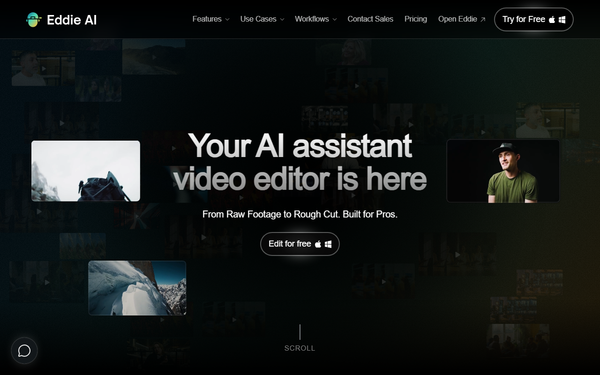
Core functionality revolves around conversational editing: users import footage (local, cloud, or directly from NLE via extensions), and Eddie transcribes, logs, and generates edits based on prompts like "Create a 5-minute rough cut focusing on the company's future" or "Remove fillers and tag B-roll for this interview." Standout features include A&B Roll Logging (automatic summaries, best soundbites, um/filler removal, and visual tagging), Rough Cuts (story-structured assemblies in minutes), Multicam Podcast syncing (using audio/visual cues), and Scripted Edits (building from provided outlines or voice-over anchors). It exports one-click timelines back to Premiere, Resolve, or FCP with relinked media, searchable captions, and compounds—eliminating XML hassles.
Differentiators from competitors (like general AI clip tools or basic auto-editors) include its desktop GPU-accelerated app for fast local processing of large files (e.g., 75GB+ 4K), deep NLE integrations as a true "assistant" rather than replacement, and iterative chat refinement for professional story control. Limitations include heavy reliance on clear dialogue/transcripts (best for talking-head or interview content, not action-heavy or music videos), no advanced color grading, audio fixes, titles, transitions, or effects, and imperfect B-roll placement that often requires manual tweaking. It also demands a "story anchor" (e.g., narration) for optimal structure and can require multiple prompt iterations for complex narratives.
User Experience
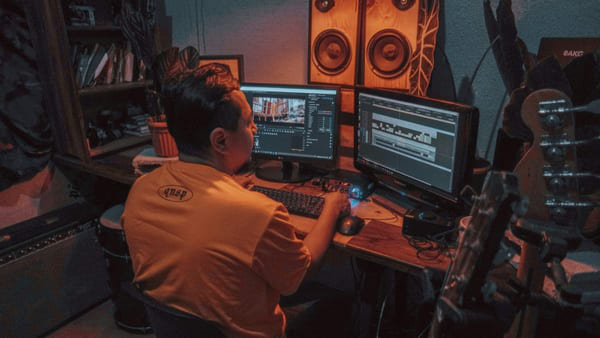
Eddie AI boasts a low learning curve for anyone familiar with ChatGPT-style prompting, with an intuitive desktop app (Mac/Windows) featuring a clean chat interface alongside a video player and timeline preview. Setup is straightforward: download the app, sign in with Google, install free NLE extensions, and start a project—web version offers fewer features but works for basics. Interface quality feels professional and fast, with GPU acceleration making analysis responsive even on large projects.
Documentation is excellent via the comprehensive help center (help.heyeddie.ai), including quick-start guides, example prompts, integration tutorials, and a YouTube playlist for visual walkthroughs. Support resources include in-app help and contact options, though some users note the need to experiment with prompting for best results. Overall, it feels like collaborating with a smart assistant rather than learning complex software, though optimal use improves with practice on real workflows.
Performance & Reliability
The desktop app delivers strong speed and efficiency, processing hours of footage in minutes (e.g., fast uploads and analysis even for 22GB+ files) thanks to local GPU support, far outperforming many cloud-based alternatives. Exports to NLE are seamless and reliable for timelines, with accurate logging and captions.
Known issues from user tests and reviews include occasional disjointed cuts (e.g., mid-sentence trims or illogical rearrangements), mismatched B-roll suggestions, and multicam angle-switching that doesn't always perform as advertised without heavy iteration. Common complaints center on the need for extensive prompting (no true "one-click" perfection), frustration in high-pressure pro workflows where human judgment is still essential, and results that feel more like a solid first pass than a finished assembly. Reliability shines for logging and organization but varies by footage quality and prompt clarity—best results come from clear-audio dialogue projects.
Pricing & Value
Eddie AI uses a flexible credit-based system with no mandatory subscription for light use. The Free/Flex plan is $0/month (no sub required), allowing testing and limited exports; additional credits cost $15 each (exports and heavier usage draw from credits). Higher paid plans (Pro/Pro+ and enterprise options) support larger projects, more complex workflows, unlimited or higher-volume exports, advanced features, and priority support—pricing starts around $167/month (billed yearly for discounts) up to custom enterprise tiers, with options for monthly billing. New users often receive free credits for initial projects.
Value is strong for professionals: time savings on logging and rough cuts (often 30–60+ minutes per project) can justify costs quickly for high-volume editors, offering better ROI than hiring assistants or manual work. Compared to alternatives like pure AI clip tools or manual NLE workflows, it excels in pro integration and conversational control but may feel expensive for occasional or simple edits where credits add up. Overall, the pay-as-you-grow model provides excellent flexibility without lock-in.
Practical Tutorial
Official tutorials and help resources are available at help.heyeddie.ai and the Eddie AI YouTube channel (playlist: "EddieU"). Below is a step-by-step walkthrough for a common task—creating a rough cut from interview footage—based on official documentation and tested workflows (as of March 2026). This uses the desktop app for best results.
-
Download and Set Up: Go to heyeddie.ai, sign up with Google, and download the Mac/Windows desktop app. Install the free extension for your NLE (Premiere, Resolve, or FCP) via Help > Install Extension in the app, then enable it in your editor.
-
Create a New Project: Open the app, click "New Project," and select "Chat & Edit" mode (combines rough cuts, logging, etc., for flexible use without re-uploading).
-
Import Media: Drag in your interview A-roll (clear audio recommended) and B-roll folders—or import directly from your NLE timeline/project via the extension or cloud (Google Drive/Frame.io). Eddie auto-transcribes, analyzes, and logs (summaries, soundbites, filler removal).
-
Chat to Build the Edit: In the chat panel, provide a story anchor (e.g., "Use my narration track as the structure"). Example prompt: "Create a structured 5-minute rough cut on [topic, e.g., future of AI], pulling best soundbites, removing ums/fillers, and suggesting B-roll tags." Iterate: "Make the opening snappier" or "Focus more on Q&A and add relevant visuals."
-
Review and Refine: Preview the generated timeline in-app. Eddie offers story options; refine with follow-up prompts like "Find clips where they discuss [specific point]" or "Sync multicam angles here."
-
Export: Click Export (top right). Choose MP4 for quick review or "Send to [NLE]" for seamless timeline import with relinked clips, compounds, and captions. Open in your editor to polish.
Real example: For a podcast interview, one prompt like "Cut a 3-minute highlight reel syncing two cameras on the funniest moments" yields a usable assembly in minutes. For official examples and more prompts, see https://help.heyeddie.ai/en/articles/9922360-get-started-with-eddie-a-quick-overview or the Social Media Clips guide.
Final Verdict
Overall rating: 8/10 (strong for its niche but not a full editor replacement).
This tool is ideal for experienced video editors, documentary filmmakers, podcasters, and content teams handling interview or long-form dialogue footage who want to reclaim hours from logging and initial cuts—boosting productivity without replacing creative control. Avoid it if you're a complete beginner expecting fully automated final videos, working primarily with non-dialogue/action content, or on tight budgets for very occasional simple edits where manual work is faster.
Eddie AI stands out as a true time-saving assistant for pros, turning raw footage into professional starting points faster than ever—highly recommended for anyone tired of tedious first passes.