Eraser.io Review: The Ultimate AI Tool for Technical Diagrams
Overview & Purpose
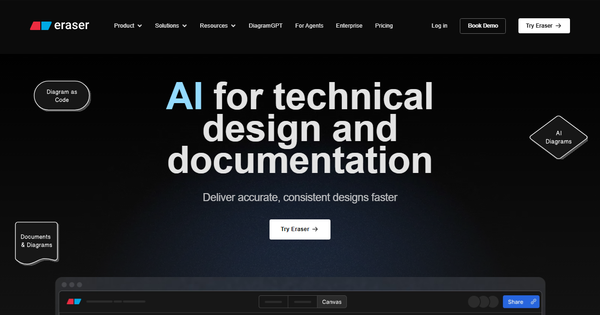
Eraser.io is an AI-powered co-pilot for technical design and documentation that combines a markdown-compatible editor, infinite canvas diagramming, and intelligent diagram generation to help teams create accurate, maintainable visuals and docs faster. It supports specialized diagram types including cloud infrastructure architecture, entity-relationship (ER) data models, flowcharts for processes and logic, and sequence diagrams. Primary use cases include system architecture documentation, database modeling, proof-of-concept sketches, technical specifications, and README updates directly tied to code repositories.
The platform is purpose-built for engineering workflows, allowing users to generate diagrams from natural-language prompts, edit them via diagram-as-code syntax or drag-and-drop, embed them into markdown notes, and sync everything with version control. It stands out by treating documentation and diagrams as a single, live artifact rather than separate tools.
Target audience is primarily software engineers, system architects, technical directors, product managers on engineering teams, and technical writers at startups through large enterprises. It is less suited for general marketers, designers, or non-technical teams needing broad presentation or marketing visuals.

Key Features & Capabilities
Core functionality revolves around a unified workspace with a split-view markdown note editor on one side and an infinite canvas on the other. Users can write technical docs, embed live diagrams, and collaborate in real time. Diagram-as-code (a clean, readable syntax) ensures diagrams remain versionable and editable like code, while 500+ built-in tech icons provide professional polish out of the box.
Standout features that differentiate Eraser.io from competitors include:
- DiagramGPT AI: Generate or edit full diagrams from text prompts (e.g., “AWS three-tier web app with ALB, EC2 autoscaling, RDS, and S3”) in seconds, then refine with code or canvas tools.
- GitHub integration: Two-way sync—commit diagrams and markdown directly to repos, create pull requests, and embed in READMEs.
- Additional integrations: Live embeds in Notion and Confluence, VS Code extension for in-IDE editing, and API access on paid plans.
- Advanced collaboration: Real-time editing, comments, tagging, wikilinks, unlimited guests, and automatic version history (with snapshots).
- Export and embed options: PNG, SVG, PDF, MD, plus figure embeds and public/private sharing controls.
These capabilities make it feel like “the best of Graphviz, Figma, and code-to-diagrams in one clean UI,” according to users.
Limitations include a very restrictive free tier (only 3 files and 5 AI diagrams), no support for specialized diagram types such as Gantt charts or advanced org charts, a smaller template library than legacy tools, and AI accuracy that remains prompt-dependent (requires iteration for complex systems). Offline support is limited, and pure drag-and-drop edits are not always fully compatible with code-based changes. It is also heavily optimized for technical/engineering content, so general business or marketing diagrams feel out of scope.
User Experience
Eraser.io earns consistent praise for its minimalist, high-performance interface that feels “built for speed of thought” with no clutter, spinners, or flickering. Keyboard shortcuts (including ⌘K command palette) and a clean split-screen layout make it intuitive for developers already comfortable with markdown or code. The learning curve is low for the target engineering audience—most users report productivity within minutes—but non-technical users may need 30–60 minutes to master diagram-as-code syntax.
Documentation is excellent: a clear quickstart guide, detailed syntax references, AI best-practice articles, and an active Slack community. Support includes in-app help, email, and enterprise-level customer success managers. Onboarding is seamless with instant sign-up and guided file creation.
Performance & Reliability
The platform is notably fast and responsive for AI generation, real-time collaboration, and canvas interactions, with users highlighting near-instant diagram rendering even on complex architectures. Automatic saves, version history, and GitHub sync operate reliably without manual intervention.
Known minor issues include occasional slower updates when editing very large diagram-as-code files or erasing hundreds of objects at once, and rare lag on massive canvases with dozens of collaborators. No widespread outages or data-loss complaints appear in recent reviews (as of March 2026). Overall reliability is strong, especially given SOC 2 Type 2 certification and annual penetration testing on higher plans.
Pricing & Value
Eraser.io offers a generous free tier and transparent paid plans (billed monthly or annually with discounts):
- Free: $0 per member — 3 files, 5 AI diagrams, 7-day version history, all core features and public sharing.
- Starter: Approximately $15–20 per user/month (annual discount) — unlimited files, higher AI credits (e.g., 40+), longer history.
- Business/Team: Additional AI credits, private files, advanced integrations, and team management.
- Enterprise: Custom pricing — unlimited everything, SAML SSO (Okta, Microsoft Entra), flexible deployment, dedicated support, usage reporting, and custom contracts.
Education and nonprofit discounts are available via form. Extra AI credits or API calls are usage-based.
Value is excellent for engineering teams: the time saved on diagramming (users report 10x faster workflows) and seamless GitHub integration quickly offset costs compared with Lucidchart, Miro, or manual tools. Free tier suits individuals or light experimentation, while paid plans deliver strong ROI for growing teams.
Practical Tutorial
Official documentation and guides are available at https://docs.eraser.io/docs/quickstart and https://www.eraser.io/guides/ai-diagramming-guide-how-to-create-beautiful-diagrams-10x-faster. Below is a step-by-step walkthrough for a common task: generating and documenting a cloud architecture diagram (real example based on official AI capabilities).
- Sign up for free at https://app.eraser.io/auth/sign-up and land on the dashboard.
- Click “Create file” (or use ^N / Alt N shortcut) and name it “AWS Web App Architecture”.
- In the note editor (left pane), type a brief heading, then click the canvas or use the “Insert > AI Diagram” command (or ⌘K and search “AI”).
- In the DiagramGPT prompt box, enter: “Create a detailed AWS cloud architecture for a three-tier web application including Application Load Balancer, EC2 Auto Scaling Group, RDS PostgreSQL database, S3 bucket, VPC, and private subnets. Use standard AWS icons and label all components.”
- Click Generate. The AI produces a polished diagram in seconds on the infinite canvas.
- Refine: switch to diagram-as-code view to tweak syntax (e.g., adjust connections or add a load-testing note), or drag elements and use the 500+ icon library.
- Return to the markdown note pane and embed the diagram using the figure-embed syntax. Add explanatory text: “This architecture ensures high availability via autoscaling and multi-AZ RDS.”
- Collaborate: invite teammates via link (public or private) or add comments/tags.
- Sync to GitHub: connect your repo, commit the markdown + diagram snapshot, and create a PR with live preview.
- Export: download as PNG/SVG for slides or PDF for sharing.
The entire process typically takes under 5 minutes. For video demos, search “Generate AI Diagram with Eraser.io” on YouTube.
Final Verdict
Overall rating: 4.6/5 — Excellent for its niche, with minor deductions for the restrictive free tier and specialized scope.
Engineering teams, architects, and technical writers who live in GitHub and need fast, version-controlled diagrams paired with documentation should use this tool—it dramatically accelerates planning and knowledge sharing while keeping everything maintainable as code. Teams that primarily need general-purpose whiteboarding, Gantt charts, or heavy offline support, or those on tight budgets requiring dozens of public files, should avoid it in favor of broader alternatives like Lucidchart or draw.io.
Eraser.io is the smartest way for engineering teams to turn ideas into accurate, collaborative technical diagrams and docs in seconds instead of hours.