Extracta AI Review: Automate Document Data Extraction Fast
Overview & Purpose

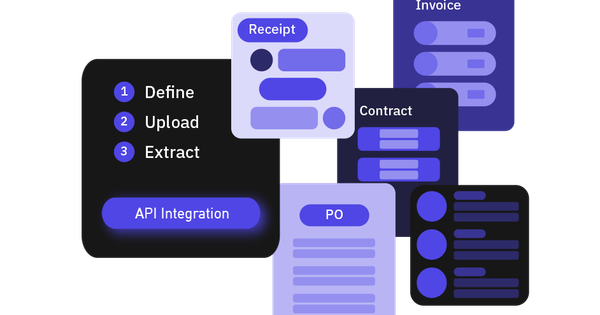
Extracta.ai (branded as Extracta LABS) is an AI-powered document intelligence platform that uses fine-tuned large language models (LLMs) to automatically extract structured data from unstructured or semi-structured documents and images. It follows a simple three-step process—Define (custom fields or templates), Upload (batch of files), and Extract (structured output in seconds)—with no machine-learning training or predefined templates required. Primary use cases include processing invoices for billing details, resumes for candidate screening, contracts for key clauses and parties, receipts for expense tracking, and any custom documents like financial statements or purchase orders. It handles PDFs, scanned images (via OCR), photos, Word files, emails, and more, turning them into exportable JSON, CSV, or integrable data formats.
Target audience spans finance teams automating accounts payable/receivable, HR and recruitment professionals handling high volumes of resumes, legal operations staff managing contracts, administrative roles tracking expenses, and developers or software companies integrating via API for custom workflows. It appeals to SMEs, freelancers, and enterprises seeking efficiency without heavy technical overhead, particularly in industries burdened by manual data entry.
Key Features & Capabilities
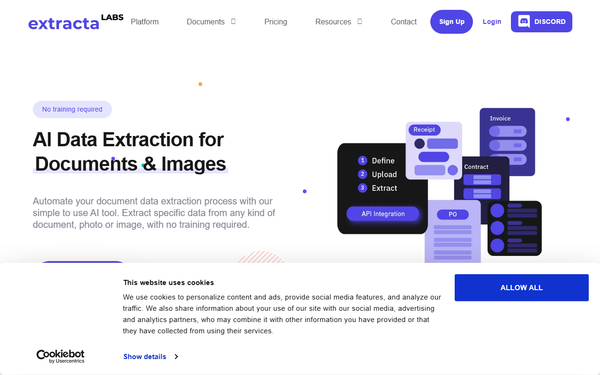
Core functionality revolves around LLM-driven extraction that adapts to any document layout on the fly. Users create customizable templates via a web dashboard or API, upload files, and receive clean structured data with fields like dates, amounts, line items, or custom attributes. Standout features include zero-training flexibility (unlike competitors reliant on fixed models), up to 99% accuracy claims on varied formats, built-in OCR for scans and images, seamless API integration for workflows (e.g., Zapier or custom apps), pre-built but fully editable templates/demos, and export options to accounting/HR systems. Security stands out too: data is never used for model training, with full GDPR compliance, ISO 27001 certification, encryption, and 100% secure processing.
Differentiators from tools like Docparser or Parseur are the true no-code, any-document adaptability and pay-only-for-what-you-use model, enabling faster setup and lower costs for irregular volumes. Limitations include occasional field misses on highly complex or low-quality documents (users report needing minor manual review), lack of current on-premise deployment (planned for future privacy enhancements), and no native advanced analytics/reporting dashboards beyond basic extraction. Integrations are API-first rather than plug-and-play with every CRM.
User Experience
The platform boasts a low learning curve—described as “ready to use from day one” with no special training or technical know-how needed. The web interface is intuitive and clean, allowing quick template definition through simple field selection rather than complex rules. Reddit users praise the “quite easy to use” UI for configuring extractions, even on challenging scans.
Documentation is solid with dedicated tutorials, API reference, FAQ, and blog walkthroughs covering account setup, template creation, and integrations; a support chat and contact form provide responsive help, with priority support on paid plans. Minor drawbacks include placeholder content on some marketing pages (e.g., unrelated testimonials) and primarily API-focused docs for advanced users, though web dashboard guidance exists in blog posts.
Performance & Reliability
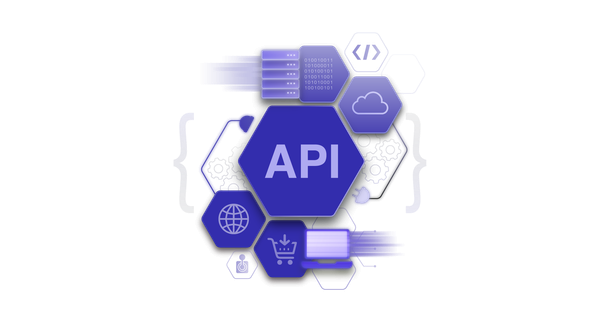
Extraction completes in seconds per document or batch, with efficient handling of high volumes via API. OCR performs well on scans and fuzzy images where other tools fail, per user tests. Reliability is strong for standard documents, delivering consistent structured output suitable for automation.
Known issues are limited: occasional incomplete extractions on complex invoices or handwritten elements (users note “missed some fields” on one test), and accuracy can vary with poor image quality—though still outperforming many alternatives. No widespread outages or major complaints surfaced in 2026 reviews; the pay-per-use model avoids performance throttling.
Pricing & Value
Extracta.ai offers a generous free trial with 50 pages/requests. Beyond that, it uses a flexible Pay-As-You-Go model at $0.10 per page processed, with subscription bundles available (examples include approximately $13.30–$19 per month for 100 pages, equating to lower per-page rates for steady use). Enterprise/custom plans provide tailored quotes for high volume or dedicated needs, including all core features, API access, and enhanced support. No hidden setup fees; you pay only for extractions.
Value shines for variable or moderate volumes compared to subscription-heavy competitors (e.g., fixed monthly minimums elsewhere), saving significantly on sporadic use while delivering enterprise-grade accuracy without training costs. High-volume users may find per-page pricing adds up versus flat-rate alternatives, but custom enterprise options mitigate this. Overall strong ROI through time savings and error reduction.
Practical Tutorial
Official resources include a YouTube tutorial specifically for invoice extraction and blog posts with web-platform walkthroughs; API-focused guides are at docs.extracta.ai. Here is a practical step-by-step for a common task—extracting data from invoices—based on official documentation and user-confirmed processes (generalizable to resumes, receipts, or custom docs).
-
Sign up and access the dashboard: Go to app.extracta.ai/register for the free 50-page trial. Verify your email and log in. (Optional: Generate an API key via account settings for programmatic use.)
-
Define your extraction template: In the web interface, create a new template. Specify fields to extract (e.g., Invoice Number, Issue Date, Vendor Name, Total Amount, Line Items with Description/Quantity/Price, Tax). Use pre-built invoice templates as a starting point and customize via simple drag-and-drop or text prompts—no coding required. Save and name it (e.g., “Standard Invoice Extractor”).
-
Upload documents: Drag and drop or bulk-upload your PDFs, scanned images, or receipts. The platform supports batches; apply your saved template automatically.
-
Run extraction and review: Click “Extract” or trigger via API. Results appear in seconds as structured tables or JSON. Review for accuracy (highlight any misses), make minor manual corrections if needed, then export to CSV, JSON, Excel, or push directly to accounting software via API/webhook.
-
Automate further: Set up recurring uploads or integrate with tools like Zapier/Google Sheets for ongoing workflows. Monitor usage in your account dashboard.
For API users, the first call to /createExtraction endpoint follows similar logic (see official tutorials). Full video demo: https://www.youtube.com/watch?v=CCySQaUSBeo. Test with sample invoices during the free trial.
Final Verdict
4.3/5 – A highly capable, user-friendly tool that excels at flexible, no-training document extraction.
Who should use it: Finance, HR, legal, and operations teams in SMEs or growing businesses that process varied unstructured documents and want quick setup plus API scalability without upfront training costs.
Who should avoid it: Organizations needing guaranteed on-premise deployment today, ultra-high-volume processing on a strict budget, or perfect zero-review accuracy on handwritten/complex legacy docs.
One-sentence recommendation: If you’re tired of manual data entry from invoices, resumes, or contracts, Extracta.ai delivers fast, accurate automation with minimal effort—start with the free trial today.