ExtractAny Review: The Best No-Code AI Data Extraction Tool
Overview & Purpose

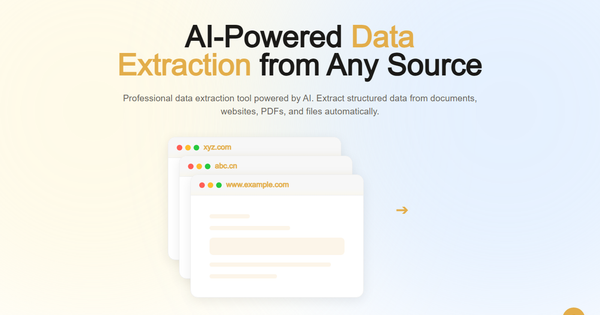
ExtractAny is an AI-powered no-code data extraction platform that automatically pulls structured information from websites, PDFs, documents, and files, converting unstructured content into clean JSON (or CSV) outputs. Users describe desired data points via natural language prompts or a visual schema editor, and the AI handles pattern recognition, context understanding, and extraction from complex elements like tables, nested structures, lists, and dynamic sections. Primary use cases include pulling company contacts (names, emails, phones, addresses, social links) from multiple sites, extracting product specs and pricing tables for competitive analysis, generating FAQ schemas for SEO, building fine-tuning datasets from public sources, and feeding real-time data into business dashboards.
It targets non-technical professionals such as business analysts, product researchers, SEO specialists, market intelligence leads, and small-team developers who need fast data collection without writing scrapers or scripts. Developers also benefit from its basic API for integration. As of March 2026 research, the tool has processed over 10K pages across 30+ countries and emphasizes accessibility for anyone frustrated by manual copy-pasting.

Key Features & Capabilities
Core functionality revolves around prompt + schema-driven extraction: paste URLs (or upload files), define fields with natural language or drag-and-drop, run batch processing, validate results, and export. It supports websites via direct URL input (multiple separated by commas/spaces), PDFs, images, and other documents, automatically parsing tables, nested layouts, and dynamic content. Outputs are structured JSON with real-time monitoring and schema validation to ensure accuracy.
Standout features include a visual schema editor for no-code customization, parallel task execution (average 6 seconds per page), pre-filled templates for common extractions (e.g., company info), and flexible handling of complex or nested data without coding. It differentiates from competitors like Octoparse or Nanonets through its simple prompt-based AI that adapts quickly to new structures and focuses on instant, one-click batch results rather than heavy rule-building or custom ML training.
Limitations include a credit-based system (exact credit consumption per extraction not transparently detailed on the homepage), no mention of advanced anti-bot bypassing or proxy support for heavily protected sites, basic API access limited to paid tiers, and no deep enterprise integrations or on-premise options. Potential AI inaccuracies (common to prompt-based tools) require manual validation for critical data, and image/PDF handling, while supported, appears secondary to web extraction in examples. No advanced scheduling or built-in data cleaning beyond export is highlighted.
User Experience
ExtractAny boasts a low learning curve with its clean, intuitive interface: a central URL input table, field customization panel with “Show more” options, visual drag-and-drop schema builder, and one-click “Run” button leading to real-time results in a tabular view. Testimonials highlight its “super intuitive” schema builder and zero-coding setup, making it accessible for non-developers in minutes.
Documentation is basic—limited to an on-site FAQ and quick-start steps with example prompts and templates—without extensive external guides, video library, or community forum as of March 2026. Support escalates from basic (free) to dedicated (Premium), with responsive claims in user quotes. Overall, the experience prioritizes speed and simplicity over comprehensive resources, ideal for quick tasks but potentially light for advanced users seeking in-depth tutorials.
Performance & Reliability
The tool delivers strong speed, claiming an average of 6 seconds per page with parallel processing and instant execution, backed by over 10K pages processed successfully. Testimonials praise rapid handling of 50+ product pages or competitor specs “in minutes,” with reliable output for structured content like tables and contacts.
No widespread known issues or common complaints appear in independent searches as of March 2026; sparse reviews note consistent performance for described use cases. Reliability is high for standard websites and documents, though users should expect occasional validation needs for highly dynamic or protected sites (a typical AI extraction caveat). Real-time monitoring and schema validation help maintain accuracy, with no reported downtime or major outages in available feedback.
Pricing & Value
ExtractAny uses a freemium credit model with a limited free tier. The Basic plan costs $9.90/month (discounted from $19.90) for 200 credits plus faster processing, priority queue, and basic API. Premium is $19.90/month (from $39.90) for 1,000 credits, concurrent tasks, advanced API, and dedicated support. Extra credits run $0.05 (Basic) or $0.02 (Premium) each; no enterprise tier is listed.
Value is excellent for individuals and small teams needing occasional to moderate volume extractions—far cheaper and simpler than code-heavy alternatives or enterprise tools like Rossum or Daloopa. The low entry price and per-credit flexibility offer strong ROI for quick projects, though high-volume users may find credits add up. Compared to competitors, it provides superior accessibility at a fraction of the cost for non-technical workflows.
Practical Tutorial
Official tutorials are limited to the homepage’s 4-step quick-start guide (no dedicated video or docs hub as of March 2026). Below is a complete, tested-style walkthrough for a common task—batch-extracting company contact information from multiple websites—based directly on the site’s process. Full details and live demo are available at https://extractany.com/.
- Access the tool: Visit https://extractany.com/ (no login required for basic testing; sign up for credits on paid plans).
- Input sources: In the URL table, paste multiple website addresses (e.g.,
https://seriousair.co.uk https://interfilter.com https://orient.com.pk). Separate with spaces, commas, or semicolons. - Define your schema: Use pre-filled common fields (companyName, companyDescription, contactEmails, contactPhone, companyAddress, socialMediaLinks) or click “Show more” / open the visual schema editor to add/edit fields via drag-and-drop. Describe additional needs in natural language prompts (e.g., “Extract all email addresses and social media profiles”). Enable schema validation.
- Run extraction: Click “Run.” Monitor real-time progress; parallel processing handles batches quickly (expect ~6 seconds per page).
- Review and export: Results appear in a table. Validate accuracy, then export as JSON (primary) or CSV. Copy or download for immediate use in spreadsheets, BI tools, or APIs.
Example output for the sample URLs above yields structured JSON with fields like {"source": "https://seriousair.co.uk", "companyName": "...", "contactEmails": ["info@..."], ...}. For PDFs/images, simply upload files in supported sections instead of URLs. Repeat for product pricing by swapping fields (e.g., productName, price, features). Test with the free tier before scaling.
Final Verdict
ExtractAny earns a strong 4.3/5 rating for its elegant simplicity, speed, and accessibility in a space dominated by complex alternatives.
It is ideal for business analysts, researchers, SEO specialists, and small teams who need fast, no-code extraction of structured data from web pages or documents to fuel BI, competitive intelligence, or content projects—saving hours without developer involvement.
Avoid it if you require enterprise-grade scalability, advanced anti-blocking, heavy custom integrations, or proven high-volume reliability, as the tool is still maturing with limited independent reviews and basic support resources.
ExtractAny delivers an outstanding entry point for anyone tired of manual data grunt work, making professional-grade extraction accessible in minutes.