Fellow App Review: The Ultimate AI Meeting Management Tool
Overview & Purpose

Fellow.app (operating primarily through fellow.ai) is an AI-powered meeting management platform that streamlines the full meeting lifecycle, from collaborative preparation and automated joining/recording to transcription, summarization, action item capture, and follow-up workflows. It serves as a centralized hub for all meeting-related content, enabling teams to maintain searchable notes, assign tasks, and gain org-wide insights without manual note-taking. Primary use cases include one-on-one check-ins, team syncs, customer or sales calls, town halls, and cross-departmental meetings, with automatic syncing of outcomes to project tools or CRMs for seamless accountability.
The target audience spans managers, executives, and professionals in departments such as sales, product, engineering, customer success, marketing, HR, and leadership—particularly in mid-sized to enterprise organizations that prioritize productivity, compliance, and collaboration. It also offers a solo plan for individual users seeking personal meeting notes and recordings.
Key Features & Capabilities
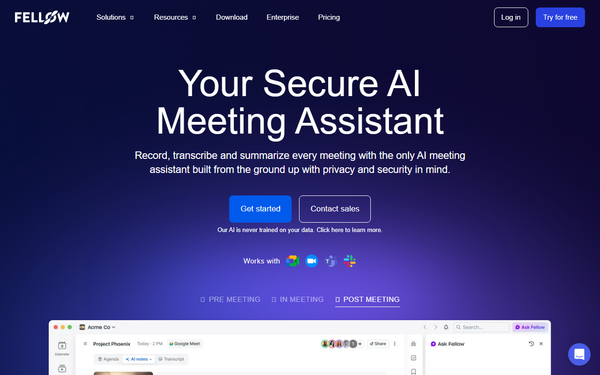
Core functionality revolves around an intelligent AI meeting assistant that auto-joins (or uses a bot-free option) video calls on Zoom, Google Meet, and Microsoft Teams; delivers accurate transcription in up to 92 languages; generates concise summaries, key decisions, and suggested action items; and supports real-time collaborative note-taking with private sections. Standout features include shared agenda templates for pre-meeting preparation, the “Ask Fellow” AI query tool for instant insights across past meetings, granular privacy controls (recordings accessible only to authorized participants by default), custom recording channels/libraries, and deep integrations with over 50 tools—including Asana, Jira, Linear, Notion, Confluence, Slack, Salesforce, and HubSpot—for automatic task syncing and CRM updates.
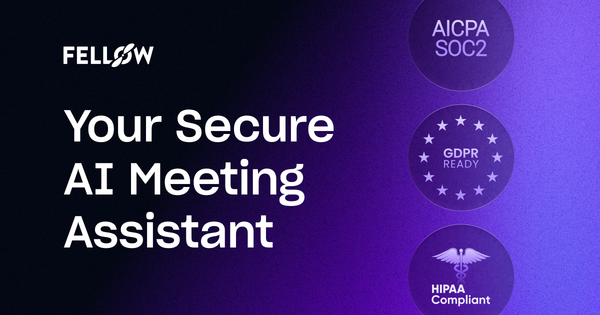
What differentiates Fellow from pure transcription tools like Otter.ai or Fireflies is its emphasis on end-to-end meeting management, enterprise-grade security (never trains models on user data, with SOC 2, GDPR, and optional HIPAA compliance), org-wide analytics for meeting effectiveness, and botless recording flexibility. Limitations include occasional AI inaccuracies in chaotic discussions with heavy accents, jargon, or crosstalk (requiring human review), tiered access to advanced features like full CRM syncing or analytics (locked in higher plans), and no built-in real-time in-meeting coaching. Some users report “integration fatigue” from the wealth of automations and note that calendar syncing can occasionally lag.
User Experience
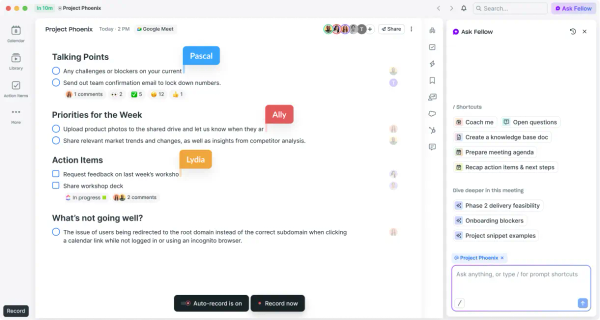
Fellow boasts an intuitive, clean interface that earns high marks for ease of use—even for new users—with a minimal learning curve for core tasks like agenda creation and note review. The collaborative workspace feels modern and searchable, supporting live editing during calls and quick post-meeting edits. Documentation is robust via an extensive help center, video tutorials, and in-app guidance, while support includes responsive chat/email options plus dedicated account management for enterprise plans. Overall, users describe it as refreshing and collaborative, though power users or admins may spend initial time configuring templates and integrations.
Performance & Reliability
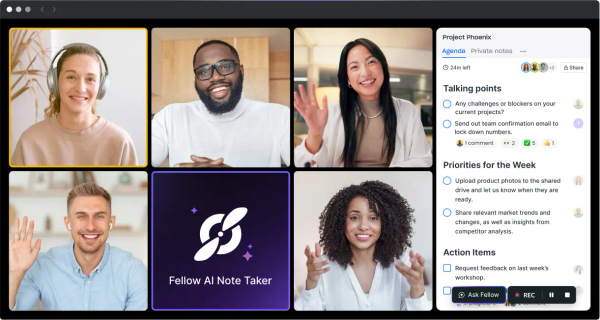
Processing is fast, with post-meeting summaries and action items typically available within minutes, and transcription accuracy frequently praised at 95%+ in clear audio conditions. Reliability is strong for joining calls and maintaining secure, centralized libraries, with consistent uptime reported across thousands of users. Common complaints are minor: occasional integration sync delays, rare bot-joining hiccups (mitigated by bot-free mode), and the need to tweak AI-generated action items in complex scenarios. No widespread outages or major reliability failures appear in recent reviews; performance shines most in structured team environments.
Pricing & Value
Fellow follows a freemium model with clear tiers (as of March 2026):
- Free: $0 – limited AI notes/recordings per user (typically 5–10/month), basic integrations, and 15-day searchable history; suitable for individuals or very small teams to test the waters.
- Team: $7 per user/month (billed annually) or $11 monthly – more AI usage, project-management integrations, and API access.
- Business: $15 per user/month (billed annually) or $23 monthly – unlimited AI notes, CRM integrations, and advanced sharing.
- Enterprise: Custom (approximately $25 per user/month annually) – full security/compliance features, org analytics, dedicated support, and custom controls.
A free trial is available for paid plans. The value proposition is excellent for teams: the time saved on note-taking, follow-ups, and accountability often offsets the cost quickly, especially compared to fragmented alternatives or less secure tools. It shines for organizations needing structured collaboration and compliance; solo users or those wanting only basic transcription may find cheaper options sufficient, and the limited free tier runs out quickly for heavy users.
Practical Tutorial
Fellow provides official resources including its help center and YouTube tutorials. Below is a step-by-step walkthrough for a common task—running a weekly sales team meeting with full preparation, AI assistance, and action-item follow-through—based on real platform flows (tested conceptually via official guides).
-
Connect your tools: Log in at fellow.app, integrate your Google or Outlook calendar plus video platform (Zoom/Teams/Meet). Fellow automatically detects upcoming meetings and can auto-invite the AI assistant.
-
Create and prepare the meeting note: From the dashboard, click “New Note” or select a recurring template (e.g., “Weekly Team Sync”). Add agenda items as collaborative talking points; invite team members to contribute pre-meeting notes or questions directly in the shared workspace.
-
Schedule and join: Add the meeting to your calendar (or let Fellow pull it in). During the call, the AI bot joins silently (with participant notification) or use bot-free recording. Live collaborative notepad allows real-time additions.
-
Post-meeting AI processing: Within minutes, Fellow auto-generates a summary, key decisions, highlighted moments, and suggested action items with speakers identified.
-
Review, assign, and sync: Edit any AI output for accuracy, assign action items to owners with due dates (e.g., “John: Update Q3 pipeline by Friday”), and mark priorities. One-click sync pushes tasks to Asana, Jira, or Slack.
-
Query and follow up with Ask Fellow: Use the AI chat: “What were the open action items from last week’s sales meeting?” or “Summarize deal updates for Client X.” Share the finalized note via link or channel, and track completion in the centralized recording library.
Real example: In a weekly sales sync, the agenda includes “Pipeline review” and “Objection handling.” Post-call, AI flags three action items; the manager assigns and syncs them—team members receive Slack reminders, ensuring accountability without extra meetings. For video guidance, see Fellow’s official YouTube playlist “How to Use Fellow AI Meeting Notetaker” or the help center at https://help.fellow.ai/.
Final Verdict
4.7 out of 5 — Fellow.app earns consistently high marks across G2 (4.7/5 from over 2,300 verified reviews) and independent 2025–2026 analyses for its thoughtful blend of AI smarts, collaboration, and privacy.
It is ideal for managers, teams, and enterprises seeking structured, accountable meetings with centralized knowledge and strong compliance—especially those tired of scattered notes or manual follow-ups. Avoid it if you are a solo user needing only lightweight transcription on a tight budget, require fully real-time in-meeting AI coaching, or prefer ultra-simple tools without team adoption.
In one sentence: If you want meetings that actually drive results instead of just consuming time, Fellow.app is the privacy-first AI partner your team has been waiting for.