Fibery AI Review: The Ultimate AI-Powered Company Operating System
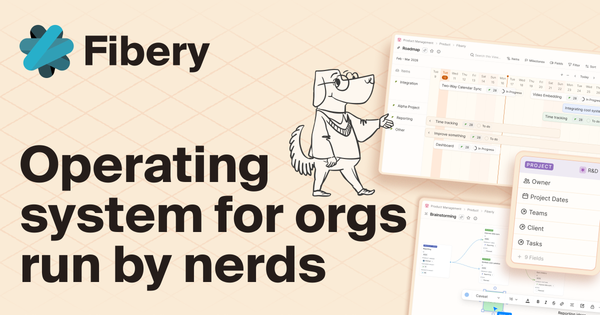
Overview & Purpose
Fibery AI is an integrated AI assistant within the Fibery platform—a no-code work and knowledge hub designed to help teams build custom workflows, manage knowledge, and streamline operations without switching tools. It leverages AI to accelerate setup, content creation, automation, and data handling directly in the context of your workspace. Primary use cases include product development and management (e.g., building interconnected databases for features, bugs, and roadmaps), knowledge management (docs, wikis, and linked data), process automation, and team collaboration for startups, agencies, and cross-functional teams.
It targets product managers, developers, designers, marketers, and operations teams—particularly in startups and mid-sized organizations that need flexible, data-rich systems rather than rigid task managers. Users praise it as a "company operating system" for turning complex processes into structured, AI-assisted workflows.
Research conducted as of April 2026.
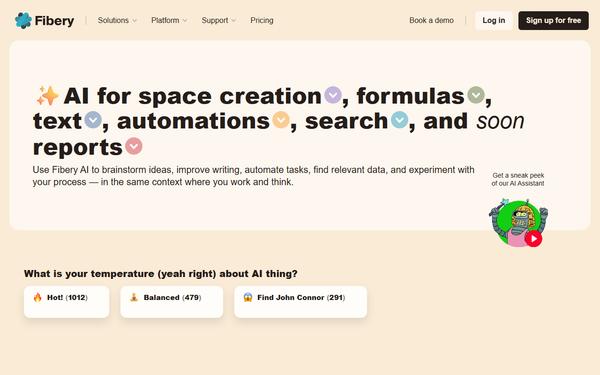
Key Features & Capabilities
Core functionality revolves around in-context AI assistance powered by models from OpenAI and Anthropic (with Deepgram for transcription). Key capabilities include:
- AI Space Creation: Describe your workflow in natural language (e.g., "Create a product management space for features, bugs, and roadmaps"), and Fibery AI generates fully connected databases, relations, sample data, views, and an overview guide—iterable on demand.
- Text and Docs Editing: Chat-like commands for writing, summarizing, explaining, or transforming content (e.g., turn release notes into a Twitter thread or generate checklists).
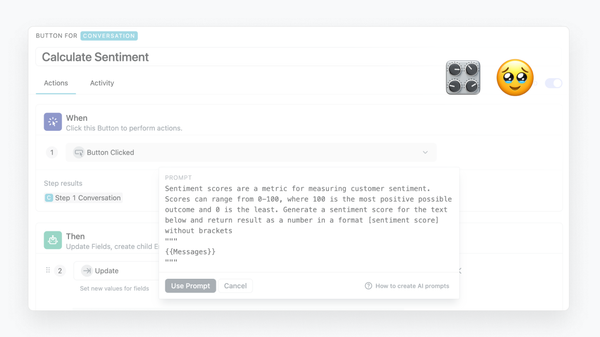
- Formula and Automation Assistance: Generate complex formulas or automation rules via simple prompts; delegate repetitive tasks like extracting data from notes or sentiment analysis.
- Semantic AI Search: Finds relevant information across your workspace based on meaning, not just keywords.
- Upcoming Data Analysis: Soon-to-launch report generation and data querying capabilities.
Standout differentiators from competitors (e.g., Notion AI or ClickUp AI) include deep, native integration with Fibery’s powerful relational databases and automations—AI doesn’t just edit text; it builds and modifies entire structured workspaces without context-switching. Privacy is strong: prompts are not used for training, and data residency options exist in higher plans.
Limitations include usage caps on AI features in lower plans (e.g., limited Smart Agent calls or transcription hours in Free/Standard), reliance on prompt quality (iteration sometimes needed), and some advanced AI actions still in development. No support for bringing your own AI keys or models.
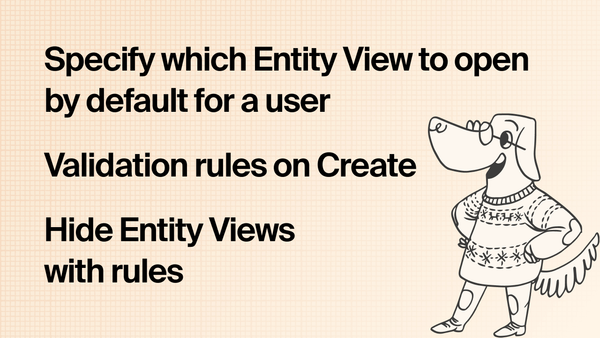
User Experience
Fibery AI inherits the platform’s clean but data-oriented interface, which prioritizes linked entities and views over simple note-taking. Ease of use is high once set up—AI commands are accessible via >>, /, or shortcuts—but the overall platform has a noted learning curve due to its relational data model. New users may spend time understanding databases and views before AI shines.
Interface quality is professional and responsive on desktop (web and apps), with intuitive AI panels that feel contextual. Mobile support is limited, a common complaint. Documentation is excellent: comprehensive user guides, YouTube tutorials, and an active community forum. Support includes chat/email (paid plans) and responsive CS, frequently highlighted in reviews.
Performance & Reliability
AI responses are generally fast and efficient for text tasks, space creation, and search, thanks to in-platform processing. Users report significant time savings on setup and repetitive work. Reliability is strong, with few major outages noted in recent reviews.
Known issues include occasional AI limits causing throttling in high-usage teams (e.g., Smart Agent calls), minor bugs in complex automations, and the platform’s complexity leading to initial setup friction. Common complaints center more on the base platform (e.g., notification handling or UI polish in basic task views) than AI itself, though some users note AI outputs require refinement for highly specialized domains. No widespread 2025–2026 complaints about downtime or data loss.
Pricing & Value
Fibery offers transparent, per-user pricing (billed annually in €; roughly equivalent to $):
- Free: Up to 10 users + guests; limited AI (e.g., 1,000 text responses/month, 20 Smart Agent calls) and storage/automations. Ideal for testing.
- Standard (€12/user/month): Unlimited AI text responses, more agent calls, unlimited storage/databases.
- Pro (€20/user/month): Generous AI limits, advanced charts, JS automations, 90-day history.
- Enterprise (€40/user/month, min. 25 users): Unlimited everything, SSO, custom data residency, dedicated support.
Every workspace gets a 14-day Pro trial; startups (<42 employees) qualify for 6 months free on Pro. Guests/observers are free. AI is included (no add-on) with tiered limits scaling by plan and users.
Value is excellent for teams needing relational power + AI: cheaper than some enterprise alternatives while offering more customization than Notion or Airtable. High ratings (4.7–5.0 on G2/Capterra/Product Hunt) reflect strong ROI through reduced tool sprawl and faster onboarding.
Practical Tutorial
Step-by-Step: Creating a Custom Product Management Space with Fibery AI
- Log into your Fibery workspace (sign up free at fibery.io if needed).
- Click the Fibery AI button in the top-left corner (or press
Cmd + J/Ctrl + J). - In the AI chat, type a clear prompt describing your process, e.g.:
"Create a full product management space with databases for Features, Bugs, Roadmaps, and Feedback. Include relations between them, sample data, views (Board, Timeline, Table), and an overview guide." - Review the generated space: AI automatically creates interconnected databases, relations, sample entities, multiple views, and a rich-text overview document.
- Iterate by replying in the same chat: "Add a Sprint database related to Features and generate a formula for progress %." AI updates the structure live.
- Open the new databases and refine manually if needed (drag-drop views, add fields).
- Test with AI text commands: Select a Feature entity, type
>>in its Description field, and choose or create a command like "Generate a markdown checklist of launch tasks based on {{Description}}."
This entire process typically takes 2–5 minutes and produces a production-ready workspace. For full details, see official guides: Create Space using AI and AI in Text/Docs. Video demo:
Final Verdict
Overall rating: 4.6/5 — Excellent for structured, AI-augmented workflows but held back slightly by the learning curve.
Teams that should use Fibery AI: Startups, product development groups, and knowledge-intensive organizations seeking a single, highly customizable platform where AI eliminates setup friction and automates real work. It excels when you need relational data + intelligent assistance in one place.
Teams that should avoid it: Solo users or small teams wanting dead-simple note-taking (try Notion AI instead), mobile-first teams, or those unwilling to invest time learning a powerful system.
One-sentence recommendation: If you’re ready to move beyond fragmented tools to a true AI-powered company brain, Fibery AI delivers transformative productivity at a fair price.