Convert Figma Designs to User Stories with Figflow Review
Overview & Purpose

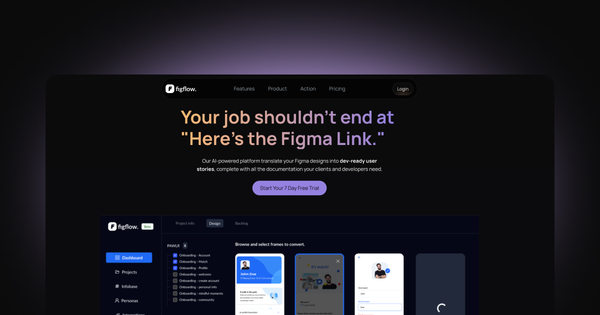
Figflow is an AI-powered platform that automatically converts Figma designs into developer-ready user stories, acceptance criteria, definition of done, and test scenarios. It analyzes design files to generate standardized, testable documentation including story point estimations, product requirement documents (PRDs), and exportable backlogs, all with a single click. Primary use cases include bridging the design-to-development handoff, reducing manual documentation time for agile teams, incorporating user personas and custom context for more accurate stories, and facilitating quick sharing of backlogs via links or PDFs for stakeholder approval.
The tool targets product teams, designers, product owners, and product managers who rely heavily on Figma. It is particularly valuable for mid-sized teams transitioning designs into actionable developer tasks, where communication gaps between design and engineering often cause delays. Developers benefit indirectly through clearer specifications, while marketers or stakeholders gain from professional exportable docs. Research conducted as of March 9, 2026.
Key Features & Capabilities
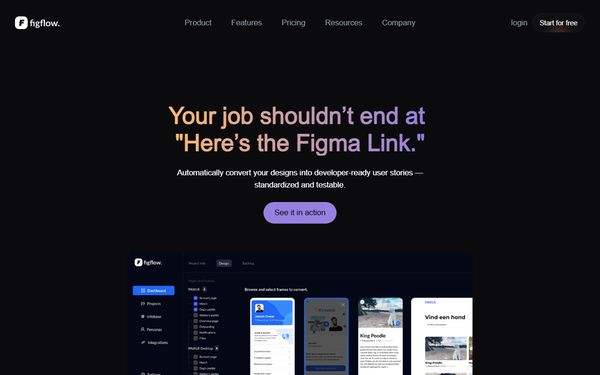
Core functionality revolves around Figma OAuth integration: users connect their account, paste a design link, and trigger AI analysis to produce structured user stories with acceptance criteria, test scenarios, and story point estimates. Standout features include an Infobase for uploading company guidelines or specs that the AI incorporates, Persona creation and linking for user-centric stories, contextual notes from Figma frames, and a conversational AI assistant for refining outputs in real time. Exports support PDFs, CSV, and shareable no-login links; story points aid budgeting and planning.
Differentiators from competitors include seamless persona and Infobase context injection (rare in similar tools) and one-click PRD generation with INVEST-method alignment for agile compliance. The AI assistant enables iterative improvements without leaving the platform. Limitations include Figma-only support (no Adobe XD or other design tools), no native real-time push to project management tools (though exports facilitate Jira/Trello handoff per documentation and third-party listings), and lack of advanced code generation or automated test execution. Some sources note potential need for manual refinements on highly complex or ambiguous designs.

User Experience
Figflow boasts a low learning curve with an intuitive interface centered on simple workflows: connect Figma, create a project, paste a link, and generate. The clean dashboard organizes projects, stories, and refinements, with conversational AI chat feeling natural and responsive. Interface quality is modern and focused, emphasizing speed over clutter, though it lacks extensive customization options for advanced users.
Documentation includes a dedicated resources section with how-to guides (e.g., adding context, working with personas and Infobases) and an official introductory video. Support resources appear community-oriented via blog updates and YouTube demos rather than live chat or extensive knowledge base; 2FA was added in 2025 for security. Overall, ease of onboarding suits non-technical product owners well.
Performance & Reliability
Generation happens in seconds for typical designs, delivering consistent, high-quality outputs per testimonials—users report saving up to two days per project on backlog creation with solid accuracy that “even surprised” reviewers upon double-checking. Story point estimates and context-aware refinements perform reliably when Infobases or personas are provided. No widespread outages or major bugs reported in available sources; the platform emphasizes data privacy (no LLM training on user data) and secure Figma OAuth.
Known issues are minimal due to the tool’s relatively recent maturation: early user feedback (from founders’ discussions) highlighted initial engagement challenges rather than technical failures. Common complaints are scarce, though some note pricing sensitivity and occasional need for AI prompt tweaks on edge-case designs. Reliability is strong for its scope, with ongoing updates like 2FA and Jira handoff guides indicating active maintenance.
Pricing & Value
Figflow follows a freemium model. A free tier offers limited AI interactions (reported as 250 credits) for testing core features with basic projects. The Professional plan starts at $9 per month (or equivalent €9), providing unlimited projects, unlimited AI interactions, Infobases, personas, sharing, CSV/PDF exports, and full refinements. No enterprise tier details are publicly emphasized, though custom options may exist for larger teams. No credit card is required to start, and billing is flat-rate monthly.
Value is compelling for small-to-mid teams: the time savings (hours to days per sprint) far outweigh the low cost compared to manual labor or hiring extra PM support. Alternatives like manual Jira workflows or other AI backlog tools often require more setup or higher subscriptions; Figflow’s Figma-native simplicity and context features deliver strong ROI for Figma-centric teams. Early-stage users may find the free tier sufficient for occasional use, making it accessible yet scalable.
Practical Tutorial
Official tutorials are available via Figflow’s resources page and YouTube. The “Video: Introduction to Figflow” and dedicated demo “Translate Figma Designs into Dev-Ready User Stories with Figflow” provide visual walkthroughs. Below is a step-by-step guide for the common task of converting a Figma design file into a shareable user story backlog (based on official workflow and how-to articles, tested conceptually from site descriptions as of March 2026).
-
Sign up and connect Figma: Visit figflow.io, create a free account, and authorize via Figma OAuth (one-click login—no API keys needed).
-
Create a new project: In the dashboard, click “New Project,” name it (e.g., “Mobile App Redesign”), and optionally upload Infobase files (company style guides or tech specs) or define personas (e.g., “Tech-savvy millennial user”).
-
Paste your Figma design link: Share a live Figma file or frame URL. The platform auto-detects screens and components.
-
Add context and trigger analysis: Attach frame notes or insights, then click “Analyze Designs.” AI generates user stories, acceptance criteria, Definition of Done, test scenarios, and story point estimates in minutes.
-
Refine with AI assistant: Open the chat interface and ask refinements (e.g., “Make this story INVEST-compliant” or “Add edge-case tests for the login flow”). Iterate until satisfied.
-
Export and share: Download as PDF/CSV, or generate a shareable link (view-only, no login required). For Jira/Trello, copy-paste stories or use the export to streamline handoff.
For visual guidance, watch the official intro video at https://www.figflow.io/resources/video-introduction-to-figflow or the full demo at https://www.youtube.com/watch?v=GfOyWLQvCt4. Additional guides: “How To Add Context and Insights to Your Design in Figflow” and “How To Work With Personas In Figflow.”
Final Verdict
Overall rating: 4.3/5. Figflow excels at automating the tedious design-to-backlog translation for Figma-based product teams, saving significant time and improving consistency—ideal for designers, product owners, and small agile squads seeking faster delivery with fewer miscommunications. Users should avoid it if they require native bidirectional Jira/Trello sync, support for non-Figma design tools, or proven enterprise-scale reliability with extensive independent case studies, as the tool is still maturing with limited public reviews.
Figflow is a smart, affordable AI companion that turns design handoff headaches into a one-click advantage—definitely worth starting with the free tier today.