Findly Review: The Easiest Way to Chat with Your GA4 Data
Overview & Purpose

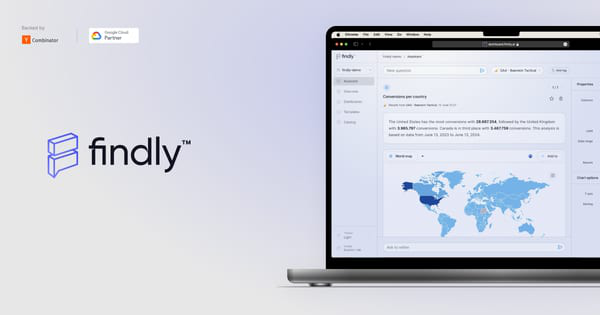
Findly is an AI-powered conversational data assistant designed specifically to let users interact with their Google Analytics 4 (GA4) data—and additional marketing sources—using plain English. Instead of navigating complex dashboards or writing SQL, users type natural-language questions and instantly receive insights, tables, charts, visualizations, and fully customizable reports that can be exported, scheduled via email, or shared with teammates. Primary use cases include campaign performance tracking, traffic source analysis, audience segmentation, conversion reporting, and collaborative decision-making for marketing teams. The tool targets marketers, digital analysts, e-commerce managers, consultants, and non-technical business users who rely on GA4 but find its native interface overwhelming. It is far less suited for pure developers or data scientists needing heavy custom modeling or enterprise-scale BI platforms.
Key Features & Capabilities
Core functionality revolves around a ChatGPT-style assistant that processes queries against connected data sources, generates accurate visualizations (bar charts, line graphs, tables), and produces exportable reports with one click. Standout features include built-in marketing templates, saved prompts for repeated use, team conversations, public sharing links, scheduled automated reports, and multilingual support. The platform’s proprietary semantic layer dramatically improves answer reliability by re-modeling data before LLM interpretation—addressing a common weakness in generic AI tools. Integrations are seamless with GA4 (available immediately on the free plan), Facebook Ads, Google Search Console, Shopify Ads, and BigQuery; Slack integration allows querying and sharing directly inside team channels. Enterprise plans add white-label embedding, SAML SSO, and connections to any SQL database.
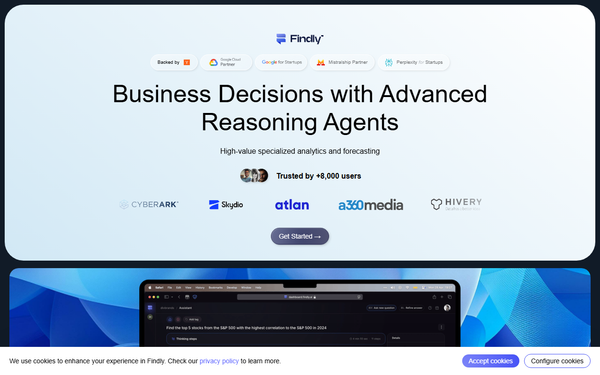
Differentiators from competitors (such as generic LLM wrappers or traditional BI tools) are the marketing-specific templates, real-time collaboration features, and semantic-layer accuracy that founders claim outperforms raw GPT-4 by over 50 % on structured data tasks. Limitations include a marketing-data focus (arbitrary SQL databases require paid plans), occasional need to rephrase ambiguous queries for best results, and no native mobile app. Advanced statistical modeling or predictive forecasting beyond basic trends is also not a core strength.
User Experience
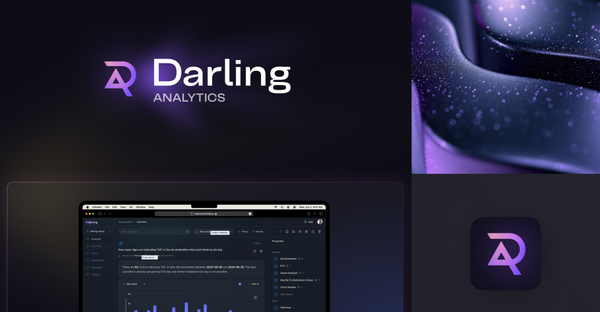
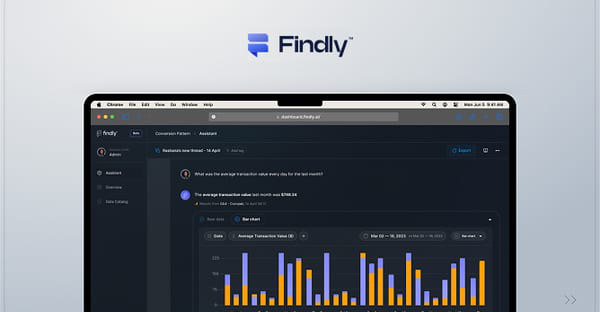
Findly boasts an exceptionally low learning curve: most users can connect GA4 and run their first insightful query within minutes. The interface is clean and modern—a central “Assistant” dashboard where you type questions and watch responses appear with embedded visualizations and status tracking. Outputs are professional and highly customizable, with follow-up questions maintaining context like a real conversation. Documentation is concise and practical (official getting-started guide plus FAQ), while support scales from email (free tier) to live chat and dedicated onboarding (paid plans). Slack integration further improves team UX by embedding the assistant inside existing workflows. Overall, the experience feels polished and approachable for non-technical users while remaining powerful enough for analysts.
Performance & Reliability
Queries typically return in seconds with real-time analytics and accurate visualizations thanks to the semantic layer and optimized LLM pipeline. The tool handles standard GA4 datasets reliably and scales to larger volumes on paid plans. As of March 7, 2026, independent user reviews remain limited (primarily positive mentions on Product Hunt and demo videos), with no widespread reports of downtime, data inaccuracies, or major outages. Common minor caveats include occasional need to refine prompts for very complex multi-metric questions and performance that naturally depends on the quality of the underlying GA4 implementation. Security is enterprise-grade (pursuing SOC 2 and GDPR readiness) with secure architecture that does not store private raw data.
Pricing & Value
Findly offers clear, tiered pricing tailored to organization size:
- Free: Up to 3 users, core GA4 connectivity, marketing templates, report generation, scheduling, public sharing, saved prompts, and email support.
- Standard: $149/month (billed annually at $1,788 after 70 % launch discount; otherwise $497/month), up to 10 users, expanded integrations (Facebook Ads, Shopify Ads, Google Search Console, BigQuery), white-label options, embeddable assistant, SAML SSO, and priority chat/setup support.
- Enterprise: Custom pricing—unlimited users, any SQL database, dedicated Slack support, on-premise option, full white-labeling, and premium customization.
Value is excellent for teams that spend hours weekly wrestling with GA4 reports; the free tier alone lets small organizations test the concept risk-free, while Standard delivers rapid ROI through time saved on analysis and reporting. Compared with hiring analysts or using more expensive BI platforms, Findly provides strong bang-for-buck for marketing-focused teams.
Practical Tutorial
Official documentation and demo videos provide clear guidance; a short real-world walkthrough for a common task—“Analyze traffic sources last 30 days”—takes under 5 minutes.
- Sign up for a free account at dashboard.findly.ai and verify your email.
- Connect Google Analytics: Click “Data Sources,” authenticate your Google account, select your GA4 property, and grant permissions (no semantic layer required for GA4).
- Navigate to the “Assistant” section in the dashboard.
- Type a natural-language query, for example: “Show me sessions and conversions by source/medium for the last 30 days as a bar chart. Also compare to the previous period.”
- Review the response: Findly instantly displays a table, interactive visualization, and key insights. Ask follow-ups like “Filter only organic traffic” or “Add bounce rate” to refine.
- Once satisfied, click “Export” (PDF/report), “Schedule” (weekly email to team), “Share” (public link or directly to Slack), or save the prompt for reuse.
This exact workflow is demonstrated in the official 3-minute tutorial video and matches the getting-started guide. For more advanced setups (BigQuery, custom semantic layer), follow the Catalog wizard in the dashboard. Full guide: https://docs.findly.ai/docs/app/main/getting-started.
Final Verdict
Overall rating: 4.5/5. Marketers, digital teams, and SMBs using GA4 should adopt Findly immediately—it democratizes data, slashes report-creation time, and turns complex analytics into simple conversation. Avoid it if your needs involve highly custom SQL modeling, non-marketing datasets without budget for Enterprise, or if you prefer self-hosted/open-source solutions. One-sentence recommendation: Findly is the easiest and most reliable way to talk to your Google Analytics data and actually get actionable answers—start with the free plan today.
Research conducted as of March 7, 2026 using official website, pricing page, FAQ, documentation, Product Hunt, and web searches. Tools evolve rapidly; always verify current details directly with Findly.