Fliz Review: Turn Product URLs into Viral AI Videos Instantly
Overview & Purpose
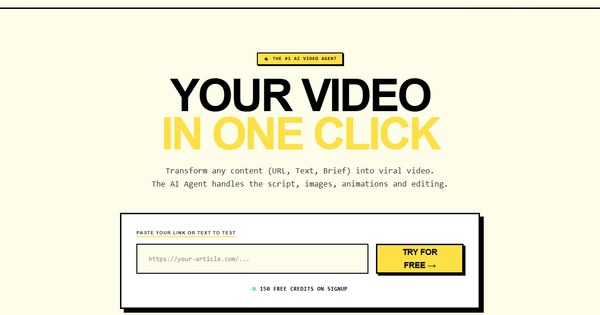
Fliz (https://fliz.ai/) is an AI-powered video creator that automatically transforms any product URL, article, text, or brief into a complete, engaging MP4 video. The AI agent handles scriptwriting (including hooks and calls-to-action), image generation from product photos, voiceover narration, animations, music, captions, and final editing. Primary use cases include creating promotional product videos for e-commerce listings, social media shorts (Instagram Reels, TikTok, YouTube Shorts), marketing campaigns, and content repurposing to drive sales and engagement. It works seamlessly with all major e-commerce platforms and supports direct sharing across social channels.
Target audience includes e-commerce merchants, digital marketers, content creators, bloggers, small business owners, and developers who need quick automation via API. It requires zero video editing skills, making it ideal for non-technical users focused on speed over manual control. As of March 14, 2026, Fliz has generated over 85,000 videos and emphasizes context-aware production for product promotions, news, stories, or educational content.
Key Features & Capabilities
Core functionality revolves around one-click generation: paste a URL (e.g., Shopify or Amazon product page), and the AI extracts images, descriptions, and creates a polished video in square (1:1), vertical (9:16), or horizontal (16:9) formats. Users can select from 62 visual styles (photorealistic, cartoon, hyperrealistic, pop art, etc.), 32 languages for voiceovers, and 16 script variations. Additional customizations include ultra-realistic voices, music tracks, subtitles/captions, and logo overlays (to remove watermarks).
Standout features include full end-to-end automation with no prompting required, context-aware editing tailored to e-commerce products, and robust integrations (Zapier, Make, n8n, WordPress plugin) plus a complete REST API for developers. This differentiates Fliz from competitors that often require manual scripting or heavy editing.
Limitations include occasional AI quirks (e.g., generic images or mismatched accents), dependency on input URL quality for best results, and limited post-generation creative control compared to traditional editors. It excels at short promotional videos but is not suited for complex, long-form productions.
User Experience
Fliz boasts an exceptionally intuitive interface with a minimal learning curve—most users can generate their first video in under a minute after signup. The web app features a clean, straightforward dashboard: simply paste a URL, select format/style options, customize voice/music/captions if desired, and hit generate. No steep technical barriers exist for marketers or e-commerce users.
Interface quality is modern and responsive, with real-time previews and easy download/share buttons. Documentation is solid for the API (detailed at app.fliz.ai/api-docs) but lighter for general users—support relies on in-app contact and community resources like YouTube demos rather than extensive help centers or video libraries. Overall, feedback highlights its accessibility, though a few users note minor time needed to optimize style selections for perfect outputs.
Performance & Reliability
Generation is fast and efficient, typically completing in minutes (often seconds to a few clicks for simple product videos), making it highly suitable for high-volume social media workflows. Reliability is strong for its purpose, with over 85,000 videos produced and consistent professional-quality output praised in reviews.
Known issues are minor and infrequent: some AI-generated elements may include quirks like generic photos, slight script inaccuracies, or voice accent mismatches, requiring quick tweaks or regeneration. No widespread outages or major complaints appear in user feedback; Trustpilot and Product Hunt users consistently rate it highly for speed and results in e-commerce scenarios. Performance holds up well across devices and integrates smoothly with automation tools.
Pricing & Value
Fliz operates on a transparent pay-per-use credit model with no monthly subscriptions or recurring fees—credits never expire. Signup provides 150 free credits (enough for 1–2 simple videos). A standard video uses approximately 85 credits; packs start at $10 for 1,000 credits (roughly 11–12 videos), scaling to larger bundles like $50 for 5,000 or $1,000 for 125,000. This keeps costs low at around $0.85 per video for occasional use.
Value proposition is excellent for e-commerce and marketers: far cheaper and faster than hiring videographers or using subscription-heavy alternatives, with no commitment required. It shines for small businesses scaling social content without upfront costs, though heavy users may find cumulative credit purchases add up. Compared to similar tools, its automation and integrations deliver strong ROI for quick product promotions.
Practical Tutorial
Official tutorials are limited (primarily API-focused), but the process is straightforward and well-documented through user demos and the app itself. Below is a step-by-step walkthrough for the common task of creating a product video from an e-commerce URL (e.g., turning a Shopify sneaker listing into a TikTok-ready Reel). This is based on the official workflow and real examples from reviews/demos as of March 2026.
- Sign up and access the dashboard: Go to https://fliz.ai/, create a free account (no credit card needed), and claim your 150 free credits.
- Paste the product URL: In the main interface, enter the full URL of your product page (e.g., https://yourshop.com/products/sneakers). The AI automatically pulls images, description, and details.
- Select format and style: Choose aspect ratio (9:16 for social media), a visual style (e.g., photorealistic or pop art), and script type.
- Customize elements: Pick voice/language (32 options), music track, caption/subtitle style, and add your brand name, website, or extra photos/logo if desired.
- Generate the video: Click “Fliz it!” or “Create.” The AI builds the full video with voiceover, animations, and edits in minutes.
- Preview, refine, and export: Review the MP4, regenerate if needed for tweaks, then download or share directly to social platforms.
Example outcome: A Shopify sneaker URL produces a 15–30 second Reel with dynamic product shots, energetic voiceover (“Step up your game with these premium sneakers!”), upbeat music, and scrolling captions—ready for Instagram in under 5 minutes. For automation, connect via Zapier for batch processing multiple products. Visual demos are available on YouTube (search “Fliz AI review”).
Final Verdict
Overall rating: 4.5 out of 5. Fliz excels for e-commerce marketers, content creators, and small businesses needing fast, professional product videos without editing expertise—its automation, low cost, and style variety deliver immediate value for social media and sales boosts.
Who should use this tool: Anyone running e-commerce stores or digital marketing campaigns who wants quick, engaging videos from existing product pages to increase conversions and reach.
Who should avoid this tool: Professional videographers or teams requiring pixel-perfect manual control, complex long-form content, or zero tolerance for occasional AI inconsistencies.
One-sentence recommendation: Fliz is a game-changing time-saver for turning product URLs into scroll-stopping videos with minimal effort and maximum impact.