Folk CRM Review: The Best AI-Powered CRM for Small Teams
Overview & Purpose

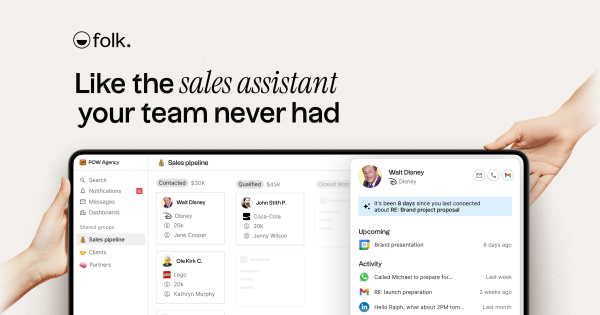
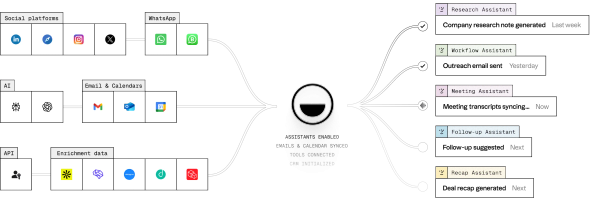
Folk CRM is a modern, AI-powered customer relationship management platform designed to capture the full context of business relationships across multiple channels and automate routine tasks so users can focus on closing deals and building connections. It centralizes contacts, conversations, and interactions from email, calendars, WhatsApp, LinkedIn, and over 5,000 other tools into one intuitive workspace, while its AI Assistants handle follow-ups, research, recaps, and workflows in the background. Primary use cases include prospecting and lead enrichment, sales pipeline management and collaboration, personalized email campaigns and sequences, account management, and multi-channel relationship tracking for teams that need a single source of truth without manual data entry.
The target audience is primarily small businesses, startups, solopreneurs, founders, agencies, partnerships managers, and sales professionals who value simplicity and flexibility over complex enterprise features. It is especially popular among non-technical users and teams transitioning from spreadsheets or Notion-style tools, as evidenced by its adoption by over 4,000 companies worldwide and glowing testimonials from CEOs and closers at early-stage organizations.
Key Features & Capabilities
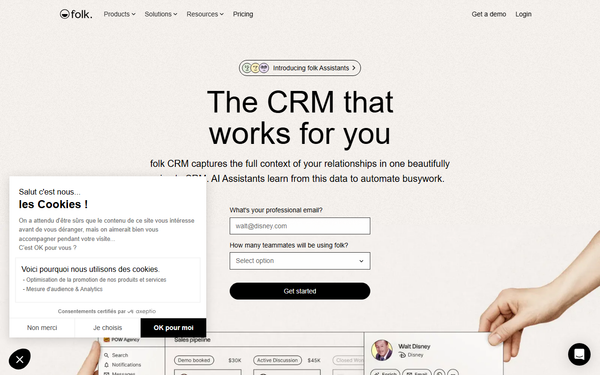
Core functionality revolves around contact and company management with smart enrichment (including one-click email/phone lookup and website data import), customizable pipelines and views for deal tracking, email campaigns with templates and analytics, and seamless multi-channel syncing. Standout features that differentiate Folk from traditional CRMs include its proactive AI Assistants—Follow-up (scans conversations and drafts timely replies), Recap (summarizes interactions and suggests next steps), Research (generates enriched notes), and Workflow (automates sequences on triggers)—which learn from your data and operate 24/7 without constant input. Additional differentiators are the folkX Chrome extension for instant LinkedIn lead capture, Magic Fields for AI-powered data population, full interaction history sharing, custom data models, and deep integrations via Zapier, Make, and a REST API. Users can chat with their CRM data directly in tools like their favorite AI platforms.
Limitations include credit-based caps on AI usage and enrichment (e.g., 200 Research Assistant calls per month on Standard), no native mobile app (only responsive web), and relatively basic reporting and segmentation compared to enterprise CRMs. Advanced capabilities like custom objects, full email sequences, dashboards, and higher limits are locked behind the Premium tier, and some users note it lacks the depth for highly complex sales processes or large-scale operations.
User Experience
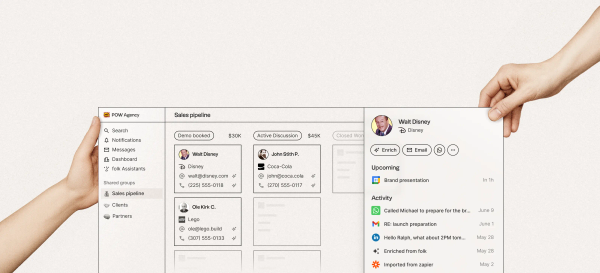
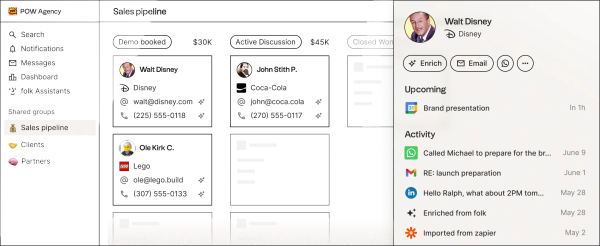
Folk excels in ease of use with an exceptionally low learning curve—most users report being productive within 10–20 minutes thanks to its clean, Notion-like interface that feels modern and uncluttered. Navigation is intuitive, with drag-and-drop pipelines, one-click enrichment, and visual boards that prioritize relationships over rigid structures. The interface quality is frequently praised as “beautifully simple” and “the easiest CRM I’ve ever tried,” with responsive design that works well on desktop (though mobile experience is limited to browser).
Documentation and support resources are strong: the official help center (help.folk.app) offers categorized articles on everything from importing contacts to AI setup, while folk.app/tutorials provides helpful video walkthroughs by their team. Paid plans include priority support and migration assistance; community feedback on Trustpilot and G2 highlights responsive customer service.
Performance & Reliability
Folk performs reliably with fast load times, smooth AI processing, and efficient background automation that keeps pipelines updated without lag. Users consistently report it feels lightweight yet powerful, with quick imports, real-time syncing, and stable integrations. As of March 2026 research, there are no widespread outages or major downtime complaints.
Known issues are minor and infrequent: occasional hiccups with specific third-party integrations (common to most CRMs), credit exhaustion on heavy AI usage prompting upgrades, and the absence of a native mobile app leading to some frustration for on-the-go users. Overall, reliability is high for its intended small-team audience, with SOC 2 Type I, GDPR, and Google Security certifications ensuring data safety.
Pricing & Value
Folk offers a 14-day free trial (no persistent free tier) followed by three plans billed per member (monthly or yearly with discounts):
- Standard: $30/user/month (or $24 yearly) – includes core pipelines, email campaigns, basic AI credits, enrichment, and integrations.
- Premium (most popular): $60/user/month (or $48 yearly) – adds custom objects, full sequences, dashboards, advanced permissions, and higher limits.
- Custom: from $100/user/month – unlimited/custom credits and dedicated enterprise support.
Value is strong for simplicity-focused teams: it undercuts bloated alternatives like HubSpot in complexity and learning time while delivering superior AI automation and relationship intelligence at a competitive price point for 1–50 users. Compared to more feature-heavy tools (Pipedrive, Salesforce), Folk provides better ROI for users who prioritize speed and proactive assistance over exhaustive reporting. Yearly billing and prorated changes enhance flexibility, though credit limits may require careful monitoring or upgrades for heavy users.
Practical Tutorial
Folk provides official video tutorials at folk.app/tutorials and detailed guides in the help center. Below is a practical, step-by-step walkthrough for a common task—importing a LinkedIn lead via the folkX extension, enriching it with AI, and automating follow-ups—based on official documentation and user-reported flows (real example: prospecting a potential partner for a startup).
- Install the free folkX Chrome extension from the Chrome Web Store and connect your workspace (one-click sign-in with Google).
- Navigate to a LinkedIn profile or search results. Click the folkX icon in your browser toolbar, select “Import to folk,” and choose or create a list (e.g., “Q2 Prospects”).
- Once imported, open the contact card in Folk. Click “Enrich” or use Magic Fields to automatically pull email, phone, company data, and AI-generated research notes (Research Assistant runs in background; credits apply).
- Add the contact to a pipeline: Drag the card into your “New Leads” stage or create a new pipeline via the sidebar (customize stages like “Discovery,” “Proposal,” “Closed”).
- Enable automation: In the contact view, open the Assistants panel, select “Follow-up Assistant,” connect your email/calendar/WhatsApp, and set triggers (e.g., “after no reply in 7 days” or “post-meeting recap”). The AI scans prior interactions, suggests optimal timing, and drafts personalized emails ready for review or auto-send.
- Review and activate: Check the generated draft or sequence in Messages, save as a template, and monitor progress in campaign analytics. Reminders and shared notes appear automatically for team collaboration.
This entire process typically takes under 5 minutes. For video guidance, see the official “How to capture contacts” and “Assistants” tutorials on folk.app/tutorials or help.folk.app.
Final Verdict
Overall rating: 4.6/5 – an outstanding balance of simplicity, intelligence, and value in the crowded CRM space.
Small businesses, startups, solopreneurs, agencies, and non-technical founders who want a proactive CRM that automates busywork and feels delightful to use should choose Folk CRM—it shines for relationship-focused prospecting and team collaboration without overwhelming complexity. Larger enterprises or teams requiring native mobile apps, unlimited advanced analytics, or deeply customizable reporting should avoid it, as the credit system and lighter feature set may feel restrictive.
Folk CRM is the ideal “CRM that works for you” for any team tired of clunky tools and ready to let AI handle the details so they can focus on relationships that matter.