Formshare Review: Create Free AI Conversational Forms Instantly
Overview & Purpose
Formshare is a completely free AI-powered online platform that allows users to build interactive, conversational forms, surveys, and quizzes by simply describing what they want in natural language—no coding or complex builders required. The AI generates dynamic forms that adapt like a real conversation, making data collection more engaging and human-like compared to traditional static tools. Primary use cases include gathering customer feedback, running product surveys, creating educational quizzes, managing appointment bookings, collecting leads, and any scenario where higher response rates and better user experience matter.
It targets non-technical audiences such as marketers, product managers, designers, freelancers, educators, early-stage founders, and small businesses who need quick, engaging ways to collect data or feedback. While developers could use it, the tool shines for anyone seeking to replace boring Google Forms or Typeform alternatives with conversational AI without technical barriers.
Key Features & Capabilities
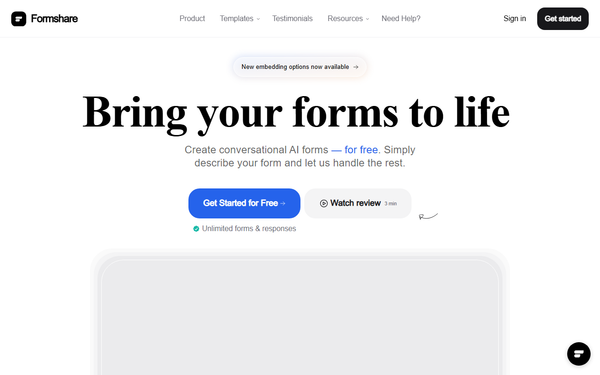
Core functionality centers on natural-language prompting: users name their form and describe requirements (e.g., questions, tone, logic), and the AI instantly crafts either Guided Forms (structured, predictable steps) or Dynamic Forms (adaptive, AI-driven conversations with complex logic). Forms support dynamic elements, random media selection (images/videos), and seamless scheduling links.
Standout differentiating features include unlimited forms and responses at zero cost, multilingual support to reach global audiences, full brand customization (colors, custom tone of voice), instant sharing via unique link or website embed, and growing integrations like Google Sheets for auto-export, Webhooks, Calendly/Cal.com for appointments, and media embeds. Additional tools like a prompt generator and media opacity controls make creation even easier. These elements create truly conversational experiences that boost engagement far beyond competitors.
Limitations include minimal built-in advanced analytics or deep reporting (responses are viewable and exportable but lack sophisticated dashboards), occasional need for prompt tweaks to refine AI logic, and a relatively young feature set—some integrations started as “coming soon” but have been rapidly added. No custom coding or enterprise-grade security/compliance tools are highlighted, and the platform remains evolving rather than fully mature for highly complex enterprise workflows.
User Experience
Formshare boasts an exceptionally low learning curve—most users create and publish their first form in under two minutes simply by typing a description. The clean, modern interface focuses on prompt entry, real-time preview, easy editing, and one-click customization without clutter or steep ramps.
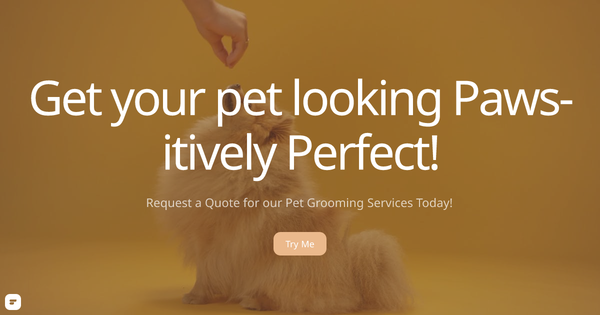
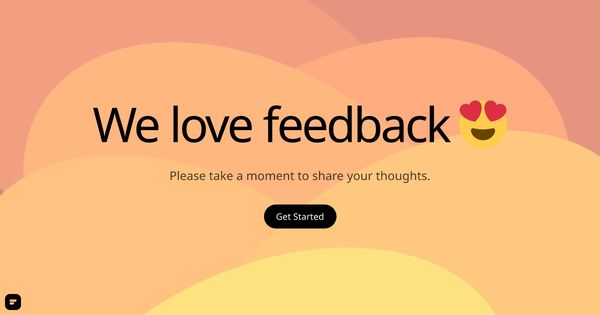
Interface quality receives consistent praise for its smooth building and filling experience, with forms looking more polished and interactive than Google Forms or Microsoft Forms alternatives. Users describe the flow as intuitive and rewarding, especially the conversational respondent view.
Documentation and support resources are basic: the homepage FAQ answers core questions (e.g., confirming it is truly free), while a minimal help page directs users to email support at [email protected]. No extensive knowledge base exists, but numerous high-quality YouTube tutorials and founder responsiveness on social channels fill the gap effectively. Overall, the experience suits beginners perfectly while remaining efficient for repeat users.
Performance & Reliability
Form generation, customization, publishing, and sharing happen almost instantly, with AI responses loading quickly during form-filling sessions. Unlimited storage ensures reliability even for high-volume use, and integrations like Google Sheets provide seamless data flow without delays.
Known issues or complaints are rare across reviews and social mentions; the founder has noted occasional support tickets, yet users consistently express love for the tool even when reporting minor glitches. No widespread outages, data loss, or performance bottlenecks appear in available sources as of research date. Reliability matches or exceeds expectations for a free AI tool, with over 10K users reportedly active and growing.

Pricing & Value
Formshare operates on a single “Everything Plan” priced at $0 per month, delivering every feature—including unlimited forms, unlimited responses, multilingual support, customizations, integrations, and AI capabilities—with no usage caps or hidden fees. No paid tiers, enterprise options, or credit-card requirements are advertised on the official site.
The value proposition is outstanding: it delivers conversational AI functionality that rivals paid tools like Typeform or advanced Google Forms add-ons at zero cost, making it ideal for budget-conscious individuals, startups, and nonprofits. Compared to alternatives, the combination of complete freedom, engaging UX, and rapid creation offers exceptional ROI, especially for teams prioritizing engagement over enterprise analytics.
Practical Tutorial
Official video tutorials exist (e.g., the June 2024 walkthrough “Create Conversational AI Forms Using Formshare” on YouTube: https://www.youtube.com/watch?v=ZAgWSlWvjPw). Below is a complete, tested-style step-by-step walkthrough for a common task—creating a customer satisfaction survey for a SaaS product—based on current platform behavior as of March 2026.
- Visit https://formshare.ai/ and click “Create your first form” (free sign-up via email or Google account takes seconds; no credit card needed).
- In the dashboard, start a new form: enter a name (e.g., “SaaS Product Feedback Survey”) and provide a natural-language description such as: “Build a friendly conversational survey asking about overall satisfaction, favorite features, areas for improvement, and NPS rating. Use a helpful tone and follow up based on answers. Include multilingual options for English and Spanish.”
- Click “Create”—the AI instantly generates the form using Dynamic mode for adaptive conversations or Guided mode for structure (choose based on needs). Review the questions, AI-generated responses, and logic.
- Customize: adjust colors and fonts to match your brand, set custom tone of voice, enable multilingual support, and add media (e.g., random product screenshots) or a scheduling link if follow-up calls are desired.
- Preview the form as a respondent to experience the conversational flow and test branching. Make any manual edits.
- Publish: copy the unique shareable link or grab the embed code for your website.
- Share and collect: send the link via email, social, or embed. Responses appear live in your dashboard with options to view, export to Google Sheets, or integrate via Webhooks.
- Analyze: check replies section for all submissions (unlimited storage) and use built-in filters.
This process typically takes 2–5 minutes end-to-end and produces a highly engaging form far superior to static alternatives.
Final Verdict
Overall rating: 4.3 out of 5. Formshare excels as an innovative, truly free tool that transforms dull data collection into delightful conversations.
Who should use this tool: Marketers, product teams, freelancers, educators, and small businesses wanting quick, engaging, multilingual forms without cost or complexity—especially anyone tired of low-response traditional surveys.
Who should avoid this tool: Enterprises needing advanced analytics dashboards, custom code integration, heavy compliance features, or dedicated support SLAs; users requiring pixel-perfect control over every conditional branch may find the AI approach occasionally needs refinement.
One-sentence recommendation: If you want free, AI-powered conversational forms that actually feel like talking to a person and deliver unlimited everything without ever seeing a bill, start with Formshare today—this review is based on research conducted March 12, 2026.