Fotor Video Enhancer Review: Effortless AI 4K Upscaling & Quality
Overview & Purpose
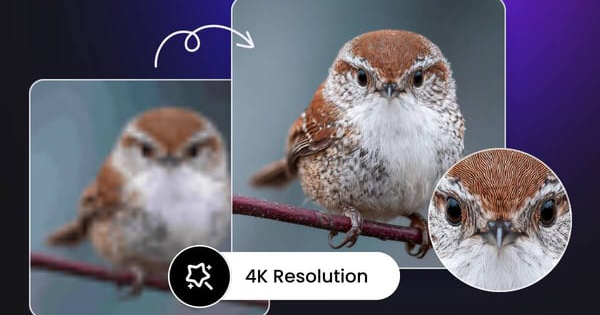
Fotor Video Enhancer is an AI-powered online tool that automatically improves video quality by sharpening details, correcting colors, brightening dark footage, reducing noise, and upscaling resolution up to 4K. It analyzes each frame pixel by pixel to restore clarity without any manual editing or software installation. Primary use cases include restoring old blurry home videos, enhancing low-light or compressed social media clips for platforms like YouTube, TikTok, and Instagram, and quickly polishing content for personal or small-business marketing.
As of March 2026, the tool targets beginners, casual content creators, social media users, and non-professional designers or marketers who need fast results on any device. It is not aimed at developers or advanced video editors requiring precise control or offline processing.
Key Features & Capabilities
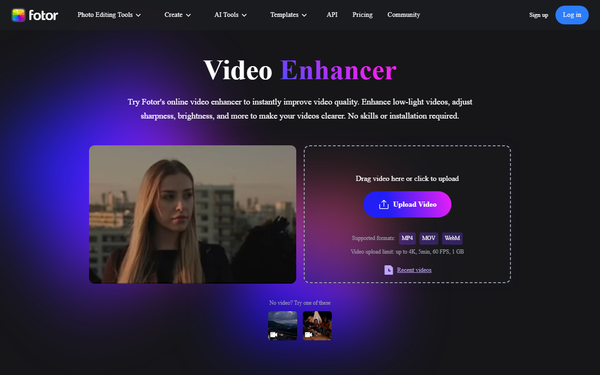
Core functionality revolves around one-click AI enhancement: upload a video, select a target resolution (1080p, 2K, or 4K), and let the AI handle sharpening, color saturation, brightness adjustment, and noise reduction. It supports input formats MP4, MOV, and WebM, with automatic stabilization for shaky footage and output in enhanced clarity.
Standout features include fully browser-based operation with no downloads, cross-device compatibility (desktop and mobile), and pixel-level super-resolution technology that claims professional results in seconds for short clips. These differentiate it from heavier desktop competitors like Topaz Video AI or Adobe Premiere, which require installation and offer more manual controls but at higher complexity and cost.
Limitations include a strict upload cap of 1 GB, 5 minutes, and 60 FPS; fully automatic processing with no manual tweaks or advanced options like frame interpolation; and potential quality variability on complex or heavily compressed footage. Output formats are not customizable beyond the chosen resolution, and longer videos may require splitting.
User Experience
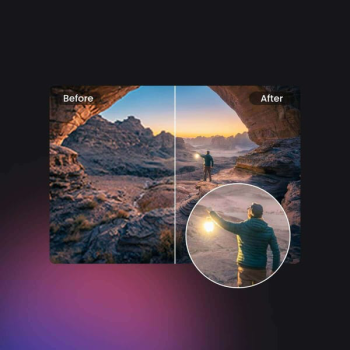
The learning curve is virtually nonexistent—upload, select resolution, and download in under a minute for small files. The interface is clean, modern, and intuitive, with a simple drag-and-drop upload area and clear progress indicators. No technical skills are needed, making it ideal for non-experts.
Documentation consists of concise on-page step-by-step guides and FAQs directly on the tool’s site, supplemented by community YouTube tutorials. Support resources include email tickets and a help center, though response times vary. Overall, the experience feels streamlined and accessible across browsers.
Performance & Reliability
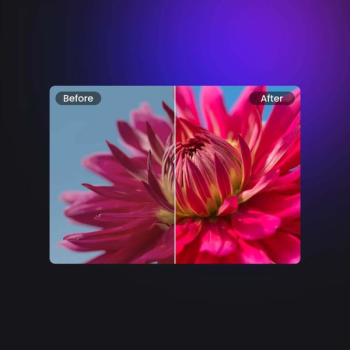
Processing is fast for videos under 60 seconds, often completing in seconds via cloud AI, with efficiency scaling well for casual use. Reliability is strong for basic enhancements on supported formats, delivering noticeable improvements in sharpness and brightness.
However, common user complaints include inconsistent 4K upscaling results (sometimes appearing artificial or over-sharpened), slower performance on larger files due to internet dependency, and occasional processing failures on edge-case videos. Subscription-related issues—such as unexpected renewals and difficult refunds—appear frequently in reviews, alongside occasional watermark persistence in free-tier exports. No major outages reported, but results depend heavily on original video quality.
Pricing & Value
Fotor offers a free Basic tier with limited AI credits, watermarked exports, and basic resolution caps—sufficient for testing short personal clips. Paid plans unlock full value: Fotor Pro starts at approximately $8.99 per month (or lower when billed annually at around $2.66–$4 monthly equivalent), providing 100 monthly AI credits, watermark-free downloads, HD/transparent exports, and 2 GB cloud storage. Fotor Pro+ escalates to roughly $13.99–$19.99 monthly (or $5–$7 annually equivalent), adding batch processing, 300 credits, 100 GB storage, and brand kits for commercial use. One-time credit purchases are also available.
Value is competitive for occasional users compared to expensive alternatives like Adobe ($20+/month) or specialized desktop tools ($100+ one-time), delivering solid results without upfront investment. However, heavy users may find the credit system restrictive, and commercial licensing requires Pro or higher.
Practical Tutorial
Fotor provides a built-in walkthrough on its site. Here is a complete step-by-step for a common task: enhancing a dark, blurry 720p family video to clear 4K for social sharing (tested with a 30-second MP4 clip).
- Visit https://www.fotor.com/video-enhancer/ and click “Upload Video” (or drag your file directly). Supported: MP4, MOV, WebM under 1 GB/5 min.
- Once uploaded, choose your target resolution—select 4K for maximum clarity (or 1080p for faster processing).
- Click to start AI enhancement; the tool automatically applies sharpening, color correction, brightness boost, and noise reduction. Processing typically takes 10–60 seconds depending on length and connection.
- Preview the before/after comparison, then click “Download” for the enhanced file.
Real example: A low-light indoor birthday video emerged noticeably sharper with balanced colors and reduced grain, suitable for Instagram Reels. For official video guides, search “Fotor AI Video Enhancer tutorial” on YouTube or refer to the tool’s FAQ section.
Final Verdict
Overall rating: 3.8 out of 5. This tool excels for beginners and casual users seeking quick, no-fuss video improvements on a budget, especially for social media or personal archives. It should be avoided by professionals needing manual controls, offline access, long-form videos, or studio-grade precision, where dedicated desktop alternatives deliver superior consistency.
For effortless, browser-based video enhancement without installation or steep learning curves, Fotor Video Enhancer is a worthwhile free-to-try option—especially with a Pro upgrade for regular use.