Fronty Review: Convert Images to HTML/CSS Code with AI Fast
Overview & Purpose
Fronty is an AI-powered web tool that converts uploaded images—such as design mockups, screenshots, or PNG/SVG files—into clean, functional HTML and CSS code (built on Bootstrap for responsiveness). Users simply upload an image, and the AI generates semantic, accessible, SEO-friendly code ready for editing or deployment, enabling full website creation in minutes without manual coding. Primary use cases include rapid prototyping of landing pages, blogs, e-commerce fronts, or team sites from Figma/Adobe XD exports (via screenshots), turning static designs into live, mobile-friendly websites. It also supports hosting and a no-code editor for post-conversion tweaks.
The tool targets a broad audience: professional web developers seeking to accelerate frontend workflows, UI/UX designers needing quick code handoff to clients, non-technical users (marketers, entrepreneurs, small businesses) who want DIY websites, and agencies handling quick-turnaround projects. Its appeal lies in democratizing web development by eliminating coding barriers while producing standards-compliant output.
This review is based on research conducted as of March 2026, drawing from the official website, blog, third-party aggregators, and independent analyses.
Key Features & Capabilities
Core functionality revolves around the AI image-to-code converter: upload a design image (recommended under 5MB), receive optimized HTML/CSS within minutes, then refine via the integrated no-code editor or download the code directly. The output follows best practices—responsive layouts, semantic markup, accessibility features, and fast load times—while supporting light/dark mode toggles and global styling.
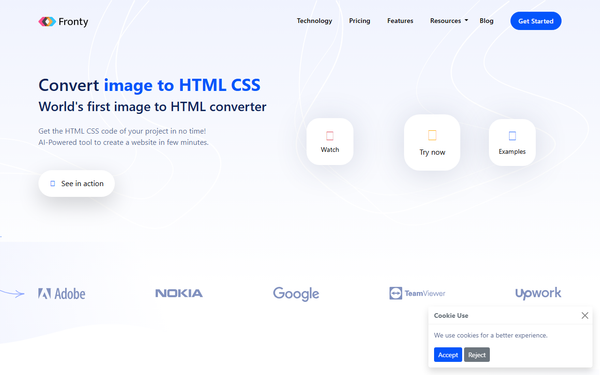
Standout features that differentiate Fronty include its all-in-one workflow (conversion + visual editor + managed hosting with 99.8% uptime, backups, and custom domains), no-code drag-and-drop editing for content/styles/elements, and claims of being the "world's first" image-to-HTML tool. Upcoming additions like direct Figma and Adobe XD file support, AI design suggestions, and templates further position it ahead of basic converters. Over 1 million websites created and awards like Product Hunt #1 of the Day highlight its traction.
Limitations include reliance on image quality (complex or low-contrast designs may require manual fixes), frontend-only focus (no native backend/database integration), and current lack of direct design-tool imports (screenshot workaround needed). Advanced interactions or pixel-perfect animations often need post-edit tweaks, and the tool is less suited for highly dynamic applications.
User Experience
Fronty boasts a low learning curve, making it accessible even for complete beginners: the process follows a straightforward dashboard flow with clear prompts for project setup, image upload, and instant generation. The interface is clean and intuitive, featuring a preview pane for responsive testing (mobile/tablet/desktop), a side panel for element styling/content edits, and global controls—described by users as "clear and easy" with no-code simplicity that rivals dedicated builders.
Documentation consists of blog articles covering conversion basics and best practices, plus an older demo video; there are no exhaustive user manuals or video libraries, but the simplicity reduces the need. Support resources include in-app guidance and responsive team feedback noted in testimonials. Overall, the experience prioritizes speed and minimal friction, though some users report occasional publish delays in the editor.
Performance & Reliability
Conversion typically completes in a few minutes, with the resulting code optimized for speed, SEO, and cross-device compatibility. Hosting delivers claimed 99.8% uptime and easy backups, allowing instant publishing to a free subdomain or custom domain.
Known issues include variable AI accuracy—elements like menu orientation, spacing, colors, or section details may not match the source image perfectly, requiring editor adjustments—and historical complaints (primarily pre-2024) about upload failures or temporary server downtime. Recent user sentiment is more positive on consistency and speed, with older platforms showing mixed ratings (e.g., 2.8/5 on Product Hunt from limited reviews; 4.0/5 on Trustpilot). No widespread 2025–2026 outages were reported, suggesting improvements, but results still depend heavily on high-quality input images.
Pricing & Value
Fronty operates on a freemium model with a free tier for basic testing (limited pages/users, free subdomain hosting ~200MB, Fronty branding). Paid plans start affordably: Pro at approximately $4.52–$10/month (up to 10 users, 1GB hosting, custom domain, no branding, unlimited pages) and Advanced at ~$9–$19.50/month (up to 25 users, 15GB hosting, full features). Exact pricing and billing (monthly/annual) may vary; third-party sources confirm the structure, and users should verify on-site for current details.
Value is strong for the price compared to alternatives like manual development or premium no-code platforms (e.g., Webflow or Bubble), offering an integrated image-to-live-site pipeline at entry-level costs. It's particularly economical for quick projects or prototypes, though heavy users may outgrow storage limits or need code exports for advanced hosting.
Practical Tutorial
Official step-by-step tutorials are limited (primarily blog overviews and an older YouTube demo), so the following is a practical walkthrough for a common task—converting a landing page screenshot into a live website—based on official process descriptions and blog guidance (e.g., "Image To HTML/CSS Code Conversion" post).
-
Sign up and create a project: Go to app.fronty.com/register, create a free account, and start a new website. Enter a title, description, and desired URL/subdomain.
-
Upload your image: Prepare a high-resolution screenshot or mockup (PNG/SVG recommended, under 5MB). In the dashboard, select "Upload image" and choose your file (example: a simple homepage design with hero section, navigation, and footer).
-
Let AI convert: Click convert—the AI processes the image in 1–5 minutes, generating responsive HTML/CSS code. Preview the initial result (mobile-friendly by default).
-
Edit in the no-code editor: Open the visual editor. Drag to reposition elements, update text/content via inline editing, adjust styles (colors, fonts, spacing) in the settings panel, and apply global themes (e.g., switch to dark mode). Fix minor AI inaccuracies, such as button colors or menu layout.
-
Preview and test: Use built-in device previews to check responsiveness. Save changes (note: occasional publish lag reported).
-
Publish or export: Hit "Publish" for instant live hosting (free subdomain) or attach a custom domain. Alternatively, download the clean code for use elsewhere. For the example, your landing page is now live and editable in minutes.
For visuals or variations, refer to Fronty’s blog or the 2019 demo video on their YouTube channel. Best practice: Use clean, high-contrast mockups for optimal AI results.
Final Verdict
Overall rating: 7/10. Fronty excels as an accessible, time-saving solution for turning design images into functional websites quickly, with strong value in its no-code editor and hosting integration—making it ideal for non-technical users, designers, small businesses, and developers needing rapid prototypes or simple sites.
Who should use it: Beginners, marketers, or teams wanting to launch basic pages without coding expertise or high costs. Who should avoid it: Professional developers requiring pixel-perfect, highly interactive, or backend-heavy applications, or those intolerant of occasional manual refinements due to AI variability.
Fronty is a worthwhile investment for anyone looking to bridge the gap between design and deployment efficiently—give the free tier a try for your next mockup-to-site project.