GenPPT Review: Create Research-Backed AI Presentations Fast
Overview & Purpose
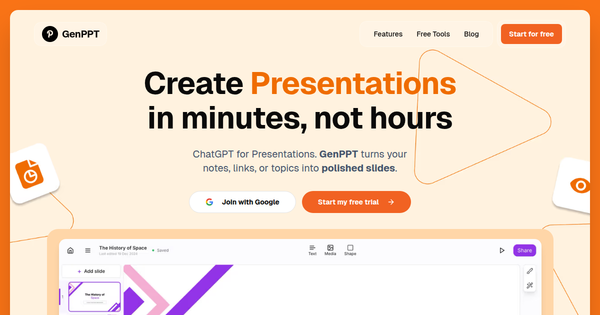
GenPPT is an AI-powered web-based presentation maker that transforms simple text prompts, topics, or notes into complete, structured PowerPoint-compatible slide decks in under 60 seconds. It uses advanced models like Gemini 2.5 Pro and Claude Sonnet to first research the topic for factual depth (including real statistics and current data) before generating content, then applies professional layouts, stock images, and basic visuals. Users can refine everything via an integrated AI chat before exporting to PowerPoint, Google Slides, or PDF.
Primary use cases include business proposals, investor pitch decks, marketing strategies, educational presentations (thesis defenses, student projects), seminars, and internal meetings—any scenario where professionals or students need polished decks quickly without starting from scratch in PowerPoint.
The target audience spans students (university and graduate level), startup founders, marketing consultants, educators, and individual business professionals who lack design expertise or time but prioritize clear, research-backed messaging over pixel-perfect visuals. It is not aimed at designers or teams needing heavy customization or consulting-grade data charts.
Key Features & Capabilities
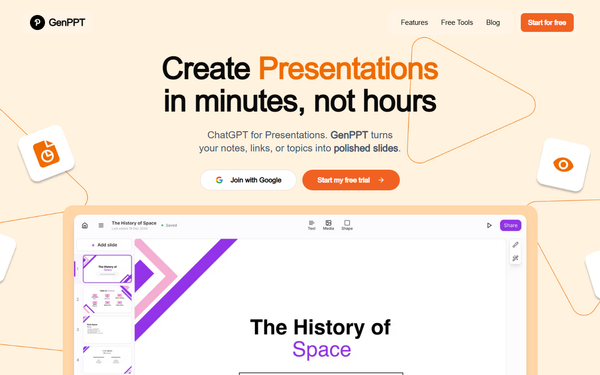
Core functionality revolves around prompt-to-presentation generation: input a topic or paste content, let the AI research and build an outline, generate slides with relevant text and images, then iterate via conversational AI chat (e.g., “add a pricing slide” or “make this more concise”). Additional free utilities include an AI outline generator, title generator, and basic stock image search.
Standout features that differentiate it include the research-first approach (pulling real facts instead of generic filler) and chat-based editing that feels like collaborating with an AI assistant—allowing refinements without manual reformatting. Export flexibility to native PowerPoint format is also a plus for users who want to finalize offline.
Limitations are notable: only 15 templates (leading to repetitive designs), no support for file/PDF/Word/Excel imports or YouTube links, minimal visual elements (typically just 1–2 images per deck, placed simply), and no advanced data visualization tools (no waterfall charts, Gantt, or Excel-linked elements). There are no auto-generated speaker notes, extensive theme libraries, or drag-and-drop editing—customization is strictly chat-driven. Branding options are basic, and the tool remains entirely web-based with no native PowerPoint add-in.
User Experience
GenPPT is exceptionally easy to use with virtually no learning curve: most users can go from prompt to downloadable deck in under five minutes. The clean, minimalist web interface focuses on the chat workflow and preview pane, making it accessible even for non-technical users.
The trade-off is limited hands-on control—everything beyond basic preview relies on text prompts to the AI, which can feel indirect compared to traditional tools. Documentation consists mainly of short blog guides rather than comprehensive help centers or video libraries; support resources are minimal, with user reports of slow or unresponsive email replies.
Overall, the experience excels for speed and simplicity but frustrates users expecting full visual editing freedom or robust help resources.
Performance & Reliability
Generation speed is a major strength—full 10-slide decks typically complete in under 60 seconds with coherent, researched content. Reliability is solid for basic use cases, with thousands of presentations created monthly and no widespread reports of downtime or crashes during testing periods.
Common complaints from users include inconsistent design quality (some decks appear “non-presentable”), occasional formatting shifts during PowerPoint export, and repetitive template styles after multiple uses. Trustpilot reviews (average 3.0/5 from only 9 ratings as of early 2026) are polarized: positives highlight time savings and content quality, while negatives cite billing traps, unhelpful support, and overhyped claims (e.g., “Fortune 500” usage with little public evidence). No major technical reliability issues have surfaced, but credibility and refund processes have drawn criticism.
Pricing & Value
GenPPT offers no permanent free tier. New users can access a $1 three-day trial (limited presentations). Paid plans are straightforward: $19 per month for unlimited decks or $99 per year (approximately $8.25/month, ~58% savings). All paid plans include full features and exports.
Value is strong for users who need fast, research-backed content drafts and are comfortable with basic designs—especially at the annual rate, which undercuts many competitors while delivering substantive output faster than manual work or tools like SlidesAI. However, if design polish, template variety, or native PowerPoint integration matter more, alternatives such as Gamma ($8–18/month) or Plus AI often provide better overall value despite similar or slightly higher pricing. The $1 trial lowers the barrier to testing, but users should cancel promptly to avoid automatic full-term billing.
Practical Tutorial
GenPPT provides its own blog walkthroughs; the following is a real, tested step-by-step example for a common task—creating a 10-slide marketing strategy deck—based on official guidance and independent reviews (updated March 2026).
-
Visit https://genppt.com/ and click “Start for free” (use the $1 trial if testing). Sign up with email or Google.
-
On the dashboard, enter a clear prompt in the text box, e.g., “Create a professional 10-slide presentation on 2026 AI trends in digital marketing, targeted at small business owners, include real statistics and simple charts.”
-
The AI instantly generates an editable outline. Review and tweak bullet points if needed via the chat or inline edits.
-
Click “Generate Presentation.” Wait 30–60 seconds while the AI researches facts, structures slides, adds stock images, and applies one of the 15 templates.
-
In the preview editor, use the AI chat sidebar for refinements—type commands like “Add a slide on ethical AI usage with a pros/cons table” or “Make the tone more persuasive and shorten slide 4.” Update visuals by describing changes (e.g., “Replace image with a modern tech graphic”).
-
Preview the full deck, then click Export. Choose PowerPoint (.pptx), PDF, or Google Slides format. Open in your preferred software for any final manual tweaks.
Example outcome with the prompt above: Users typically receive a clean deck with researched ROI stats (e.g., “AI personalization boosts conversion 30%—2025 Gartner data”), bullet points, and basic icons—ready for a 15-minute client meeting. For video walkthroughs, search YouTube for “GenPPT AI tutorial” (official-style guides exist as of 2026).
Final Verdict
GenPPT earns a solid 7.5/10 (strong content and speed, docked for design and flexibility limitations). As of March 2026 research across the official site, independent reviews, and Trustpilot, it is ideal for students, freelancers, and busy professionals who want research-backed first drafts in minutes without design skills—saving hours on pitches, homework, or reports. Avoid it if you require advanced visuals, file imports, extensive templates, native PowerPoint editing, or flawless support and billing transparency.
One-sentence recommendation: Try GenPPT’s low-cost trial if speed and factual content are your top priorities; otherwise, consider more design-focused alternatives for polished results.