Genve AI Review: The Ultimate Tool for AI Video Localization
Overview & Purpose

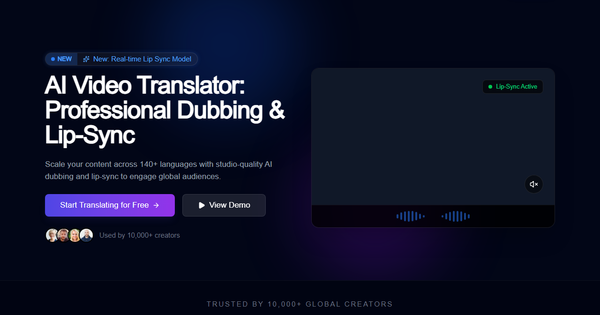
Genve.ai is an AI-powered video localization platform designed to automatically transcribe, translate, dub, and lip-sync videos using advanced neural networks. It produces studio-quality dubbed content in over 140 languages while preserving the original speaker’s voice, emotional tone, and brand identity through voice cloning and pixel-perfect lip synchronization. The primary purpose is to enable creators, marketers, educators, and enterprises to scale their video content globally without the high costs and long timelines of traditional dubbing studios—claiming up to 90% faster processing and 70% cost savings.
Key use cases include localizing YouTube and TikTok videos for international audiences, adapting marketing campaigns and e-commerce product demos, translating educational courses and corporate training materials, and dubbing entertainment content such as short films. The target audience spans independent content creators, digital marketers, edtech professionals, SaaS companies expanding internationally, and larger enterprises seeking efficient multilingual video production. It is particularly valuable for anyone whose content performance depends on native-language engagement, as localized videos have been shown in user testimonials to boost conversions by up to 300% in non-English markets.
Research for this review was conducted as of March 13, 2026, drawing from the official website, help center, and independent tech review aggregators.
Key Features & Capabilities
Core functionality revolves around an all-in-one workflow: automatic speech recognition for transcription, neural machine translation, voice cloning that replicates the speaker’s timbre and emotion, and a real-time lip-sync engine that adjusts mouth movements frame-by-frame for natural-looking results. The platform supports 140+ languages and accents, handles multiple video formats, and operates entirely in the browser—no downloads or installations required. It also offers multi-file processing, HD/4K export options, and developer-friendly APIs for integration into larger workflows.
Standout features that differentiate Genve.ai from competitors (such as HeyGen, Rask AI, or Synthesia) include its focus on cloning the original speaker’s voice rather than generic text-to-speech avatars, pixel-perfect real-time lip-sync technology, and preservation of subtle emotional nuances—making dubbed videos feel truly native. The platform’s emphasis on video-specific neural networks (as opposed to general-purpose AI) results in higher fidelity for complex content like academic lectures or fast-paced social media clips. New enhancements include a real-time lip-sync model and turbo processing speeds on higher plans.
Limitations include credit-based usage (measured in video minutes), dependency on clear input audio/video quality for optimal results, and the need for occasional manual script review in cases of heavy accents, background noise, or domain-specific terminology. Ethical considerations around voice cloning (consent and deepfake risks) are not prominently addressed in documentation. It lacks offline capabilities and advanced manual editing tools found in professional studio software. Multi-language support is broad but not exhaustive for every regional dialect.
User Experience
Genve.ai features a clean, intuitive browser-based interface that requires minimal onboarding—users report being able to produce their first dubbed video in minutes. The learning curve is low thanks to a guided workflow: drag-and-drop upload, simple language selection dropdowns, toggle switches for voice cloning and lip-sync, and one-click processing. Mobile compatibility is strong via Chrome, Safari, or Edge on phones and tablets, allowing on-the-go uploads and exports.
Interface quality is modern and distraction-free, with real-time previews of translated audio and synced video. Documentation is accessible through a dedicated help center with searchable articles on core tasks, plus 24/7 live chat and email support. While comprehensive getting-started guides exist, some advanced features (API integration, custom accents) could benefit from more video walkthroughs. Overall, the experience feels professional yet approachable, earning high marks for ease of use (4.4/5 in aggregated reviews).
Performance & Reliability
Processing speeds are impressive: most videos are handled in minutes rather than hours, with “turbo” options on paid plans delivering 2–3× faster results. Lip-sync accuracy is advertised as near-perfect for standard footage, and voice cloning maintains emotional tone effectively across tested languages. Reliability is bolstered by cloud-based neural networks that scale well for enterprise volumes, with minimal reported latency.
Known issues are typical of AI video tools: occasional minor desyncs or pronunciation glitches with poor source quality, heavy accents, or rapid speech. No widespread outages or major complaints surfaced in public forums or reviews as of March 2026—the tool appears stable but still emerging, with most feedback coming from promotional channels or early testers. Users praise consistency at scale, though real-world long-term reliability data remains limited due to the platform’s relative newness.
Pricing & Value
Genve.ai offers a generous free tier to get started (limited credits for testing), with paid plans billed monthly or annually (40% savings on yearly). Current structure (sourced from review aggregators, as official pricing is dynamic):
- Starter: ~$12–19/month (annual billing) – 30 minutes of translation, basic lip-sync, 1080p export.
- Creator: ~$29–49/month – 120 minutes, 4K support, faster processing.
- Scale/Enterprise: ~$79–119+/month – higher limits, credit rollover, team features, API access.
Value is strong compared to traditional dubbing (thousands per project) or competitors: users achieve professional results at a fraction of the cost and time, with reported ROI through increased global engagement and revenue. The credit system ensures pay-for-what-you-use flexibility, making it cost-effective for sporadic creators while scalable for enterprises. Drawbacks include potential overage fees for heavy users and slightly lower “value for money” scores (4.2/5) due to credit consumption on longer projects.
Practical Tutorial
Official documentation and blog resources provide guidance for common tasks. Below is a step-by-step walkthrough for a typical use case—translating a 5-minute English YouTube explainer video into Spanish while cloning the creator’s voice and enabling lip-sync (based on platform mechanics and official “How do I create my first translated video?” guidance).
-
Sign up and access the dashboard: Go to app.genve.ai (or start at genve.ai and click “Try for Free”). Create an account with email/Google; no credit card required for the free tier.
-
Upload your video: Click “New Project” or drag-and-drop your MP4 file (or paste a public YouTube URL). Supported formats include MP4, MOV, and common social media exports; maximum file size varies by plan.
-
Configure localization settings: Select the target language (Spanish) from the 140+ dropdown. Toggle “Voice Cloning” to preserve your original voice and emotional tone. Enable “Lip-Sync” for pixel-perfect mouth alignment. Optionally adjust translation tone (formal/casual) or add custom glossary terms for brand accuracy.
-
Review and edit (optional but recommended): Genve.ai auto-generates the transcript and translation. Scan for accuracy—edit any misheard phrases or specialized terms in the built-in editor. Preview the cloned audio track.
-
Process and generate: Click “Dub & Sync.” Processing typically takes 2–10 minutes depending on length and plan speed. Watch the real-time preview to confirm lip-sync quality.
-
Export and publish: Download the dubbed MP4 (1080p or 4K). For YouTube, upload the new audio track as a separate language version or replace the original. Test playback on mobile/desktop.
Example outcome: A tech tutorial that originally reached 10k English viewers can now engage Spanish-speaking audiences with near-identical presenter delivery, boosting watch time and subscriptions. For detailed visuals or troubleshooting (e.g., “What video formats are supported?” or “How accurate is the lip-sync?”), refer to the official Help Center at genve.ai/en/help or their blog post on best practices. The entire process usually takes under 15 minutes for first-time users.
Final Verdict
Overall rating: 4.5/5. Genve.ai excels at delivering authentic, high-quality video localization that feels human rather than robotic, making it ideal for creators, marketers, educators, and enterprises who need to reach global audiences quickly and cost-effectively while keeping their original voice and brand intact. It should be avoided by users requiring fully offline operation, extensive manual post-production control, or who work exclusively with extremely rare dialects where AI accuracy may dip. One-sentence recommendation: If you want studio-quality dubbed videos in minutes instead of weeks, Genve.ai is one of the smartest investments for scaling your content worldwide in 2026.