Getdot Ai Review: The Ultimate AI Data Analyst for Your Team
Overview & Purpose
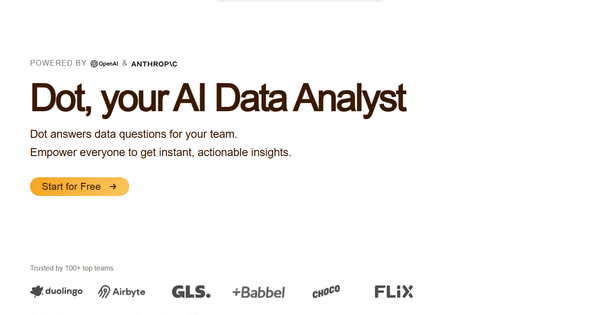
Dot by GetDot.ai is an AI-powered data analyst that lets any team member access, analyze, and understand business data through simple natural language questions—no SQL, dashboards, or technical skills required. Users query their data warehouse directly, receive instant charts and explanations, uncover root causes of metric changes, generate automated reports, and get weekly summaries with actionable recommendations. It works seamlessly in Slack, Microsoft Teams, or email, delivering insights exactly where teams already collaborate.
Primary use cases include quick metric lookups (e.g., “What’s our revenue by region this quarter?”), deep investigations (“Why did churn increase last month?”), scheduled executive PowerPoint reports, and democratizing data access across the organization so non-technical stakeholders can self-serve while data teams focus on complex work. It supports multiple languages and connects to existing tech stacks via no-code integrations.
The target audience is data teams that move fast, including analysts, business operations, sales, marketing, and executive stakeholders who rely on data but lack technical expertise. It is especially valuable for companies with a data warehouse (Snowflake, BigQuery, Redshift, etc.) that want to scale insights without hiring more analysts. It is less geared toward pure developers, designers, or teams without structured data sources.
Key Features & Capabilities
Core functionality centers on conversational analytics: Dot automatically finds the right tables, writes and runs SQL behind the scenes, and returns visualized answers with full transparency (users can see and verify the queries). Standout features include:
- Deep Analysis mode — an autonomous “research analyst” that runs multiple queries, validates findings, and produces structured reports with charts, executive summaries, recommendations, and source links for complex “why” questions.
- Automated Reports — scheduled, live-data PowerPoint-style decks delivered weekly or on demand.
- Context Agent — a trainable governance layer that pulls documentation from your systems, resolves metric definitions, and enforces business rules so answers stay consistent and accurate.
- Native Slack/Teams integration plus API access for custom workflows.
- Enterprise-grade security: SOC 2 audited, GDPR-ready, zero data retention on LLMs, SSO, role-based access control (RBAC), row-level security, and full audit logs.
These differentiate Dot from generic BI tools or lighter AI query engines by combining deep reasoning, explainable outputs, automated delivery, and a persistent business context model rather than one-off queries. Benchmarks shared by the company show 96 % accuracy on complex financial tasks (versus 62 % for trained human analysts) and answers in ~60 seconds versus hours of manual work.
Limitations include a credit-based usage model (exact cost per query type is not publicly detailed beyond plan caps), caps on active tables (3 on free, 15 on Standard), and occasional verbose outputs noted in third-party comparisons. It does not replace full dashboard builders for teams that prefer visual exploration over conversational reports, and setup requires a reasonably clean data warehouse and some initial context training for best results.
User Experience
Dot boasts an extremely low learning curve: most users can get value within minutes of connecting their data source by simply typing questions in plain English. The interface is chat-first—clean, modern, and embedded directly into Slack or Teams—so there is no new app to learn or dashboard to hunt through. Real-time visibility into each step (table selection, SQL generation, validation) builds trust without overwhelming non-technical users.
Documentation at docs.getdot.ai is clear and practical, covering connections, context training, and feature usage, though it remains relatively concise (no extensive video library yet). Support escalates from in-app chat (Standard plan) to dedicated onboarding and training (Enterprise). Testimonials from customers like Duolingo and Choco highlight how quickly teams adopt it and how much time it frees up.
Performance & Reliability
Responses are fast—simple queries return in seconds; Deep Analysis reports take 1–5 minutes depending on complexity. The product claims high reliability through its context model and source-linked answers, with built-in validation steps that reduce hallucination risk. No widespread outages or major bugs appear in public discussions as of March 2026.
Known issues are minimal in available sources; one comparison noted longer, text-heavy outputs that require skimming, and credit consumption can feel opaque until usage patterns are established. Independent user reviews remain limited (the tool is still gaining traction), but company-published case studies report 18× ROI and 12,000+ hours saved, with 99 % faster insight delivery.
Pricing & Value
Dot offers a clear three-tier structure (as of March 2026):
- Starter: Free — 3 active tables, 100 initial credits + 10 per month, basic chat and model features. Ideal for testing.
- Standard: $699 per month — 15 active tables, 500 credits/month, live chat support, priority onboarding, API access. Additional credits available.
- Enterprise: Custom pricing — unlimited users/messages, self-hosted option, dedicated support, custom training, fine-grained controls. 50 % discount available for qualifying startups, NGOs, and university faculty.
The credit model scales with usage rather than seats, delivering strong value for teams tired of paying per dashboard user or per query in traditional BI tools. Compared with Power BI, Looker, or lighter AI analysts, Dot’s combination of governance, automation, and conversational depth often yields higher ROI for data-mature organizations that want self-service without hiring more analysts. Free tier and transparent scaling make it accessible; however, high-volume teams may need Enterprise for unlimited scale.
Practical Tutorial
Official documentation provides a solid foundation at https://docs.getdot.ai/getting-started and https://docs.getdot.ai/using-dot/deep-analysis. Below is a real-world walkthrough for a common task: uncovering the root cause of a metric shift and exporting a shareable report.
-
Sign up and connect your data — Go to app.getdot.ai/register (free Starter plan). In Settings → Connections, select your warehouse (Snowflake, BigQuery, etc.) and grant read-only permissions. No code required; the connection is live in minutes.
-
Build business context (optional but recommended) — Navigate to the Model section. Use “Suggest” to auto-generate table descriptions and sample values, then add custom notes (e.g., “ARR = annual recurring revenue, calculated as…”). Save definitions and business rules so Dot speaks your company’s language.
-
Ask a question in Deep Analysis mode — Open Dot in Slack, Teams, or the web app. Toggle to “Analysis” (instead of quick Chat). Type: “Why did our churn rate increase in Q4 compared to Q3? Include segment breakdown and top drivers.” Hit send.
-
Review the autonomous investigation — Watch in real time as Dot runs multiple queries, cross-checks data, and builds charts. The finished report includes: headline findings, executive summary, supporting visuals/tables, recommendations, and linked SQL for every claim.
-
Act on the insights — Drill deeper with follow-ups (“Show the top 10 customers in EMEA”), export the entire report as PowerPoint, or share a live link. For recurring needs, set up automated weekly delivery.
This entire process typically takes under 5 minutes once connected and delivers an executive-ready artifact that would otherwise require hours of analyst time.
Final Verdict
Overall rating: 4.5/5 — Excellent for speed, accuracy, and democratization of data, with only minor deductions for credit opacity and limited public third-party reviews.
Teams that already have a data warehouse and want to empower every employee with trustworthy insights while freeing analysts for strategic work should use Dot immediately—it transforms data from a bottleneck into a daily superpower.
Teams without a centralized warehouse, those needing pixel-perfect interactive dashboards, or extremely cost-sensitive startups operating at tiny scale should avoid it or start strictly on the free tier.
One-sentence recommendation: If you want your entire organization to ask complex data questions in plain English and receive accurate, governed, executive-ready answers in minutes instead of days, start a free trial of Dot today.