Glide AI Review: Build Powerful No-Code Apps with Ease
Overview & Purpose
Glide AI is an AI-powered extension of the Glide no-code platform that enables users to build, deploy, and enhance custom business applications without any coding. It transforms data sources into functional apps while embedding intelligent features like automated insights, workflow optimizations, and natural language app generation via the Glide Agent. The tool processes multimodal inputs—text, audio, images, and documents—to extract structured data, generate content, and drive smarter automations, making AI accessible for everyday business operations.
Primary use cases include work order management, inspection tools, inventory management, field sales apps, knowledge bases, customer portals, internal CRMs, and property management systems. These align with real-world needs for field teams, operations, and SMBs that require quick, data-driven tools. The target audience consists primarily of non-technical users such as operations managers, field service teams, marketers, designers, and business owners who want rapid app development. It also appeals to developers for prototyping and to enterprises seeking scalable internal tools without heavy IT involvement.
Key Features & Capabilities
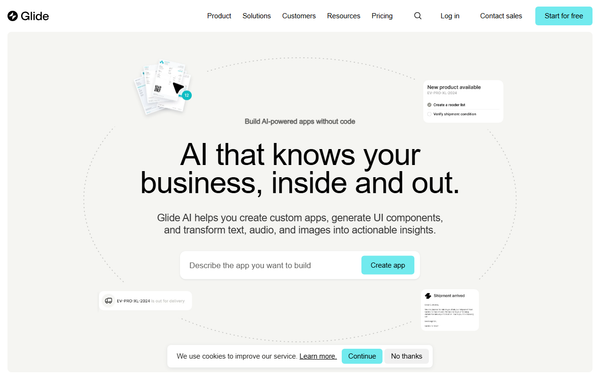
Core functionality revolves around ten Glide AI features that act as computed columns or workflow actions: Audio to Text, Document to Text, Image to Text, Generate Text, and Text-to-structured conversions (Boolean, Choice, Date, Number, JSON, Texts). These enable user-triggered transformations and automations directly in apps. The Glide Agent stands out by letting users describe an app in plain language (e.g., “track inventory and orders”), instantly generating data structures, layouts, and a working prototype. Additional capabilities include AI-driven UI component creation via chat and workflow intelligence for tasks like ticket prioritization or anomaly detection.
Standout differentiators include fully managed LLMs (automatic selection from providers like OpenAI, Azure, or Google with no API keys required), efficient app-level caching to reduce costs and latency on repeated queries, and multimodal abstraction that handles diverse file types seamlessly. Deep integrations with data sources—Google Sheets, Airtable, Excel, BigQuery, MySQL, PostgreSQL, Google Cloud SQL, and Glide Big Tables—allow live syncing without manual exports. Enterprise-grade security (SOC 2 Type 2, GDPR, CCPA compliance) ensures data privacy, with Glide AI never training on user inputs.
Limitations include availability only on paid plans, no guaranteed accuracy (results must be reviewed, especially for non-English content), consumption of the platform’s “updates” quota (potentially triggering extra fees), and constraints for highly complex relational logic or native mobile publishing (apps are PWAs). Advanced Reasoning is experimental and Enterprise-only.
User Experience
Glide AI boasts a low learning curve thanks to its spreadsheet-like Data Editor, drag-and-drop Layout Editor, and intuitive chat interfaces for the Agent and prompts. Most users with basic Excel familiarity can build functional apps in minutes. The interface is clean, modern, and responsive, with real-time previews that feel polished for a no-code tool.
Documentation is excellent, featuring detailed docs, Glide University certifications (including AI-specific courses), community forums, and YouTube tutorials. Support includes community help, expert hires, and paid tiers with faster responses. Minor friction arises from occasional “No Response” errors in AI features or navigating advanced computed columns, but overall onboarding is smooth.
Performance & Reliability
AI responses are typically fast thanks to managed models and caching, with most transformations completing in seconds. Live data syncing from connected sources works reliably for typical business volumes, and apps handle thousands of rows without immediate slowdowns.
Known issues include occasional “No Response” from AI columns (resolved by prompt tweaks or retries), performance degradation with very large datasets (>20k rows) or heavy AI usage that exhausts update quotas, and rare bugs where AI changes overwrite work without easy undo. Some users report billing surprises or support delays on lower tiers. Reliability is strong for internal tools but can falter at extreme scale or with complex automations.
Pricing & Value
Glide offers a free tier for testing (limited updates and one app), with paid plans scaling up: Business starts at $199 per month (billed annually, includes 30 users, 5,000 updates, unlimited apps), additional users at $5–6/month, and extra updates at 2¢ each. Enterprise is custom (often $750+/month) with advanced features and priority support. Glide AI features are included on all paid plans but consume updates.
Value is excellent for teams needing quick AI-enhanced apps—far cheaper than hiring developers—especially for internal tools where update volumes stay moderate. Compared to alternatives like Bubble or Adalo, Glide delivers faster time-to-value and simpler data integrations, though heavy usage can increase costs unexpectedly. The 14-day trial helps assess fit.
Practical Tutorial
A common task is adding AI-powered image analysis to an inventory management app (e.g., extracting product details and condition from photos). Here is a step-by-step walkthrough based on official capabilities:
-
Log in at glideapps.com, create a new app (or open an existing one), and connect a data source such as Google Sheets containing a table with an “Image” column (URLs or file uploads work).
-
In the Data Editor, select your inventory table and click “Add Column” > “Computed” > “Glide AI” > “Image to Text.”
-
In the configuration panel, enter custom instructions: “Extract the product name, condition (new/used/damaged), and any visible defects or details from this image for inventory tracking. Output in concise bullet points.”
-
Set the Input to your existing Image column (or file upload component).
-
The new column will automatically populate with AI-generated text insights as images are added or updated.
-
Switch to the Layout Editor, add a new screen or component (e.g., a Card or Details view), and display both the original image and the AI Text column side-by-side for users.
-
Test in preview mode, adjust the prompt if needed for better accuracy, then publish the app. Users can now upload photos via the mobile app and instantly see structured insights.
This takes under 10 minutes for basic setups. For full details and variations, see the official docs at https://www.glideapps.com/docs/ai and the specific Image to Text guide. Video certifications on Glide University provide additional examples.
Final Verdict
Overall rating: 4.5 out of 5. Glide AI excels for rapid development of intelligent internal tools and earns strong marks for ease and integrations, though update-based pricing and occasional AI quirks prevent a perfect score.
Business teams, operations staff, and non-coders building data-driven apps (inventory, inspections, CRMs) should use this tool for its speed, multimodal AI, and no-code simplicity. Avoid it if you need fully native mobile apps, deep custom code export, or massive consumer-scale traffic without budgeting for updates.
One-sentence recommendation: Glide AI is the smartest no-code choice for turning everyday data into AI-powered business apps—start with the free tier or 14-day trial to see instant value.