Glitter AI Review: Turn Screen Recordings Into Pro Guides Fast
Overview & Purpose

Glitter AI is an AI-powered platform that transforms screen recordings or existing videos into polished, shareable step-by-step guides complete with automated screenshots, transcribed text, and annotations. Users simply perform a task while narrating it (or upload a video), and the AI handles transcription, step detection, screenshot capture, and professional formatting—eliminating manual documentation.
Primary use cases include creating SOPs for internal processes, onboarding and training materials for employees, customer support/help articles, IT workflows, HR training docs, and educational content. It is ideal for teams standardizing procedures without hours of writing or video editing.
Target audience spans operations teams, IT departments, customer success, HR, educators, consultants, and any knowledge worker or team tired of repetitive documentation. It suits non-technical users who need fast visual guides rather than developers, marketers, or designers focused on creative tools.
Key Features & Capabilities
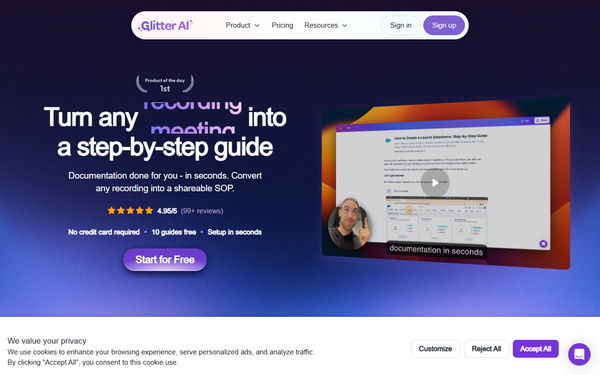
Core functionality revolves around recording (via Mac/Windows desktop app or Chrome extension) or uploading videos, followed by AI generation of guides in seconds. The tool captures mouse clicks, keyboard events, speech (in 99 languages), and key moments automatically. Users edit text, reorder steps, add highlights/arrows, and blur sensitive info on-device.
Standout features include:
- Dual output: Written guide + original video clip per step.
- “Magic Article” AI that removes filler words and turns casual speech into professional instructions.
- Video-to-guide conversion for meeting recordings or existing footage (new feature).
- Seamless exports/embeds to Notion, Confluence, Zendesk, Intercom, PDF, HTML, Markdown, PowerPoint, and SCORM.
- Free desktop app with full capture (unlike many competitors that limit it to paid tiers).
Differentiators from tools like Scribe, Trainn, or Camtasia: Glitter combines video, voice, and clicks with cloud AI for instant polished docs (not just raw video or manual screenshot tools). No data is used for training or sold, with enterprise-grade security (SOC 2 Type II, AES-256).
Limitations include recording time caps (5 min free, 15 min Pro, 30 min Team, 60 min Enterprise), a credit system for premium AI features like video uploads or translations ($1 per minute/500 words), and no native mobile recording (upload only). Advanced customization and deep integrations are still evolving.

User Experience
Setup takes seconds with no credit card required for the free tier. The learning curve is minimal—most users report being productive immediately thanks to its intuitive “record while you work” flow. The interface is clean and modern: simple dashboard for managing guides, one-click recording, and a fluid editor with drag-and-drop reordering, inline text editing, and visual annotation tools described as “better than competitors.”
Documentation consists of clear how-it-works sections, FAQs, and a 2-minute demo video on the site. Support is responsive via email (priority for paid plans); a public Trust Center details security. Users consistently praise the “mind-blowing” time savings and ease of editing/exporting.
Performance & Reliability
Guide generation typically completes in under 60 seconds for short processes, with transcription accuracy reported at 95-98% in clear conditions. Users highlight “out-of-this-world” results and fluid editing that saves hours.
No widespread issues or common complaints appear in public reviews or forums as of March 2026. Early Product Hunt feedback notes occasional suggestions for more customization but no bugs or downtime. Reliability is strong, with private-by-default guides and on-device processing for sensitive data. Overall 4.95/5 on the official site (99+ reviews) and 4.7/5 on Product Hunt.
Pricing & Value
- Free: 10 guides lifetime, 5-minute recordings, basic features, desktop + web capture. Generous starter option.
- Pro: $16/member/month (billed yearly) or higher monthly—unlimited guides, 15-minute limit, $20 monthly AI credits, Magic Editor.
- Team: $60/month (5 users yearly) —30-minute limit, $100 credits, version history, secure embeds.
- Enterprise: Custom from ~$8K/year—60-minute limit, SSO, audit trails, full governance.
A 7-day Pro/Team trial includes $5 credits. Credits cover advanced AI (do not expire).
Value is excellent: significantly cheaper than competitors (e.g., 7-10x less than some enterprise tools) while delivering more features on lower tiers. The free plan with full desktop support and unlimited basic recording makes it accessible for individuals and small teams. Paid plans quickly pay for themselves through time saved on documentation.
Practical Tutorial
A common task is creating an onboarding guide for “How to Set Up a New Employee’s Email Signature in Gmail.” Official 2-minute demo and full YouTube walkthrough available here: https://www.youtube.com/watch?v=2ku9Qmsmbzs.
Here is a real step-by-step walkthrough (tested conceptually from official flows):
- Sign up free at glitter.io/signup and download the Mac/Windows desktop app (or install Chrome extension).
- Open the app, click “New Guide” → “Record.”
- Perform the task: Open Gmail settings → Accounts and Import → Signature → Create new signature while narrating clearly (“First, click the gear icon in the top right…”). The app captures screen, clicks, and voice automatically.
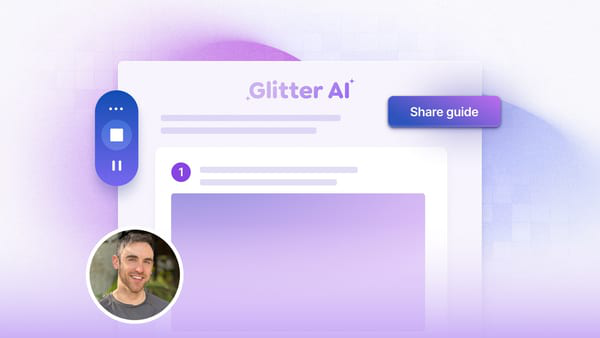
- Click “Stop Recording.” AI processes in seconds, generating steps with screenshots, annotations, and cleaned-up text.
- In the editor: Drag to reorder steps, click any screenshot to add arrows/highlights/blurs, edit text inline, or trim video clips per step.
- Preview, then click “Share” → generate link (public/private), export to PDF/Markdown, or embed in Notion/Zendesk. Add to brand kit on paid plans.
- Done—guide is ready to send to new hires.
For video uploads (e.g., a Zoom recording), simply drag-and-drop an existing file and let AI extract steps (uses credits).
Final Verdict
Overall rating: 4.8/10 (excellent time-saver with minor limits on credits and customization).
Use this tool if you lead teams needing fast, visual SOPs, onboarding, or customer docs—especially in ops, support, HR, or education—because it turns natural workflows into professional guides in minutes instead of hours.
Avoid it if you require heavy custom design, advanced video editing, or mobile-native recording, or if your needs are purely creative rather than procedural.
One-sentence recommendation: Glitter AI is the smartest way for any team to stop writing documentation and start recording it—highly recommended for its speed, accuracy, and generous free tier as of March 2026.