Google AI Studio Review
Overview & Purpose
Google AI Studio is Google's browser-based AI development platform, described officially as "The fastest path from prompt to production with Gemini." It functions as a unified playground for testing multimodal prompts across text, image, audio, and video while enabling users to build and deploy complete AI applications using natural language. Primary use cases include rapid prototyping of web apps, content generation (images, videos, marketing copy), prompt engineering, code assistance, custom chatbots or tools, and data analysis tasks.
The platform targets developers for API integration and scaling, as well as content creators, designers, marketers, business analysts, and hobbyists of all skill levels who want accessible AI tools without deep coding expertise. It appeals especially to those in the Google ecosystem due to seamless integrations and a low barrier to production. Research conducted as of March 2026 confirms its evolution into a versatile hub for both experimentation and deployment.
Key Features & Capabilities
Core functionality centers on the Gemini model family (including 3.1 Pro and Flash variants) for reasoning, coding, and multimodal tasks, plus specialized tools like Imagen/Nano Banana for images and Veo for video generation. Users access prompt testing, system instructions, structured JSON outputs, function calling, long-context handling (up to millions of tokens), grounding with Google Search or Maps, and centralized management of API keys, projects, usage, and billing.
Standout features that differentiate it from competitors like OpenAI's Playground or Anthropic's console include the "Build" or vibe-coding mode, which turns natural-language descriptions into fully functional React-based web apps with live previews, one-click deployment, and easy code export (to Python, JavaScript, GitHub, or ZIP). Additional differentiators are native multimodal experimentation in one place, direct path to production via the Gemini API, and integration with open models like Gemma. These enable everything from simple chatbots to sophisticated internal tools without traditional development overhead.
Limitations include strict rate limits on the free tier (e.g., requests per day or minute that reset daily and vary by model), no free access to premium media generation like advanced Veo or Imagen tiers, and potential model hallucinations in complex scenarios. Missing features for some advanced users include in-platform fine-tuning (available only in Vertex AI) and fully mature multi-agent orchestration without custom setup. Recent platform updates have introduced occasional stability trade-offs.
User Experience
Google AI Studio offers an exceptionally low learning curve, with a fully browser-based interface that requires only a Google account sign-in—no installation or credit card needed. Beginners can start prompting or building apps immediately using intuitive natural language, while advanced users appreciate customizable settings like temperature, safety filters, and stop sequences.
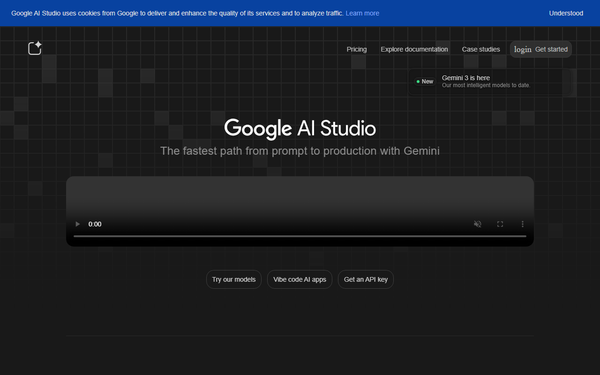
The interface quality is clean and modern, featuring a left sidebar for modes (Playground for chat/prompts, Build for apps, Dashboard for monitoring) and a responsive layout with live previews. Minor clutter has been noted after recent updates, but overall navigation feels straightforward and productive.
Documentation and support resources are strong, with comprehensive quickstarts, code samples, API references, and integration guides at ai.google.dev. Community forums, abundant YouTube tutorials, and built-in help provide solid assistance, though free-tier support is more self-service compared to enterprise options.
Performance & Reliability
Performance is generally strong and efficient, with fast responses from lighter models like Gemini Flash variants and impressive reasoning depth in Pro models for multimodal and long-context tasks. Image and short-video generation typically completes in under a minute with high fidelity, and app building in Build mode feels responsive for prototyping.
Known issues and common complaints from users include hitting free-tier rate limits quickly during intensive sessions, as well as bugs introduced by 2026 updates such as preview crashes, "internal error" messages, infinite thinking loops, lost project progress, and unreliable deployments. Forums frequently mention workarounds like remixing projects or switching models. While reliable for light experimentation and most prototyping, heavier or production-adjacent use may require monitoring and occasional paid upgrades for consistent uptime.
Pricing & Value
Google AI Studio provides a completely free tier for core usage, experimentation, prompting, and app building across many Gemini models with no token charges (though subject to rate limits like RPM, TPM, and daily requests that vary by model and reset daily). Preview models may have tighter quotas.
For higher volume or production, it uses a pay-as-you-go Gemini API structure: examples include Gemini 3.1 Pro Preview at $2.00–$4.00 per million input tokens and $12.00–$18.00 output (with context caching discounts); cheaper Flash models start lower; Imagen image generation at $0.02–$0.06 per image; and Veo video at $0.15–$0.60 per second. Billing setup is simple via the dashboard, with privacy benefits (data not used for training) on paid plans. Enterprise options route through Vertex AI with dedicated support and volume discounts.
The value proposition stands out for its generous free entry point and cost-effective scaling compared to alternatives—ideal for prototyping before committing budget, with lower barriers than many competitors for multimodal work and Google integrations. It offers excellent ROI for users who iterate quickly without heavy ongoing costs.
Practical Tutorial
Building a Simple Product Image Generator App (Common Task)
A frequent real-world use case is quickly creating a functional web app that generates custom product images and marketing copy from a description. This leverages Build mode (vibe coding) and takes most users under 10 minutes. Here's a complete step-by-step walkthrough (based on the platform as of March 2026; minor UI variations possible):
- Go to https://aistudio.google.com/ and sign in with your Google account (accept terms if prompted).
- In the left sidebar, select the Build tab to enter app-creation mode.
- In the main prompt/description box, enter a clear natural-language request: "Build a modern React web app called ProductVision. Users input a product name and short description. Generate persuasive marketing copy using Gemini. Create a matching realistic product image with Imagen or Nano Banana. Display the image, copy, and include buttons to download both, refresh the generation, and toggle dark mode. Add a simple history panel for past results and a clean, professional UI."
- The AI instantly generates the full app structure, code files, and a live interactive preview on the right side. Review the output for accuracy.
- Iterate naturally in the built-in chat panel: "Make the UI more minimalist with blue accents" or "Add category filters for electronics, fashion, and home goods, and make the copy SEO-optimized." The preview updates in real time.
- Test functionality directly in the preview: Enter an example like "Wireless noise-cancelling headphones in matte black" and verify image quality, copy, and downloads work.
- When ready, click Deploy for a shareable public link or Get code to export as React/Next.js files (copy-paste, push to GitHub, or download ZIP). For API integration, grab a free API key from the dashboard sidebar and follow the SDK quickstart (e.g., Python example: install google-generativeai and call generate_content).
- Monitor costs/usage in the Dashboard tab and refine further as needed.
This produces a deployable prototype you can expand or hand off. For variations, try the official quickstart for a basic chatbot at https://ai.google.dev/gemini-api/docs/ai-studio-quickstart or search YouTube for "Google AI Studio Build mode tutorial 2026" for video walkthroughs.
Final Verdict
Google AI Studio earns a solid 4.5 out of 5 rating. It stands out as a powerful, accessible platform that lowers the barrier to advanced AI development with strong multimodal tools and rapid prototyping capabilities.
Developers, creators, marketers, and analysts in (or entering) the Google ecosystem should use it for its speed, free tier generosity, and seamless path from idea to working app—especially if multimodal generation or quick builds are priorities. Avoid it if you need guaranteed enterprise-grade stability without monitoring updates, heavy daily quotas without paying, or deep custom model training outside Vertex AI.
One-sentence recommendation: Google AI Studio is the smartest free starting point for turning natural language into production-ready AI apps with Google's cutting-edge models.