Google Antigravity Review: The Future of Agentic Development
Google Antigravity is Google's agentic development platform that evolves the traditional IDE into an "agent-first" environment. Launched in public preview on November 18, 2025, it uses autonomous AI agents—powered primarily by Gemini 3 and 3.1 Pro models, with support for Claude Sonnet 4.5 and OpenAI's GPT-OSS—to turn high-level developer intent into complete, working applications, including code, UI, tests, and verifications.
Agents autonomously plan, execute, and validate changes across the editor, terminal, and browser (with built-in Chrome automation), while surfacing reviewable artifacts such as task lists, implementation plans, code diffs, screenshots, and browser recordings. This orchestration enables multi-agent parallel workflows, persistent knowledge bases, and iterative feedback loops that feel like collaborating with a team of junior developers.
Primary use cases include rapid prototyping of web apps, feature implementation in large codebases, end-to-end testing with live browser control, and background research tasks while developers focus elsewhere. It is ideal for accelerating shipping while maintaining human oversight.
Target audience spans professional full-stack and enterprise developers working on complex projects, frontend specialists building interactive UIs, and hobbyists or indie developers "vibe-coding" personal projects. Teams can use it for collaborative, reviewable agent workflows, though it is currently optimized for individual use with enterprise options noted as "coming soon."
Key Features & Capabilities
The core functionality splits into two integrated views. The Editor view delivers a familiar VS Code-like experience (it is a desktop fork) with advanced tab autocompletion, inline natural-language commands (Cmd/Ctrl + I or L), and a side-panel agent for synchronous assistance. The Agent Manager (or "Mission Control") acts as the standout command center, allowing users to spawn, monitor, and orchestrate multiple agents across workspaces in parallel—async and non-blocking.
Standout differentiating features include:
- Cross-surface orchestration: Agents simultaneously edit code, run terminal commands, launch localhost servers, and control a real Chrome browser for live testing and data extraction.
- Artifact-driven trust: Instead of raw tool-call logs, agents produce human-readable deliverables (plans, walkthroughs, recordings) with Google Docs-style comment feedback for easy iteration or undo.
- Model optionality and customization: Switch between Gemini 3 Pro/Flash, Claude, or OpenAI models; define global or per-workspace Rules, Workflows (slash commands), and Skills (knowledge packages).
- Security and autonomy controls: Granular policies for terminal execution, JavaScript sandboxing, and browser URL allow/deny lists; modes range from "Secure" (heavy review) to "Agent-driven" (full autonomy).
These capabilities set Antigravity apart from tools like Cursor or GitHub Copilot, which focus more on inline assistance rather than true multi-agent, browser-in-the-loop autonomy.
Limitations include no local model hosting (cloud-dependent), occasional agent misfires (e.g., code duplication), and the experimental nature—parallel task management sometimes feels half-baked, and Knowledge Items can break if project folders are moved. Browser automation can be unpredictable on complex sites, and there is no native support for certain legacy languages or deep Git integration yet.
User Experience
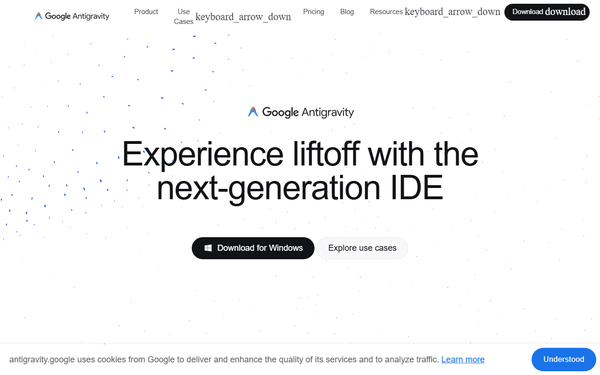
Setup is straightforward for anyone familiar with VS Code: download the Mac/Windows/Linux app, sign in with a Google account, choose a theme, and configure security policies (recommended: Review-driven development). The interface blends VS Code familiarity with a modern Agent Manager sidebar, making the learning curve gentle for existing VS Code users but steeper for those new to agentic workflows—the shift from "typing code" to "reviewing agent plans" takes 1–2 hours of practice.
Interface quality is clean and responsive, with intuitive artifact viewing and inline commenting. Documentation is excellent: the official getting-started codelab, use-case videos, and in-app tooltips provide clear guidance. Community support exists via the Google AI Developers Forum, YouTube channel (@GoogleAntigravity), and X account, though official enterprise-level support is not yet available.

Performance & Reliability
Agents powered by Gemini 3 series deliver fast planning and execution—simple tasks complete in seconds, complex multi-file features in minutes—with "generous" free rate limits that reset every five hours (most users rarely hit them). Browser automation and terminal execution add realism but can increase CPU/RAM usage (recommend 16 GB+ RAM for smooth multi-agent sessions).
Known issues from early user feedback include occasional UI glitches (Agent Manager closing unexpectedly), agent hallucinations requiring manual correction, and higher resource consumption than lightweight editors. Security-conscious users report needing careful policy tuning to avoid unintended terminal commands. Reliability has improved with monthly updates (e.g., Gemini 3.1 Pro integration in February 2026), but it still feels experimental compared to more mature paid tools.

Pricing & Value
Antigravity is completely free for individual developers in public preview, including generous access to Gemini 3 Pro with rate limits refreshed every five hours. No credit card is required—just a Google account. Enterprise/organizational plans and higher quotas (potentially tied to Google One or Workspace) are "coming soon" with a notify-me option.
Value is exceptional: it delivers frontier-level agentic capabilities (multi-model support, browser control) at zero cost, outperforming paid alternatives like Cursor ($20/month) for many prototyping tasks. The free tier's productivity gains—turning weekend ideas into functional MVPs—make it an outstanding proposition for individuals and small teams, though production-critical workflows may still require paid stability from competitors.

Practical Tutorial
Official tutorials and a detailed Google Codelab are available. Here is a step-by-step walkthrough for a common task—building a functional Todo List web app—adapted from the official "Getting Started with Google Antigravity" codelab (full version: https://codelabs.developers.google.com/getting-started-google-antigravity).
-
Install and configure: Download from https://antigravity.google/download, install, launch, sign in with Google, select "Review-driven development" policy, and open/create a new workspace folder.
-
Start in Agent Manager: Switch to Agent Manager view, create a new conversation in Planning mode (not Fast), and enter the prompt: "Create a todo list web app using Python and FastAPI. Include add, edit, delete, and persistent storage."
-
Review the Implementation Plan: The agent outputs a detailed plan (tech stack, file structure). Comment inline (e.g., "Use SQLite for storage instead of in-memory") and click Proceed or Submit feedback.
-
Approve Task List and code generation: Agent creates a task list and generates files (main.py, templates, static CSS, requirements.txt). Review diffs one-by-one or Accept All; add comments like "Add basic docstrings to all functions."
-
Verification phase: Agent launches the server via terminal, installs Chrome extension for browser control (one-time), runs the app locally, and produces a Walkthrough artifact with screenshots and a browser recording of add/edit/delete actions.
-
Iterate and finalize: Comment on the artifact (e.g., "Change the theme from blue to orange")—the agent updates code and re-verifies. Use "Undo changes up to this point" if needed. Export the completed project.
This entire process typically takes 10–20 minutes and demonstrates end-to-end agent autonomy with full human control. For more examples, explore the official use-case videos on the Antigravity site.
Final Verdict
Overall rating: 8.5/10 — a groundbreaking, free tool that genuinely advances agentic development, though still maturing.
Who should use this tool: Developers and teams eager to prototype and iterate at unprecedented speed, especially those comfortable reviewing AI plans rather than writing every line of code. It shines for solo builders turning ideas into MVPs over a weekend or enterprises exploring AI-augmented workflows.
Who should avoid this tool: Teams requiring rock-solid production stability, strict offline capabilities, or minimal oversight—early bugs and resource demands may frustrate them. Pure traditional coders who prefer full manual control will find the agent-first paradigm disruptive.
One-sentence recommendation: If you're ready to let AI agents handle the heavy lifting while you stay firmly in the driver's seat, download Google Antigravity today—it's the most exciting free productivity boost available to developers in 2026.