Gotalk AI Review: The Best Budget-Friendly AI Voice Generator
Overview & Purpose

Gotalk.ai is an AI-powered voice generator that transforms written text into ultra-realistic, human-like speech using advanced artificial intelligence and deep learning. It enables users to produce professional voiceovers in seconds for applications ranging from YouTube videos, podcasts, e-learning courses, marketing ads, animations, and explainer videos to specialized business needs like on-hold marketing messages, IVR prompts, auto-attendant recordings, and phone system greetings.
The platform emphasizes accessibility for non-technical users while supporting commercial usage rights on paid plans. Primary target audiences include content creators and YouTubers seeking quick voiceovers, marketers and small business owners managing phone systems or ads, e-learning developers producing training modules, podcasters, and accessibility-focused professionals creating multilingual announcements. It appeals particularly to budget-conscious users and businesses needing frequent updates without contracts, distinguishing it from traditional voice talent or more expensive enterprise solutions.
Research for this review was conducted as of March 2026.
Key Features & Capabilities
Core functionality revolves around text-to-speech conversion with a library of over 450 voices across 50+ languages, allowing instant generation and downloads in MP3 or WAV formats. Users can upload .txt or .docx scripts, add pauses for natural flow, adjust pitch, and leverage features like speech flow for seamless delivery.
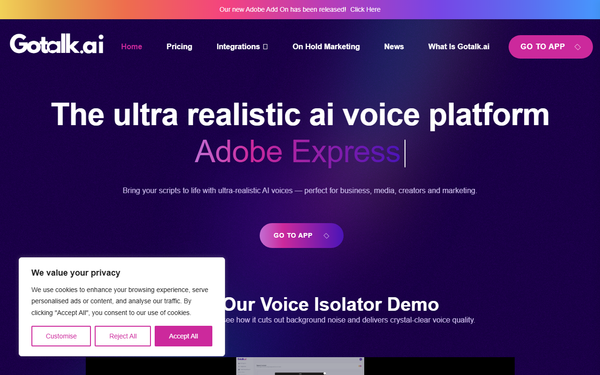
Standout differentiators include built-in audio mixing with auto-ducking and access to 8,000+ licensed soundtracks for layered productions, auto-translation of prompts, an AI script writer for effortless content creation, and seamless Adobe Express integration. The platform also supports pronunciation adjustments and higher-priority support on paid tiers. These elements set Gotalk.ai apart from basic TTS tools by combining voice generation with music overlays and phone system compatibility (VoIP, PBX, Microsoft Teams, RingCentral), making it especially strong for on-hold and IVR applications.
Limitations include voice cloning listed as "coming soon" across all plans (preventing custom voice recording and reuse at present), no downloads on the free tier, project credit caps that may constrain heavy users, and fewer advanced editing controls compared to competitors like ElevenLabs or Murf.ai. Browser extensions for webpage reading are not prominently featured in current documentation.

User Experience
Gotalk.ai boasts an intuitive web-based studio interface with a minimal learning curve—ideal for users without technical expertise. Navigation centers on a script editor where you log in, create or upload text, select voices, customize, and generate audio in a streamlined workflow.
The clean design prioritizes speed and simplicity, with drag-and-drop elements for audio mixing and clear previews. Documentation is light but practical, including in-app "How It Works" steps, integration guides (e.g., Adobe Express), and [email protected] for assistance; paid plans receive higher priority. Community resources are limited due to fewer widespread reviews, but the platform's no-contract flexibility and instant updates enhance overall satisfaction.
Performance & Reliability
Generation is marketed as instant, with outputs described as studio-quality and natural-sounding across languages. Most users report reliable, high-fidelity results suitable for commercial projects.
However, common complaints include occasional slow performance during rendering or video-related tasks, particularly noted in user feedback. Reliability remains strong for core TTS functions with no widespread reports of downtime or quality degradation, though the limited number of reviews (around 17 on G2 with a 4.8/5 average) suggests room for broader real-world testing. No major security or consistency issues surfaced in trusted sources.
Pricing & Value
Gotalk.ai offers a transparent tiered structure with monthly subscriptions (no long-term contracts or hidden fees) and the ability to pause or cancel anytime:
- Free: £0 – 15 minutes/month generation, up to 15 projects, access to all 450+ voices and 8,000+ soundtracks, but no downloads (testing only).
- Creator (£19 / ~$25.48): 2 hours/month, up to 50 projects, unlimited downloads, commercial rights (most popular for starters).
- Pro (£45 / ~$60.36): 6 hours/month, up to 250 projects, unlimited downloads.
- Enterprise (£95 / ~$127.42): 15 hours/month, up to 500 projects.
Voice generation time is calculated by final audio length; all paid plans include commercial usage and planned voice cloning. This structure delivers strong value for small-to-medium users, undercutting many competitors on entry pricing while including music integration and phone-ready outputs—making it cost-effective versus hiring voice actors or using pricier platforms. Higher tiers scale well for businesses with frequent needs, though heavy users may outgrow limits quickly.
Practical Tutorial
Official documentation provides straightforward "How It Works" guidance on the site, with examples for on-hold greetings and seasonal messages. Below is a step-by-step walkthrough for a common task: creating a professional voiceover for a YouTube video intro (based directly on the platform's described workflow; sign up at studio.gotalk.ai for hands-on access).
- Sign up and create a project: Go to gotalk.ai or studio.gotalk.ai, create a free or paid account, and start a new project (counts toward your monthly limit).
- Write or upload your script: In the script editor, type or paste your text (e.g., "Welcome to my channel—today we're exploring AI tools!"). Alternatively, upload a .txt or .docx file. Use the built-in AI script writer if needed for refinements.
- Select a voice: Browse the 450+ voices library, filter by language/accent/gender, and preview samples. Choose one matching your video tone (e.g., energetic English voice).
- Customize output: Adjust pitch, add pauses for emphasis (e.g., after the welcome), enable speech flow for natural pacing, and translate if targeting multiple languages.
- Add audio enhancements: Layer one of the 8,000+ licensed soundtracks via the mixing tool, apply auto-ducking so music fades under speech, or integrate with Adobe Express for video syncing.
- Generate and review: Click generate—the audio renders (typically quickly). Preview, make changes (consuming additional generation time), and iterate as needed.
- Download and export: On paid plans, download unlimited MP3/WAV files. Export directly or import into your video editor. For on-hold use, the platform supports seamless phone system upload.
This process typically takes under 5 minutes for simple projects. For visual examples, see the site's on-hold marketing or what-is pages.
Final Verdict
Gotalk.ai earns a 4.5 out of 5 rating for its blend of realistic voice quality, intuitive design, and exceptional affordability—particularly strong in niches like phone greetings and quick content creation. It excels for content creators, marketers, small businesses, and e-learning professionals who value ease, multilingual support, and commercial-ready outputs without contracts or high costs. Avoid it if you require immediate voice cloning, ultra-high-volume production, or the most advanced editing tools found in premium competitors. In one sentence: Gotalk.ai is an excellent, budget-friendly choice for natural AI voiceovers that punch above its weight in simplicity and integration.