HeyBoss Review: Build Professional Websites with AI in Minutes
Overview & Purpose

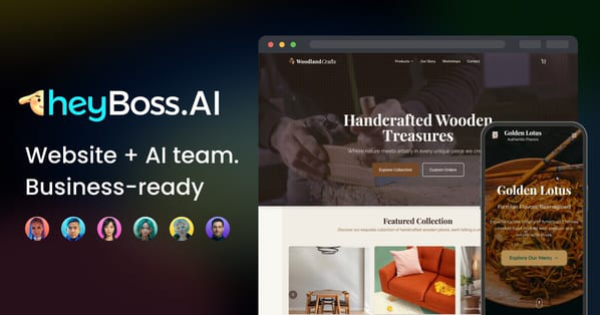
HeyBoss (heyboss.ai, with the queried heyboss.xyz domain redirecting to the same platform) is an AI-powered no-code builder that transforms natural language prompts into fully functional websites, web apps, e-commerce stores, booking systems, dashboards, portals, membership sites, and even mini-SaaS products. Users describe their vision in plain English, and a team of specialized AI agents (CEO for strategy, Designer, Developer, Marketer, and Copywriter) collaboratively builds, refines, hosts, and optimizes the project end-to-end—including SEO, payments, CRM elements, email tools, and more—without any coding required. Primary use cases include launching professional online presences for service businesses, local shops, portfolios, landing pages, or interactive tools in minutes rather than weeks or months.
The platform targets non-technical users such as small business owners, entrepreneurs, solopreneurs, marketers, freelancers, and creators who need rapid, cost-effective digital solutions. It is not designed for professional developers or large enterprises requiring deep custom code or pixel-perfect control.
Key Features & Capabilities
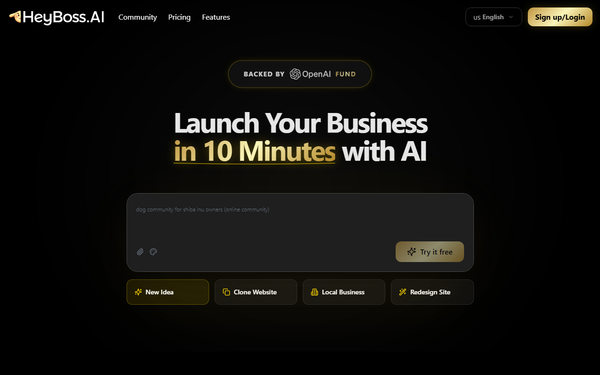
Core functionality revolves around conversational AI building: enter a prompt, answer agent questions, upload reference assets (logos, images, style guides), and watch the full project generate with responsive design, database/CMS support, and one-click publishing. Standout features include Boss Mode (full AI agency simulation for branding, copy, design, and growth), built-in AI SEO automation with GEO pages, integrated payments and storefronts (no Stripe setup needed), custom domain connectivity, workflow automation, advanced analytics, team workspaces, and a code editor for light tweaks. A community Creator Hub and remix feed allow users to share, clone, and customize projects or templates, while quick text/color edits require no AI credits.
Differentiators from competitors like Wix, Bubble, or Webflow include the “done-for-you” AI team approach (true prompt-to-live site in 10–30 minutes), all-in-one managed hosting + marketing tools, and credit-efficient iterative editing. Limitations include reliance on a monthly AI credit system (generations and image creation consume credits; simple edits are free), potential need for prompt iterations on complex logic, limited code exportability/platform lock-in, and best suitability for medium-complexity projects rather than ultra-custom enterprise apps or data-heavy scaling.
User Experience
HeyBoss offers an exceptionally intuitive conversational interface—essentially a chat-based dashboard where users talk to AI agents and preview live changes in real time. The learning curve is near-zero; most users launch their first project within minutes without tutorials. The clean, modern UI includes side-by-side project previews, asset uploads, and a helpful “Just Ask AI” editing mode.
Documentation is robust via the official Help Center (help.heyboss.ai) with 50+ Getting Started articles, 80+ Features guides, Known Issues tracking, FAQs, and product updates. Community support thrives in the active Discord server for sharing projects, inspiration, and real-time help, with priority support and feature requests unlocked on higher plans. Overall, the experience feels magical for beginners while remaining efficient for repeat users.

Performance & Reliability
Generation and publishing are impressively fast—most simple-to-medium sites launch in 10–30 minutes with automatic mobile optimization and secure hosting. Edits via chat apply instantly, and built-in tools like AI SEO deliver measurable traffic growth without extra configuration. Reliability is strong for SMB use cases, with managed infrastructure handling traffic and updates seamlessly.
As a relatively new platform (major growth through 2025–2026), user feedback highlights occasional inconsistencies in complex builds (requiring credit-consuming fixes) and minor usability quirks, which are tracked transparently in the Help Center’s Known Issues section. No widespread outages, data loss, or scam reports surfaced in 2026 reviews; performance is generally praised for speed and uptime, though heavy AI usage can feel credit-intensive.
Pricing & Value
HeyBoss uses a freemium model centered on AI credits:
- Free: $0 – 70 credits, 2 projects; limited (watermarks, no custom domain, no payments/SEO).
- Basic: $23.99/mo (or $19.99/mo annual) – 200 credits, custom domain, code editor, private projects.
- Premium: $39.99/mo (or $33.33/mo annual) – 500 credits, payments/storefront, AI SEO, team workspace.
- Platinum: $79.99/mo (or $66.66/mo annual) – 1,600 credits, workflow automation, priority support/analytics.
Extra credit packs available; unused credits do not roll over. A 7-day money-back guarantee and 30-day refunds on higher plans apply. Annual billing saves ~20%.
Value is outstanding compared to traditional agencies ($3k–$15k+ build + ongoing fees) or manual no-code tools (higher learning curve and separate hosting/SEO costs). It delivers agency-quality results at a fraction of the price for non-technical users, making it one of the strongest ROI options in the AI no-code space as of 2026.
Practical Tutorial
Official resources include the Help Center’s Getting Started guides and numerous YouTube tutorials (search “HeyBoss AI tutorial 2026”). Below is a complete, real-world walkthrough for a common task: building and launching a coaching website to sell courses and accept bookings (based on documented examples and platform flow).
- Go to heyboss.ai and sign up for a free account (Google or email).
- Click “New Project” → choose “Boss Mode” (full AI team) or template-assisted.
- Enter a detailed prompt: “Build a professional coaching website for [Your Name] to sell online courses and schedule 1:1 calls. Include homepage with hero and testimonials, course catalog with checkout, booking calendar, blog, contact form, and full AI SEO optimization. Modern clean design in navy and gold.”
- Answer the AI CEO’s clarifying questions (target audience, unique selling points, color preferences, any reference links).
- Upload assets (logo, hero image, bio photo, course descriptions) when prompted—AI generates the rest.
- Wait 5–15 minutes while agents build: preview the live site, then use the chat to iterate (“Add a resource library page” or “Integrate Stripe payments for courses”).
- Once satisfied, connect your custom domain (via GoDaddy/Cloudflare in one click), remove watermark (paid plans), and publish. AI auto-optimizes SEO and sets up basic CRM/email capture.
- Monitor analytics in the dashboard and ask AI for ongoing updates (“Add a new course” or “Improve mobile menu”).
Result: A fully functional, revenue-ready site live in under 30 minutes. For visual demos, see official YouTube tutorials such as “How to Clone and Customize Any Website in Minutes – 2026 | HeyBoss AI Tutorial.” Full guides are also in the Help Center under Features → Building Projects.
Final Verdict
Overall rating: 4.5/5. HeyBoss excels for small business owners, entrepreneurs, and non-technical creators who need a professional online presence or simple apps quickly and affordably—its AI-agent speed and all-in-one tools deliver exceptional value with almost zero learning curve. Avoid it if you require pixel-perfect custom code, heavy data processing, full exportability, or enterprise-scale complexity, where traditional developers or more flexible platforms like Bubble may be better.
One-sentence recommendation: If you’re a busy non-coder ready to launch a polished website or app in minutes without hiring help, HeyBoss is the smartest investment you’ll make in 2026.