Heynds Review: The Ultimate AI Voice-to-Text Writing Assistant
Overview & Purpose
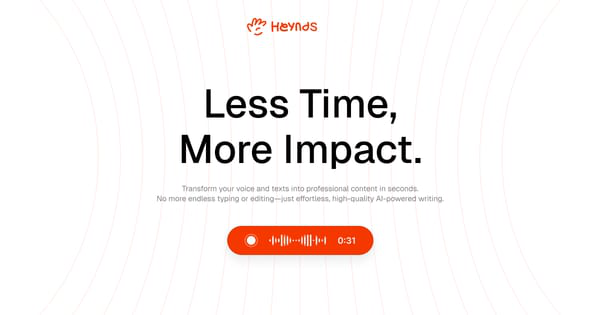
Heynds is an AI-powered desktop application that serves as a writing and speech assistant, enabling users to dictate spoken words directly into polished, formatted text while also offering advanced AI refactoring capabilities—all within any open application on their computer. It activates instantly via a global keyboard shortcut, eliminating the need to switch apps or tabs, and combines real-time voice transcription with generative AI to rewrite, summarize, improve, or translate content on the fly. Primary use cases include drafting emails, social media posts, reports, or blog content from natural speech; overcoming writer's block by turning rough ideas into professional output; handling multilingual communications with support for over 100 languages; and streamlining documentation for developers or students. The tool targets professionals who rely on writing in their daily workflows, such as content creators, marketers, founders, product managers, sales professionals, developers, designers, students, and anyone managing international or high-volume communication. It appeals particularly to Mac and Windows users seeking productivity gains by speaking 3x faster than typing while leveraging AI for quality enhancement.

Key Features & Capabilities
Core functionality revolves around two modes: Voice Mode, which converts natural speech into instantly clean, structured text with automatic formatting (lists, headings, paragraphs), and Refactor Mode, which applies AI commands to selected text for rewriting, summarizing, or transforming it. Standout features include seamless system-wide integration in any app via a single shortcut, custom user-defined AI prompts and commands for personalized workflows, multi-language transcription and translation across 100+ languages, and a strong privacy focus where the app only activates on trigger with no input storage. It differentiates from competitors like standard dictation tools (e.g., built-in macOS voice control or Dragon) or browser-based AI (e.g., ChatGPT) by delivering AI-polished output directly in context without raw transcription cleanup or app-switching, plus real-time suggestions that feel native. Additional capabilities cover technical term recognition and context-aware improvements. Limitations include dependency on a stable internet connection for AI processing (no full offline mode), upcoming rather than current full end-to-end encryption and private servers, Linux support still in development, and potential need for microphone quality or clear speech for optimal accuracy. Some advanced customizations may involve API key management, introducing a minor hurdle for non-technical users.
User Experience
Heynds boasts a low learning curve for basic use, with most users able to start productively after a quick installation and shortcut setup, thanks to its intuitive, minimal interface that stays out of the way until triggered. The clean, frictionless design integrates natively into the desktop environment, making activation feel instantaneous and non-disruptive. Customization of prompts is straightforward once users experiment with examples provided in the app or site. Documentation is basic but sufficient, consisting of in-app guidance, an FAQ section on the official website, and community mentions of simple YouTube installation videos; support is available via email ([email protected]), with 24/7 dedicated assistance for Enterprise users. No extensive knowledge base or video library exists yet, which could slow advanced users exploring custom commands. Overall, feedback highlights the app as user-friendly and productivity-boosting, though a brief period may be needed to master voice commands efficiently for power users.
Performance & Reliability
The tool performs efficiently with real-time processing, delivering polished text in seconds even from quick or slightly noisy speech, aligning with claims of 3x faster writing and significant time savings (93% of users report saving at least one hour daily per site statistics). Voice recognition handles technical terms well, and refactoring happens fluidly without lag in standard conditions. Reliability appears solid based on early reviews, with no widespread reports of crashes or major downtime; accuracy remains high when users provide clear context or speak naturally. Known issues or complaints are minimal due to the tool's relatively recent launch—occasional mic-dependent inaccuracies or the need for internet are the primary notes, but no systemic bugs surface in available user feedback as of March 2026. Privacy holds up as promised, with trigger-based activation preventing background recording.
Pricing & Value
Heynds offers a flexible structure starting with a free browser demo and often a one-month free trial of the full desktop app. The Explorer plan costs $3.99 per month (billed monthly, cancel anytime), while the Eternal plan provides one-time access for approximately $49 (with updates included for the first year in some configurations). Enterprise options are custom-priced per seat with added features like dedicated support and enhanced privacy infrastructure. Compared to alternatives—such as combining separate dictation software with ChatGPT Plus or Grammarly—this represents strong value for frequent users, as the seamless all-in-one integration and time savings (potentially hours per week) quickly offset the low monthly cost. The lifetime option enhances long-term affordability for individuals, though users on Linux or seeking completely free/open-source tools may find less immediate value.
Practical Tutorial
No extensive official video tutorials are hosted on the site beyond basic FAQs and a browser-based demo, but the following step-by-step walkthrough (based on official feature descriptions and consistent with user reports) covers a common task: drafting and polishing a professional email using Voice Mode and Refactor. This can be replicated in any text app like Apple Mail, Gmail web, or Microsoft Word on macOS/Windows.
-
Download and install Heynds from https://www.heynds.com/ (free trial available). Launch the app and grant microphone permissions during initial setup. Customize your global keyboard shortcut (default often Cmd+Shift+O or similar) in the preferences menu.
-
Open your email client or any text editor and start a new message. Position your cursor in the body field.
-
Press the global shortcut to activate Heynds. Select "Voice Mode" from the quick menu that appears.
-
Speak naturally and conversationally, providing context if needed: "Draft a professional email to my client Alex at TechCorp. Subject: Project Update for Q2. Dear Alex, I'm writing to share the latest progress on our website redesign project. We've completed the homepage mockups and incorporated your feedback on the color scheme. The team estimates completion by end of next month. Please let me know if you'd like a call to review. Best regards, [Your Name]."
-
Heynds instantly transcribes and polishes your speech into formatted, professional text (e.g., proper paragraphs, headings if prompted). Review the output directly in your email field.
-
For refinement, select the generated text, press the shortcut again, and use a built-in or custom command such as "Rewrite professionally and make it more concise" or "Add bullet points for key milestones and translate to Spanish." The AI applies the changes in seconds.
-
Send the email or save for later. Experiment with custom prompts like "Format as a formal proposal" for repeated workflows.
For a live demo without installing, visit the official "Try Voice Mode" or "Try Refactor Mode" sections at https://www.heynds.com/. Users report this process cuts email drafting time dramatically while improving tone and structure.
Final Verdict
Overall rating: 4.5 out of 5. Heynds excels for content creators, professional writers, multilingual users, students, developers, and busy professionals on macOS or Windows who want to dictate ideas directly into polished output without leaving their workflow, delivering real time savings and quality boosts through its seamless integration and custom AI. It should be avoided by those primarily on Linux (pending full support), requiring fully offline tools, or satisfied with free browser-based AI plus basic dictation, as the subscription may not justify occasional use. Heynds is a game-changing productivity companion for anyone tired of typing or switching apps to harness AI writing.