Heyquin Review: The Ultimate AI Assistant for Automating CRM
Overview & Purpose

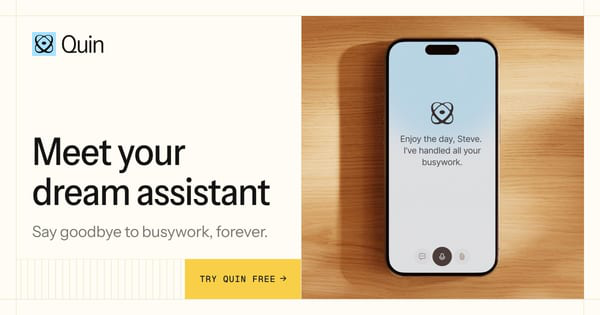
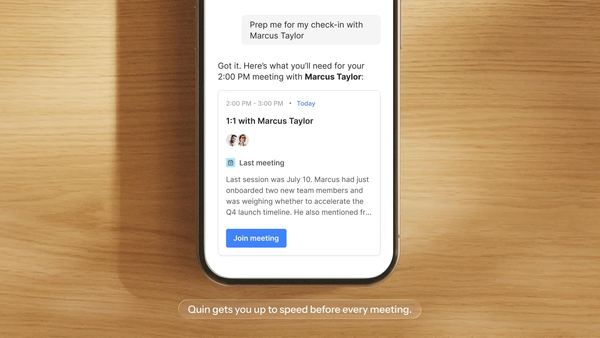
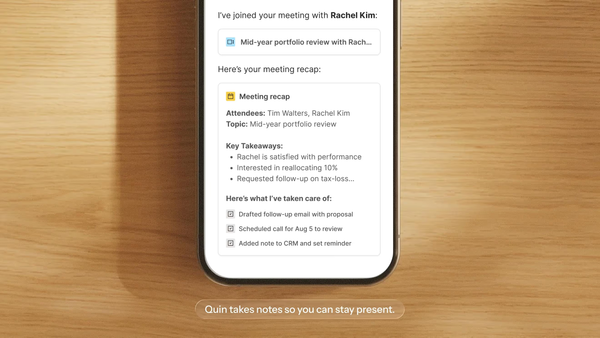
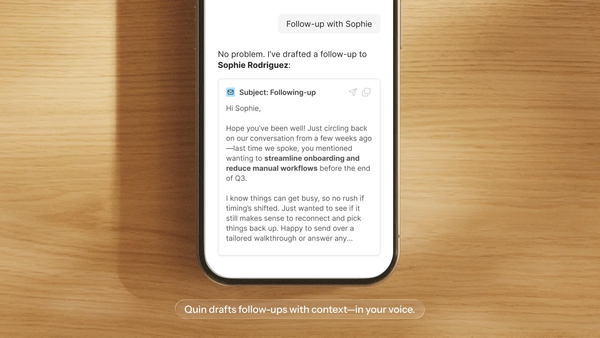
Quin, accessible at heyquin.io, is an AI-powered digital assistant that automates administrative busywork to help users build and maintain professional relationships at scale. It joins meetings (remote or in-person), captures details from conversations and transcripts, updates CRM records, drafts personalized follow-up emails in the user's own voice and tone, creates tasks and reminders, and manages scheduling—turning raw interactions into actionable, timely outreach without manual effort. Primary use cases include post-meeting follow-ups, client record maintenance, opportunity identification in sales pipelines, and automated check-ins for ongoing rapport. It functions as a "second brain" or virtual assistant that learns preferences once and applies them consistently across email, calendar, and CRM systems.
The target audience consists of professionals who manage numerous client or candidate relationships, such as financial advisors, sales representatives, executives, recruiters, insurance agents, real estate agents, and executive assistants. It is particularly valuable for those in high-volume client-facing roles where admin tasks otherwise consume significant time, allowing focus on high-value interactions rather than data entry or reminders.
Key Features & Capabilities
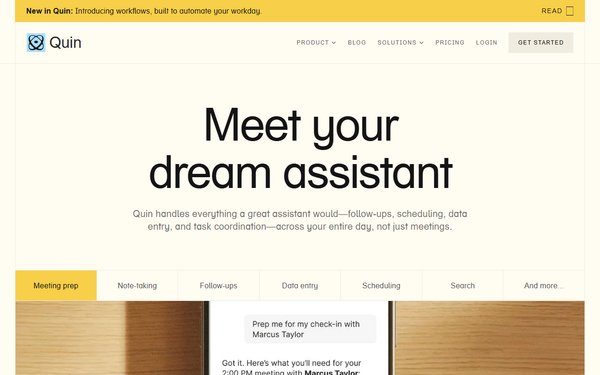
Core functionality revolves around 70+ intelligent skills that connect meetings, email, calendar, and CRM (including Salesforce, HubSpot, and others). Key capabilities include joining calls to generate summaries and action items, automatically updating contact records or creating new ones, drafting follow-up emails that match the user's learned style, uploading PDFs or processing handwritten notes from photos, setting task reminders, and generating context-aware outputs from templates. Users interact naturally via text messaging, email, in-app chat, Siri voice commands, or Slack.
Standout features that differentiate Quin include its ability to maintain full context across systems (e.g., a meeting note automatically informs an email draft and CRM update), custom "guidelines" that teach it rules like tone preferences or task assignments once for automatic application, proactive workflows (e.g., daily prep briefs or delayed follow-up reminders), and end-to-end automation beyond simple transcription—replacing multiple tools like Otter.ai, Fireflies, Calendly, and Superhuman in one platform. It also supports in-person notetaking via upgraded mobile capture and LinkedIn/web research for prospect context.
Limitations include monthly usage caps on the standard plan (approximately 10 meeting summaries, 100 email drafts, and 250 automations), dependence on proper integrations and initial guideline setup for optimal results, and the requirement for human review of AI outputs before client-facing actions. Missing features compared to dedicated tools include advanced analytics dashboards, built-in gift or article recommendation engines (beyond basic templated outreach), or native social media posting. It is not a full replacement for a primary CRM or project management system.
User Experience
Setup is straightforward with a quick checklist that takes minutes: connect calendar/email/CRM integrations, verify a phone number for texting, enable core workflows, and optionally add guidelines. The learning curve is low after initial configuration, as interaction feels like texting or emailing a colleague rather than issuing rigid commands. Users receive notifications for items needing review, such as drafted emails or recaps.
The interface is a clean, modern SaaS dashboard (web and desktop app support) with in-app chat, plus seamless Teams/Zoom integration. Documentation is solid via a dedicated help center with step-by-step articles, video tutorials, workflow libraries, and FAQs; email support at [email protected] is responsive. Blog posts provide practical guidance on topics like building workflows or setting high-converting scheduling flows. Overall, the experience emphasizes minimal friction and proactive assistance.
Performance & Reliability
Quin performs efficiently for connected workflows, handling context-aware tasks like turning a meeting transcript into CRM updates, tasks, and emails without repeated prompting. Speed is strong for automations, with claims of summarizing meetings, drafting emails, and completing repetitive tasks rapidly. Security is enterprise-grade (SOC 2, GDPR compliant, AES-256 encryption, no data storage beyond necessary).
As of March 10, 2026, no widespread known issues or common complaints appear in public searches or forums; the tool is positioned as reliable for its target integrations. Users must review outputs for accuracy, as with any AI assistant. Independent performance data is limited due to the product's emerging status, but site testimonials highlight consistent time savings and error-free follow-through once guidelines are tuned.
Pricing & Value
Quin offers a 14-day free trial with no credit card required for most features. The standard plan costs $49 per month and includes unlimited users, with usage allowances covering typical professional needs (e.g., ~10 meeting summaries, ~100 email drafts, ~250 automations monthly). Enterprise plans provide custom pricing for unlimited automation, advanced security, and tailored integrations.
Value is strong for the target audience, as it replaces 5+ separate subscriptions (transcription, scheduling, follow-up, and CRM tools) while delivering claimed savings of 40+ hours of admin work per month per user. Compared to alternatives like Fireflies.ai or Granola (specialized in notes) or basic CRMs, Quin's contextual learning and end-to-end execution provide superior efficiency for relationship-scale management. The price point justifies itself quickly for anyone handling 5–10+ client interactions weekly.
Practical Tutorial
Official resources include a detailed setup guide at https://www.heyquin.io/help/new-to-quin and video overviews on YouTube. Below is a step-by-step walkthrough for a common task: automating personalized follow-up for a new client contact after a meeting (based on official skills, workflows, and guidelines as of March 2026).
-
Sign up and complete quick setup: Go to heyquin.io, start the free trial, and connect your calendar (Google/Outlook), email, and CRM (e.g., Salesforce). Verify your phone number for texting. Enable core meeting workflows in settings—this takes ~5 minutes and activates automatic note capture and reminders.
-
Add or update the contact: During or after the meeting, text Quin (e.g., "New client: Jane Doe, met today about retirement planning, prefers casual tone") or let Quin join the call. Quin creates/updates the CRM record, adds notes, and processes any uploaded PDFs or photos of handwritten details.
-
Set a guideline for personalization: In app settings > guidelines, add a rule like "For financial clients like Jane, draft follow-up emails in warm, professional tone referencing specific topics discussed, and include a calendar link for next check-in." Quin learns your style from past sent emails.
-
Trigger the follow-up: After the meeting ends, Quin automatically generates a recap, creates a task if needed, and drafts the email (e.g., "Hi Jane, great discussing your portfolio goals—here's the article on tax strategies we mentioned... Shall we schedule a review?"). Review and approve via notification or in-app chat.
-
Enable ongoing nurturing: Turn on a delayed reminder workflow (e.g., "Send check-in nudge in 30 days if no response"). Quin monitors inbox/calendar and sends or suggests gestures like "Schedule a call reminder." For in-person notes, snap a photo and text it to Quin for processing.
-
Review and iterate: Check daily briefs for summaries. Adjust guidelines as needed (e.g., "Always assign technical tasks to my assistant"). Track everything in the CRM or app dashboard.
This process typically takes under 2 minutes of user time post-meeting. For more, see the official workflows library or help articles on templates.
Final Verdict
Overall rating: 4.3/5. Quin excels as a comprehensive AI assistant for professionals managing client relationships through intelligent automation and contextual personalization, delivering real time savings and consistency at scale. It is ideal for financial advisors, sales teams, recruiters, and similar roles handling dozens of connections who want to eliminate admin without losing the human touch—especially those already using CRM and calendar tools. Users should avoid it if seeking a lightweight personal gesture/gift suggester for non-professional networks, low-volume solo users (where the $49 price and caps may not justify), or anyone uncomfortable reviewing AI outputs. One-sentence recommendation: Try Quin's 14-day free trial if you manage professional relationships at volume—its ability to learn your style and automate thoughtful follow-through makes it a worthwhile investment for staying top-of-mind without the burnout.