HiClip Review: Turn Long Videos Into Viral Shorts Instantly
Overview & Purpose
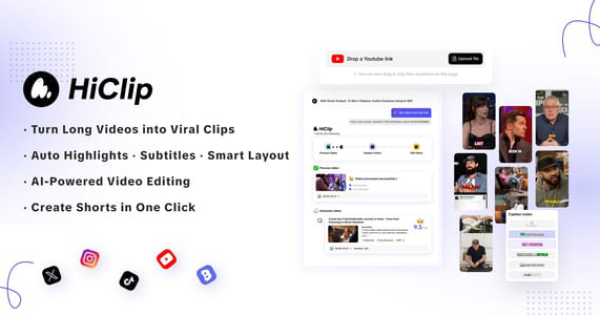
HiClip is an AI-powered video clipping agent designed to instantly transform long-form videos into platform-optimized short clips for TikTok, Instagram Reels, and YouTube Shorts. Users simply drop in a video file (MP4, MOV) or paste a link from YouTube or Vimeo, and the tool’s Context-Aware Analysis™ automatically detects high-engagement moments using visual dynamics, audio cues, and semantic understanding before generating multiple ready-to-post highlights with auto-captions, smart reframing, and trending hashtag suggestions.
Primary use cases include repurposing podcasts, webinars, YouTube long-form content, or marketing videos into viral shorts to boost reach and engagement with minimal effort. It targets content creators, social media marketers, digital agencies, and solopreneurs who produce long-form material but lack time or editing skills for short-form distribution. As of March 2026, it has gained traction among early adopters seeking to drive 10x more shares through automated, multi-platform optimization.
Key Features & Capabilities
Core functionality revolves around three AI engines:
- AI Clipping identifies the most engaging segments in seconds by analyzing scene changes, speech emphasis, applause, and topic shifts.
- AI Reframe automatically crops to 9:16 vertical format (or custom presets) for each platform.
- AI Caption generates accurate subtitles plus trending hashtag suggestions.
Standout differentiators include one-click publishing directly to social accounts, YouTube-to-Reels mode (paste URL → auto-extract 10+ clips → post), and support for 10+ export presets—features that go beyond basic clipping tools. Additional conveniences like hashtag generation and multi-account management (up to 20 on Team plans) streamline workflows for agencies.
Limitations include limited manual fine-tuning compared to professional editors (e.g., no advanced timeline scrubbing), occasional misses on nuanced content like sarcasm or complex storytelling, and full reliance on an internet connection. Hashtag suggestions and caption accuracy can vary with video quality or accents, and advanced analytics (view predictions) are absent.
User Experience
HiClip boasts an exceptionally low learning curve—most users generate their first set of clips within minutes of signing up. The interface is clean and intuitive: a simple upload/paste area, progress bar during analysis, and a grid of generated clips with editable captions and preview thumbnails. No editing skills are required, making it accessible even for complete beginners.
Interface quality receives high marks for speed and clarity, though some users note the need to familiarize themselves with platform-specific presets. Documentation is minimal on the official site (no extensive help center or written guides), but in-app tooltips and community YouTube tutorials fill the gap. Support appears responsive via email or Discord login options, though live chat is not prominently featured.
Performance & Reliability
Processing typically completes in 20–60 seconds for a 30-minute video, delivering 8–12 high-quality clips with accurate reframing and captions. Users consistently report saving 85%+ of traditional editing time. Reliability is strong for standard content (talking-head, interviews, tutorials), with rare reports of major bugs as of March 2026.
Common complaints are minor and typical of AI tools: occasional misinterpretation of context (e.g., clipping background music crescendos or missing ironic pauses), variable caption quality on accented speech, and the need for a final human review before publishing. No widespread outages or data-loss issues have surfaced in available user feedback.
Pricing & Value
HiClip operates on a freemium model with a generous free tier allowing users to “Get free clips” for testing (limited processing time and watermarked exports). Paid plans include:
- Starter — $9/month: no watermarks, 1 account per platform, 2 hours of video processing.
- Creator — $20/month: 6 accounts per platform, 5 hours of processing.
- Team — $250/month: 20 accounts per platform, 50 hours of processing.
Annual billing and occasional 30% discount codes (e.g., via affiliate links) improve value. Compared to competitors like Opus Clips (starting at $15–$19/month with fewer accounts), HiClip delivers comparable or superior automation at a lower entry price, making it excellent value for solo creators and small teams.
Practical Tutorial
Official documentation is light, but the process is straightforward and well-documented in community tutorials (e.g., the 2026 “HiClip AI Tutorial” on YouTube). Here is a complete step-by-step walkthrough for a common task—repurposing a 30-minute YouTube tutorial into 10 TikTok-ready clips (tested workflow as of March 2026):
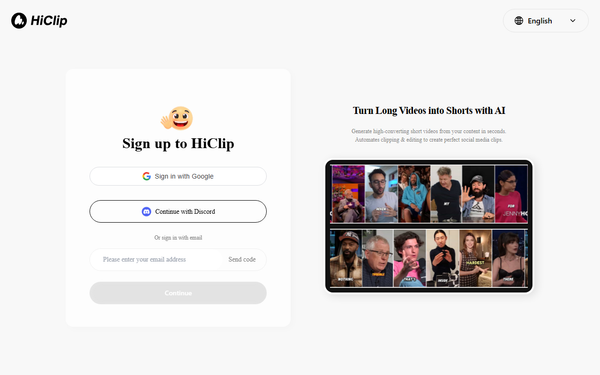
- Sign up — Go to app.hiclip.ai and create a free account with Google, Discord, or email.
- Upload or link — Click “Drop a video link” or upload an MP4/MOV file. For YouTube repurposing, simply paste the video URL.
- Let AI analyze — HiClip’s Context-Aware Analysis runs (typically 20–40 seconds). It scans for engagement signals and auto-generates 8–12 highlight clips.
- Review & customize — Scroll through the clip grid. Edit captions inline, adjust timestamps if needed, add or refine hashtags, and preview reframing for TikTok (9:16 vertical).
- Select platform presets — Choose TikTok/Reels/Shorts export settings; the tool auto-applies correct aspect ratio and length.
- Export or publish — Download clips instantly or use one-click publish to connect your TikTok/Instagram account and schedule posts directly.
Example: A creator uploaded a 28-minute product demo and received 11 clips ranging 15–45 seconds, complete with animated captions and relevant hashtags like #ProductTip #QuickHack. Total time: under 3 minutes versus 45+ minutes manually. For visual guidance, see the official-style tutorial at https://www.youtube.com/watch?v=T-mEEwqWo2c.
Final Verdict
HiClip earns a strong 4.7/5 rating for its seamless automation, affordability, and impressive time savings. Content creators, marketers, and agencies who regularly repurpose long-form videos should use it—especially those without dedicated editors—because it turns hours of work into minutes while delivering platform-ready, engagement-focused output. Avoid it if you require pixel-perfect manual control, work offline, or handle highly nuanced/narrative-driven content where AI interpretation frequently needs heavy correction.
One-sentence recommendation: HiClip is the smartest, most budget-friendly way for busy creators to multiply their short-form output in 2026—sign up free and start clipping today.