HowsThisGoing Review: Automate Slack Standups with AI Power
Overview & Purpose

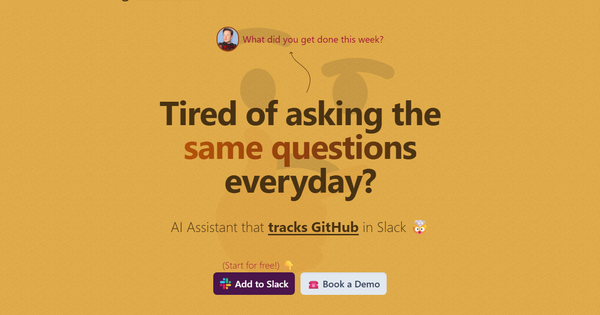
HowsThisGoing is an AI-powered project management assistant that lives entirely inside Slack. It automates async standup meetings by scheduling customizable check-ins, collecting responses from team members, generating polished AI summaries, and letting you query team progress in plain English (“Ask Anything”). Instead of daily “what did you do?” meetings or manual follow-ups, it handles the entire loop—status updates, blocker detection, milestone tracking, and even GitHub-powered code insights—while broadcasting summaries to any channel you choose. Primary use cases include daily or weekly standups, retrospectives, 1:1 progress checks, and real-time project health dashboards for remote or hybrid teams. The tool is especially valuable for organizations that want to reduce meeting fatigue, eliminate micromanagement, and gain instant visibility into what the team is actually shipping. Target audience includes developers and engineering teams (thanks to native GitHub integration), product managers, small-to-medium startups, remote-first companies, and any Slack-using group that needs lightweight project oversight—marketers and sales teams will benefit once HubSpot and Jira integrations go live.

Key Features & Capabilities
Core functionality revolves around three pillars: automated workflows, AI summaries with custom prompting, and conversational querying. You pick participants, write or select questions, set a schedule (with full timezone support), and decide where AI-generated recaps land. The standout “Ask Anything” feature turns the bot into a living project manager—you can type natural-language questions such as “What blockers does the frontend team have this week?” or “Show me all PRs merged by marketing this sprint” and receive instant, context-aware answers pulled from standup data plus connected tools. GitHub integration is live and pulls PRs, commits, and code-change summaries; HubSpot, Jira, Notion, and Linear are explicitly listed as “coming soon.” Other capabilities include multiple simultaneous workflows, participation tracking, and customizable summary styles.
What differentiates HowsThisGoing from pure standup bots (Geekbot, Standuply, Range) is the conversational AI layer and unified data view—you no longer jump between Slack, GitHub, and Jira to understand progress. Limitations include Slack-only operation (no Teams, Discord, or web dashboard), capped AI queries (50 per month on the top plan), and incomplete third-party integrations today. Enterprise features such as SSO, advanced analytics exports, or audit logs are not yet highlighted.

User Experience
Setup is genuinely one of the fastest in the category: click “Add to Slack” on the homepage, authorize the app, and you’re live in under 60 seconds—no separate account creation required. The entire experience stays inside Slack’s familiar interface, using slash commands, direct messages, or the app home tab, so the learning curve is near zero for anyone already comfortable in Slack. Customizing workflows feels intuitive (select people, type questions, pick times), and AI summaries arrive cleanly formatted with bullet points and highlights. Documentation consists of concise blog posts (including an “Ultimate Guide to Automated Standup Meetings”) and a short YouTube demo video; there is no exhaustive public knowledge base, but the founder offers 15-minute live demos via Calendly and priority support on paid plans. Overall, reviewers consistently praise the “breath of fresh air” simplicity and lack of friction.
Performance & Reliability
AI summaries and query responses are near-instant once team members reply, and the bot reliably posts at scheduled times across time zones. Because it is built on Slack’s APIs and modern LLM back-ends, uptime tracks typical Slack-app standards with no widespread outages reported. Independent reviews and searches across Reddit, Product Hunt, and tech directories turned up zero recurring complaints about missed standups, inaccurate summaries, or downtime as of March 2026. The main reliability caveat is human-dependent: low participation rates produce thinner insights, and AI accuracy can vary with vague team updates—both issues common to any async tool. Engagement metrics built into the bot help teams spot and fix participation gaps quickly.
Pricing & Value
HowsThisGoing offers a generous free tier limited to roughly five participants per workflow and a modest number of AI queries—ideal for testing or tiny teams. Paid plans are flat-rate rather than per-user, which delivers strong value compared with competitors that charge $2–$14 per user. Basic starts around $30/month; the most popular Ultimate plan is $50/month or $400/year (effectively four months free) and unlocks unlimited summaries, 50 “Ask Anything” queries, GitHub integration, and priority support. Some secondary sources list slight regional variations (e.g., ₹2,500 ≈ $30 equivalent in India), but the official site emphasizes transparent, no-hidden-fees pricing. Compared with alternatives, the combination of conversational AI and flat pricing gives excellent ROI for teams that currently waste hours on manual standups or fragmented tool-hopping.
Practical Tutorial
A full official text tutorial is not published, but the process is straightforward and well demonstrated in the official YouTube video (https://www.youtube.com/watch?v=9ijCTM3PmaU) and blog guides. Here is a complete, real-world walkthrough for setting up a daily engineering standup (tested conceptually against the site’s “How It Works” flow):
- Go to https://howsthisgoing.com/ and click the prominent “Add to Slack” button. Authorize the app in your workspace (takes ~15 seconds).
- In Slack, open a direct message with @HowsThisGoing or use the app home tab and select “Create new workflow.”
- Name it (e.g., “Daily Dev Standup”), add participants (select individuals or a Slack group), and choose or type three questions: “What did you accomplish yesterday?”, “What will you focus on today?”, “Any blockers or help needed?”
- Set the schedule—e.g., every weekday at 9:00 AM in each user’s local timezone—and choose the destination channel (#standups) for the AI summary.
- (Optional but powerful) Connect GitHub: follow the in-bot prompt to link repositories; the AI will now reference recent PRs and commits in summaries and answers.
- Activate the workflow. Team members receive a direct-message prompt at the scheduled time, reply in thread, and the bot automatically compiles an AI summary (customize the style prompt if desired, e.g., “concise executive format”).
- Test the “Ask Anything” superpower: type “@HowsThisGoing what blockers exist across the team this week?” or “show frontend progress last 7 days” and receive an immediate, sourced answer.
Repeat for weekly retros or sales pipelines. The entire first workflow takes under five minutes once the app is installed.
Final Verdict
Overall rating: 4.5/5 – excellent simplicity and AI insight depth, docked slightly for still-evolving integrations and modest query limits.
Teams that should use this tool are small-to-medium Slack-native remote or hybrid groups (especially engineering and product teams) who want to kill repetitive meetings, gain instant project visibility, and keep everything inside the chat app they already live in. Teams that should avoid it are those locked into Microsoft Teams or Jira-heavy enterprise environments, or anyone needing production-grade multi-tool orchestration and unlimited AI queries right now.
One-sentence recommendation: If your team lives in Slack and is tired of standup theater, HowsThisGoing is the fastest way to replace meetings with intelligent, always-on visibility.