HubSpot Campaign Assistant Review: Free AI for Marketing Copy
Overview & Purpose

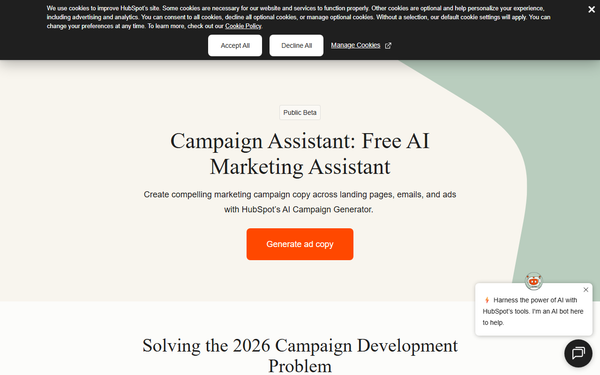
HubSpot Campaign Assistant is a completely free AI-powered marketing asset creator that generates high-quality, platform-optimized copy for landing pages, marketing emails, and ads across Google Search, Facebook, and LinkedIn. Users input basic campaign details—such as an objective description, three short company highlights, up to three writing styles (e.g., professional, persuasive, witty), and an optional audience goal—and the tool instantly produces tailored headlines, body text, subject lines, CTAs, and ad creatives. Primary use cases include accelerating multi-channel campaign launches from weeks to hours, ensuring consistent brand voice across assets, and allowing marketers to focus on strategy rather than writing. It is ideal for rapid prototyping of promotional campaigns, product launches, or lead-generation efforts. The target audience is primarily marketers, content creators, and small-to-medium business teams—especially those already in or considering the HubSpot ecosystem—who need quick, scalable content without hiring additional writers or using paid AI tools. It suits B2B and B2C professionals handling simultaneous campaigns across 15+ channels but does not target developers or designers specifically.
Key Features & Capabilities
Core functionality centers on prompt-driven generation: select an asset type, answer guided questions about the campaign and brand, and receive ready-to-use copy optimized for each platform's best practices (e.g., character limits awareness, engagement-focused phrasing). Standout features include seamless HubSpot integration that auto-populates new landing pages or emails directly in the account, brand-voice customization via writing-style selectors, and the ability to regenerate content up to 10 times per asset while reusing prompts across up to 10 campaigns and 15 assets each. It differentiates from competitors like Jasper or Copy.ai by being 100% free with no usage caps beyond internal limits, plus native analytics tracking and deployment within HubSpot’s CRM and Marketing Hub. Limitations include a strict English-language focus, outputs that frequently require human editing (e.g., ad copy often exceeds platform character limits), maximum generation attempts, and reliance on quality prompts for non-generic results. Advanced personalization or non-HubSpot export workflows are not deeply supported, and it lacks built-in image or video generation.
User Experience
The interface is clean, wizard-style, and accessible directly via a free HubSpot account—no steep learning curve for anyone familiar with basic web forms. Users navigate a left-panel prompt editor and right-panel preview, with one-click copy, regenerate, or “Create asset” buttons that instantly build pages/emails in HubSpot. Documentation is excellent through the official Knowledge Base article and embedded FAQs, plus YouTube demo videos demonstrating real-time workflows. Support resources include in-app feedback options and HubSpot’s broader community/forums. Overall UX earns high marks for speed and intuitiveness, making it suitable even for non-technical marketers.
Performance & Reliability
Generation occurs in seconds to under a minute, delivering consistent, conversion-oriented output that adapts message length and tone per channel. As of March 2026 research, no widespread outages or major reliability complaints appear in user forums or reviews; the tool reliably maintains brand consistency when prompts are detailed. Common user notes highlight the need for post-generation tweaks—particularly trimming Google ad headlines/descriptions that exceed character caps or refining occasionally generic phrasing—but these are minor and expected for AI tools. Performance improves markedly with specific inputs, and direct HubSpot deployment ensures zero friction for analytics tracking.
Pricing & Value
Campaign Assistant is entirely free with no paid tiers, upsells, or credit-card requirement—simply sign up for a free HubSpot account. It remains available across all plans (Free, Starter, Professional, Enterprise). The value proposition is exceptional: zero cost for professional-grade copy that would otherwise require hours of writing or expensive subscriptions ($20–100+/month for tools like Jasper). Compared to alternatives, it shines for HubSpot users due to native integration and analytics, though non-HubSpot teams may prefer standalone paid AI writers for easier exports. Long-term ROI comes from time savings and lead-generation lift reported in broader HubSpot platform stats (e.g., 129% more leads).
Practical Tutorial
Official step-by-step guidance is available in HubSpot’s Knowledge Base (https://knowledge.hubspot.com/campaigns/campaign-assistant) and demo videos such as “Build Marketing Campaigns In Minutes With Campaign Assistant.” Here is a complete walkthrough for a common task—creating a landing page and Google ad for promoting a fictional new AI productivity app called “FlowAI” (target: busy marketers seeking automation).
- Log into your free HubSpot account and navigate to Marketing > Campaigns (or visit hubspot.com/campaign-assistant and click Get started).
- Select “Landing page content” as the first asset type, then click Next.
- In “What is your campaign about?” enter: “Launching FlowAI, an AI tool that automates repetitive marketing tasks to save marketers 10+ hours per week.”
- Provide three company descriptions: “Intuitive AI for marketers,” “Proven time-saving automation,” “Affordable plans starting at $29/month.” Click Next.
- Choose up to three writing styles (e.g., Professional, Engaging, Persuasive). Click Next.
- For the landing-page goal: “Sign up for a free 14-day trial.” Click Next.
- Review the generated copy in the right panel (headlines, benefit sections, CTA buttons). Click “Copy” to clipboard or “Create landing page” to auto-build the page in HubSpot.
- To create a Google Search Ad, click “Create new asset,” select “Google Search Ads,” reuse prior prompts, and regenerate if needed (up to 10 times). Copy the 9 headlines + 4 descriptions.
- Edit any over-limit text directly, then export or deploy. Total time: under 5 minutes.
The result typically includes conversion-focused headlines like “Cut Marketing Tasks by 50% with AI” and email-ready body copy. Tweak prompts for better output—more specificity yields stronger results.
Final Verdict
Overall rating: 4.5/5
Marketers and teams already using (or open to) HubSpot should use this tool for its unbeatable free speed, multi-channel consistency, and seamless integration that turns ideas into deployable assets instantly. Avoid it if you operate entirely outside the HubSpot ecosystem, require non-English output, or demand zero-editing perfection without prompt refinement.
One-sentence recommendation: HubSpot Campaign Assistant is the smartest free AI shortcut for marketers who want professional campaign copy without the cost or hassle.