Hyperbrowser Review: Scalable Browser Infrastructure for AI Agents

Overview & Purpose
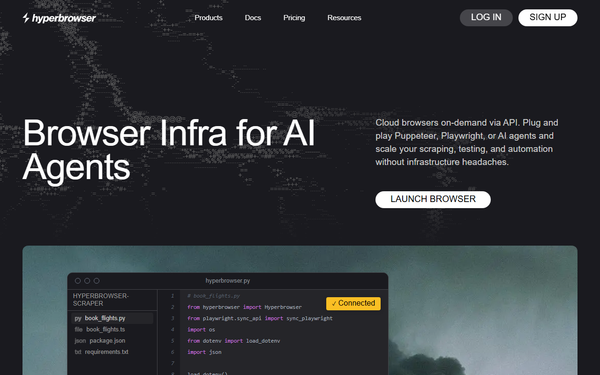
Hyperbrowser is a cloud-based platform that delivers scalable, headless Chrome browser infrastructure in secure, isolated containers, accessible entirely via API and SDKs. It eliminates the need for users to manage servers, proxies, or infrastructure, allowing seamless automation of web tasks at scale. Primary use cases include large-scale web scraping, automated testing, form filling, data extraction, and powering AI agents that browse and interact with websites autonomously. The platform excels in scenarios requiring reliability against anti-bot measures, such as extracting flight data, monitoring e-commerce prices, or running long-running agent workflows.
The target audience consists primarily of developers, data scientists, automation engineers, and technical teams in marketing, research, or AI product development. It is particularly valuable for organizations building AI agents or handling high-volume web interactions where self-managed browsers would be inefficient or prone to detection. Non-technical users may find it less suitable without developer support.
Key Features & Capabilities
Core functionality centers on on-demand browser sessions that users launch and control using familiar tools like Playwright, Puppeteer, Selenium, or Hyperbrowser’s native Node.js and Python SDKs. Sessions connect over WebSocket (CDP) and support full JavaScript execution, DOM interaction, file uploads/downloads, and session persistence.
Standout features that differentiate Hyperbrowser include ultra-stealth mode with advanced fingerprint cloaking (custom UA, WebGL, Canvas, timezone, language), automatic rotating residential proxies across 12 regions, built-in auto CAPTCHA solving, sub-1-second cold starts, support for 10,000+ concurrent sessions with 99.99% uptime, session recordings, live view debugging, ad blocking, and static IP options. Its AI-native capabilities shine through HyperAgent (an open-source extension of Playwright for natural-language commands), structured data extraction APIs, and native integrations with frameworks like Claude Computer Use, OpenAI CUA, Gemini, BrowserUse, LangChain, and LlamaIndex. Multi-region low-latency architecture and action caching further enhance efficiency.
Limitations include a fully cloud-only model with no self-hosted or on-premise options, the need for custom scripting and ongoing maintenance when website layouts change, and advanced features (CAPTCHA solving, premium stealth, longer data retention) restricted to paid plans. It also lacks a complete no-code interface, requiring some coding knowledge for complex automations.
User Experience
Hyperbrowser offers a low learning curve for users already familiar with browser automation libraries such as Playwright or Puppeteer. The SDKs and simple session creation API make integration straightforward—most developers can launch their first session in under five minutes. The web dashboard provides intuitive management of sessions, recordings, and usage analytics, while the developer playground allows experimentation without setup.
Documentation is comprehensive, well-structured, and includes quickstarts, code examples, API references, and integration guides for all major libraries and AI frameworks. Additional resources like session recordings and live view aid debugging. Community support appears active through comparisons and discussions on platforms like Reddit, though official channels (likely Discord or email) are referenced in enterprise plans. Overall, the interface and resources earn high marks for clarity and developer-friendliness, though cost estimation in the credit system may require initial experimentation.
Performance & Reliability
Performance is a major strength: cold starts complete in under one second (3× faster than many competitors), response times stay below 50ms, and the platform reliably supports thousands of concurrent sessions with automatic failover across regions. Benchmarks and user reports highlight consistent handling of JavaScript-heavy sites, long-running tasks, and messy dynamic pages. Uptime is guaranteed at 99.99% with independent resource pools preventing downtime under load.
Known issues are minimal based on available feedback. Some users note occasional need for custom error handling on highly protected sites, and session stability can require tuning after 30–40 minutes in edge cases. Credit-based billing can make long-term cost forecasting challenging for variable workloads. Overall, real-world feedback praises improved reliability over local or self-managed setups, with strong success rates in stealth-heavy and AI-agent scenarios (e.g., 90% in certain MCP benchmarks).
Pricing & Value
Hyperbrowser uses a transparent credit-based model where 1 credit equals $0.001. Browser usage costs $0.10 per hour (billed per second), and premium residential proxy data is $10 per GB. Plans include:
- Free: $0, 1,000 credits, 1 concurrent browser, 7-day retention.
- Startup: $30/month + usage, 30,000 credits included, 25 concurrent browsers, 30-day retention, basic stealth, auto CAPTCHA.
- Scale (most popular): $100/month + usage, 100,000 credits included, 100 concurrent browsers, premium proxies.
- Enterprise: Custom, unlimited concurrency, 180+ day retention, ultra stealth, HIPAA/SOC 2 compliance, priority support.
Additional usage (e.g., scraping API calls) draws from credits. Compared to alternatives like Browserbase or self-hosted solutions, Hyperbrowser delivers strong value for teams needing enterprise-grade stealth and AI integration without infrastructure overhead. The free tier supports experimentation, while paid plans scale efficiently; however, the credit system can complicate precise budgeting for unpredictable workloads.
Practical Tutorial
Official documentation provides an excellent quickstart. Below is a step-by-step walkthrough for a common task—scraping the top story title from Hacker News using the Node.js SDK and Playwright (Python SDK follows a nearly identical pattern). This example demonstrates session creation, connection, extraction, and cleanup.
Prerequisites
- Sign up at app.hyperbrowser.ai and obtain your API key.
- Set the environment variable:
export HYPERBROWSER_API_KEY=your_key. - Install dependencies:
npm install @hyperbrowser/sdk playwright-core dotenv.
Step-by-Step Code Example
import { Hyperbrowser } from "@hyperbrowser/sdk";
import { chromium } from "playwright-core";
import { config } from "dotenv";

config();

const client = new Hyperbrowser({ apiKey: process.env.HYPERBROWSER_API_KEY });

async function getTopStory() {
  const session = await client.sessions.create();
  console.log("Session created:", session.id);

  try {
    const browser = await chromium.connectOverCDP(session.wsEndpoint);
    const context = browser.contexts()[0];
    const page = context.pages()[0];

    await page.goto("https://news.ycombinator.com/");
    const topStory = await page.evaluate(() => {
      const titleElement = document.querySelector(".titleline > a");
      return titleElement ? titleElement.textContent : null;
    });

    console.log("Top Story:", topStory);
    return topStory;
  } finally {
    await client.sessions.stop(session.id); // Always clean up
  }
}

getTopStory().catch(console.error);
AI-Powered Version (Using HyperAgent)
For even simpler automation, replace the script logic with natural language:
const result = await client.agents.hyperAgent.startAndWait({
  task: "Go to Hacker News and get the title of the first post"
});
console.log("Top Story:", result.data?.finalResult);
Run the script locally; Hyperbrowser handles the cloud browser. For full Python examples, advanced configurations (proxies, stealth), or other agent integrations, see the official quickstart. This task typically completes in seconds with minimal code.
Final Verdict
Hyperbrowser earns a strong 4.5/5 rating for its speed, stealth capabilities, scalability, and seamless AI integrations—making it one of the most capable browser infrastructure platforms available in 2026.
Who should use this tool: Developers, data scientists, and AI teams needing reliable, undetectable, large-scale web automation or agent orchestration should choose Hyperbrowser for its performance, ease of integration, and reduced operational overhead.
Who should avoid this tool: Non-technical users seeking pure no-code solutions, teams requiring on-premise/self-hosted infrastructure, or those with highly predictable low-volume needs where credit-based pricing feels opaque.
One-sentence recommendation: If you build AI agents or run serious web automation at scale and value stealth plus developer-friendly tooling, Hyperbrowser is an excellent choice—start with the free tier today.