Img Upscaler Review: Fast AI Image Enhancement to 4K Quality

Overview & Purpose
ImgUpscaler is an online AI-powered image upscaler that enlarges low-resolution photos, JPGs, PNGs, and WEBPs to HD or 4K quality using super-resolution technology. It automatically enhances details, removes noise and blur, and supports batch processing for multiple images. Primary use cases include preparing images for printing, e-commerce product visuals, social media content, website graphics, restoring old photos, and creating high-resolution anime or cartoon wallpapers.
The tool targets a broad audience: photographers, graphic designers, marketers, e-commerce sellers, content creators, and casual users (especially anime enthusiasts) who need quick, no-install upscaling without advanced technical skills. It positions itself as more effective than open-source alternatives like Waifu2x for anime and cartoons while remaining accessible for everyday professional and personal projects.
Key Features & Capabilities
Core functionality centers on AI-driven upscaling by 200% or 400%, with an integrated editor for cropping, applying filters, adding annotations, stickers, or frames before or after processing. Batch processing handles up to 5 images per task, and the tool supports all common image types including portraits, landscapes, product shots, and artwork.
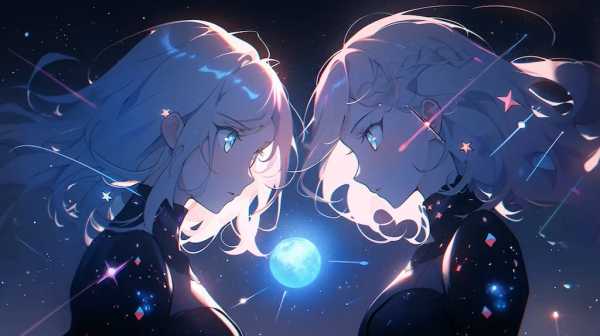
Standout features include lightning-fast cloud processing (typically seconds per image), automatic denoising and detail reconstruction, privacy-first policy with automatic deletion of uploads within 24 hours, no watermarks, and full commercial-use rights on free and paid tiers. It also offers a “Reimagine AI” feature for creative enhancements (higher credit cost). The service differentiates itself through its simple web-based workflow, no software installation required, and marketing emphasis on superior anime/cartoon results compared to tools like Waifu2x.
Limitations include credit-based usage caps on free and lower-tier plans, batch size restricted to 5 images even on paid plans, no offline or local processing mode, and occasional minor artifacts (e.g., faint halos or slight color shifts) at 400% upscaling on heavily compressed or complex source images. Input resolution limits are typically around 3000×3000 pixels, and it lacks advanced manual controls found in desktop software.
User Experience
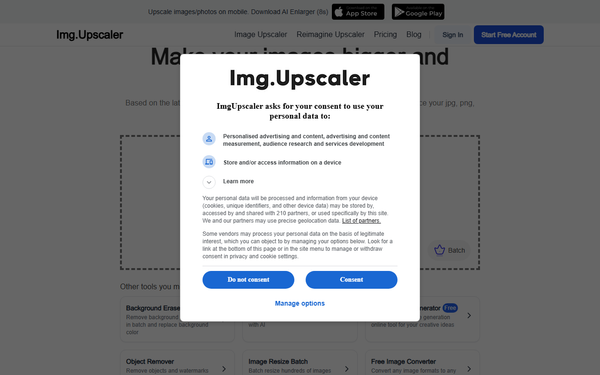
ImgUpscaler boasts an extremely low learning curve thanks to its clean drag-and-drop interface—no account is strictly required for basic trials, though signing up unlocks the free monthly credits. Users simply upload, select the upscale ratio, and the AI processes automatically with preview and download options. The built-in editor adds flexibility without complexity.
Interface quality is modern and responsive on both desktop and mobile, with clear progress indicators and minimal distractions. Documentation is light (a one-page how-to guide on the site plus email support), but the intuitive design makes external resources largely unnecessary. Customer support receives mixed feedback—responsive in some positive reviews but slow or unresponsive in others.
Performance & Reliability
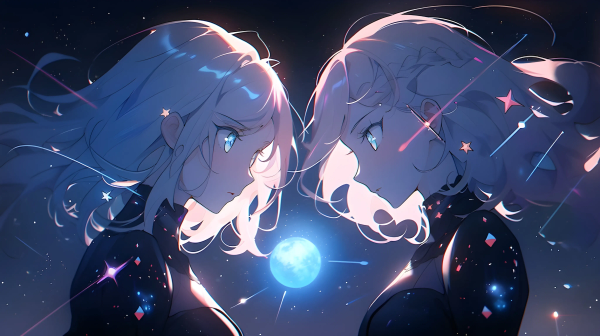
Processing speed is a strong point: single images typically complete in 5–10 seconds, with batches of 5 taking 30–40 seconds on paid plans. Results are generally sharp with preserved natural textures, making it reliable for quick web or print-ready upscales.
Known issues from user reviews include inconsistent quality on certain image types (e.g., occasional blurriness, color shifts, or facial distortions noted in Reddit comparisons and Trustpilot feedback), especially at maximum 400% scaling or with low-quality source files. Trustpilot shows an average 2.8/5 rating across 21 reviews, with praises for speed and batch convenience but complaints about artifacts, server slowdowns during peak times, and past credit expiration problems after business-model changes. Some older reviews mention security concerns, though recent feedback focuses more on output quality variability.
Pricing & Value
ImgUpscaler operates on a credit system: the free plan provides 20 credits per month (1 credit per standard upscale; signup required), with optional limited free trials without an account. Paid annual plans include Starter ($19/year for 100 credits/month + batch + no ads), higher tiers up to Business ($69/year for unlimited credits). Credits roll over, batch processing and ad-free experience are paid-only, and a 7-day refund policy applies.
Value is strong for casual or occasional users thanks to the generous free tier, no watermarks, and commercial rights—making it cheaper and more convenient than one-time desktop licenses like Topaz Gigapixel AI ($99+). It offers good bang-for-buck for batch e-commerce or design workflows on paid plans, though high-volume professionals may find the per-credit cost or batch limits less competitive than unlimited local tools. Compared to alternatives, it excels in accessibility and speed but trades some output fidelity for ease of use.
Practical Tutorial
A basic step-by-step tutorial for upscaling a single anime-style wallpaper image (common use case) is as follows, based directly on the official site workflow (research date: April 2026). No advanced account setup is needed for a quick test, though credits apply after free limits.
- Visit https://imgupscaler.com/ and locate the drag-and-drop upload area (or click “Upload Image”).
- Drag your low-resolution anime/cartoon image (JPG, PNG, or WEBP) into the box or select it from your device. Supported file types include portraits, artwork, and landscapes.
- Choose the upscale ratio: 200% (for moderate HD boost) or 400% (for 4K). Optionally, use the built-in editor first to crop, apply filters, or fine-tune.
- Click “Upload and Start” — the AI processes the image automatically (usually under 10 seconds).
- Preview the result side-by-side with the original. Make any final edits if needed via the integrated tools.
- Download the high-resolution version in your chosen format.
For batch processing (up to 5 images), sign up for a paid plan first. Real-world example: Users commonly upscale 1080p anime screenshots to 4K wallpapers, reporting sharper lines and reduced noise compared to traditional methods. Official site guide: https://imgupscaler.com/. YouTube walkthroughs (e.g., “How to Enhance Low-Quality Images to HD for Free”) provide visual demos of the exact process, including old-photo restoration.
Final Verdict
Overall rating: 3.5/5 (solid convenience with some quality trade-offs; praised for speed and accessibility but mixed on consistency).
This tool suits casual users, designers, marketers, e-commerce operators, and anime/cartoon enthusiasts who want fast, free-or-low-cost online upscaling with batch support and no software installation—ideal for quick social media, web, or wallpaper projects. Avoid it if you require pixel-perfect professional results, offline processing, unlimited high-volume batches without paying, or the highest fidelity on challenging images (desktop alternatives like Topaz may perform better).
One-sentence recommendation: ImgUpscaler delivers excellent value and simplicity for everyday AI upscaling needs, making it a worthwhile free-to-start choice for non-critical creative workflows as of April 2026.