Inkline AI Review: The Ultimate AI Writing Companion for Creators
Overview & Purpose
Inkline AI is an AI-powered document editor and writing assistant designed to help users transform scattered thoughts into clear, coherent, and polished writing. It functions as a comprehensive digital workspace where users can draft, organize, refine, and collaborate on documents while receiving real-time AI support to enhance clarity, structure, and style. Primary use cases include drafting blog posts or articles, organizing ideas into structured outlines or books, creating professional reports, writing student essays, and generating creative content such as recipes or marketing copy. The tool emphasizes improving thinking alongside writing, acting as a “thought companion” that connects documents for better knowledge management.
Its target audience includes writers, students, professionals, and content creators who want an intuitive alternative to bloated productivity suites or pure chat-based AI tools. It appeals particularly to solo users seeking a distraction-free environment for focused creation rather than heavy marketing automation or enterprise-scale workflows.
Key Features & Capabilities
Core functionality revolves around real-time writing assistance, content generation, editing suggestions for grammar/style/clarity, and document management with intelligent connections between notes or sections. Standout features include an AI Co-pilot for expanding ideas or generating full sections, AI audio transcription to convert voice notes into editable text, text-to-speech playback for reviewing drafts aloud, and image generation in higher tiers. Additional capabilities encompass real-time collaboration and sharing, custom dark/light themes, keyboard shortcuts for efficient navigation, and integration with leading AI models for adaptable output.
What differentiates Inkline AI from competitors like Grammarly, Jasper, or Notion AI is its minimalist focus on the full thinking-to-writing pipeline—similar to Obsidian but far easier and more AI-native—without requiring plugins or complex setups. Document linking supports personal knowledge bases, while the Co-pilot prioritizes human augmentation over full automation. Limitations include a token-based usage model (50,000 tokens in the free tier), lack of advanced features such as built-in plagiarism checking, SEO optimization tools, or deep integrations with Google Workspace/Microsoft 365, and no enterprise-grade security or admin controls mentioned. Typical AI limitations like occasional generic suggestions or repetitive phrasing may occur but are mitigated by real-time human editing.
User Experience
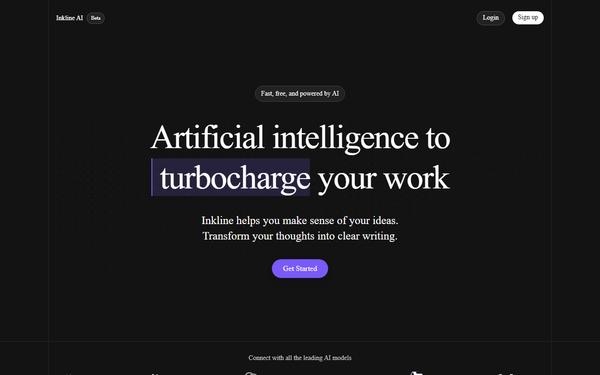
Inkline AI boasts an intuitive, minimalist interface with a low learning curve, making it accessible even for non-technical users. The clean, distraction-free design (with customizable dark/light themes and keyboard shortcuts) promotes deep focus, as noted in early user feedback praising its simplicity for book writing and idea organization. Setup is straightforward via a quick sign-up, and core tools like the Co-pilot appear in an accessible side panel or command interface.
Documentation and support resources are relatively light—primarily in-app help and basic email support—with no extensive public knowledge base or video library found as of research. This reflects its indie status but may require users to experiment initially. Overall, the experience feels polished and productivity-oriented, with positive mentions of how the UI “stops you from remembering to remember” by handling organization seamlessly.
Performance & Reliability
Performance is efficient and real-time, with fast AI responses for suggestions, generation, and transcription suitable for daily workflows. Speed remains consistent across plans, and the tool handles document connections and collaboration without reported lag. No widespread known issues or common complaints appear in user reviews or forums as of March 2026; the small but growing user base reports reliable core functionality for drafting and editing.
Reliability is strong for standard tasks, though heavy users may hit token limits quickly on the free tier, and occasional AI hallucinations (common to the category) require manual oversight. Early adopters highlight its stability for long-form projects like book drafting.
Pricing & Value
Inkline AI follows a freemium model with clear, competitive tiers:
- Basic Plan: Free – up to 5 documents, AI audio transcription, and 50,000 AI tokens. Ideal for testing.
- Starter Plan: $11 per month (billed annually) – unlimited documents, document sharing and real-time collaboration, plus full AI Co-pilot writer.
- Creator Plan: $18 per month (billed annually) – everything in Starter plus text-to-speech playback, image generation, and early access to new advanced features.
No enterprise options are currently advertised. Value is strong for individuals and small teams: the paid plans deliver robust AI writing capabilities at a fraction of competitors like Jasper or ProWritingAid, while the free tier allows meaningful exploration. Compared to alternatives, it offers better thought-organization integration at an accessible price, though users needing unlimited free usage or specialized marketing tools may find it less economical long-term.
Practical Tutorial
Official video tutorials or detailed guides are limited on the site, so the following step-by-step walkthrough (based directly on documented features) demonstrates a common task: drafting and refining a blog post on “How to Start a Side Hustle.” You can replicate this at https://inkline.ai/.
- Visit https://inkline.ai/ and sign up for a free account (or upgrade to Starter for unlimited docs).
- Click “New Document” and title it “Side Hustle Guide.” Begin by typing raw bullet-point thoughts or upload an audio note for automatic transcription (Basic plan supported).
- Activate the AI Co-pilot (Starter+): Highlight your bullets or use the command panel and prompt “Generate a detailed outline with 5 sections for a beginner-friendly blog post on starting a side hustle.”
- Expand content: Select any section heading and ask the Co-pilot to “Write a 300-word introduction in an engaging, conversational tone with real-world examples.” Watch real-time suggestions appear for clarity, grammar, and flow—accept or tweak as needed.
- Refine iteratively: Use inline editing tools to request “Rewrite this paragraph for better coherence and add a call-to-action” or “Suggest 3 bullet-point tips with pros/cons.”
- Organize and enhance: Link related documents (e.g., a separate “Idea Brainstorm” note) for easy reference. In the Creator plan, generate a relevant image with a prompt like “Create a motivational illustration of someone launching a side business.”
- Review with text-to-speech (Creator plan): Play the full draft aloud to catch awkward phrasing.
- Collaborate (Starter+): Share the document link with a friend for real-time comments, then export the polished version as PDF or copy to your blog platform.
- Finalize and save—your complete, professional post is ready in minutes.
This process typically saves hours compared to manual drafting. For updates, check the in-app help or official site.
Final Verdict
Overall rating: 4.0 out of 5. Inkline AI excels for individual writers, students, and professionals who value simplicity, real-time AI feedback, and seamless thought organization in one minimalist workspace—making it especially useful for boosting productivity without overwhelming features. Users should avoid it if they require unlimited free usage, advanced marketing/SEO tools, deep third-party integrations, or enterprise collaboration/security, as the free tier restrictions and indie scale may fall short.
One-sentence recommendation: Inkline AI delivers a refreshingly focused, affordable AI writing companion that truly elevates thinking and clarity for solo creators ready to move beyond basic chatbots.