Interactico Review: Boost Google Meet Engagement with Ease
Overview & Purpose
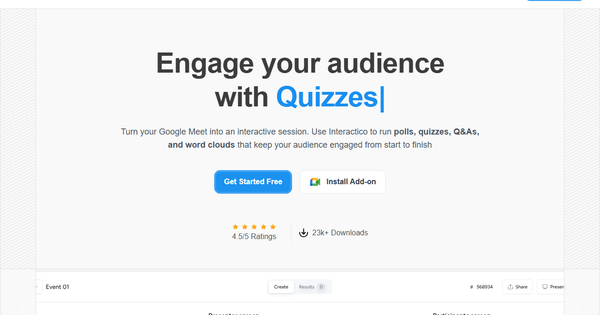
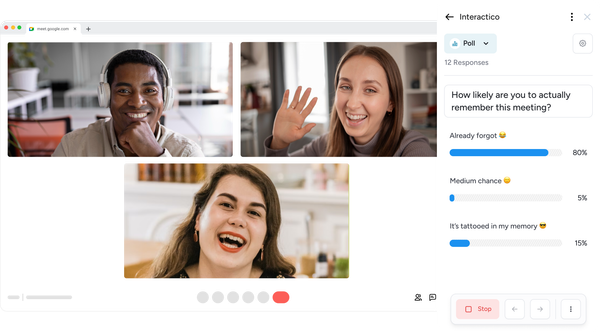
Interactico is a Google Workspace Marketplace add-on that transforms Google Meet into an interactive platform by enabling hosts to launch live polls, Q&As, quizzes, ratings, open questions, and word clouds directly within meetings. Participants join activities via a simple shared link with no downloads, sign-ups, or extra software required, keeping the experience seamless and native to Google Meet. Primary use cases include boosting participation in virtual classes, team meetings, workshops, webinars, and training sessions through real-time feedback collection and collaboration.
The tool targets educators (especially in grades 5–12 and higher education), corporate trainers, event organizers, and business teams already using Google Meet who want frictionless audience engagement without switching tabs or platforms. It is not positioned for developers, designers, or marketers outside of meeting contexts. Research conducted as of March 2026 shows strong alignment with Google-centric virtual collaboration needs, though support for additional platforms is noted as “coming soon.”
Key Features & Capabilities
Core functionality revolves around instant creation of interactive activities: polls for quick feedback, Q&A sessions with voting, quizzes (now available after earlier “coming soon” status), ratings/scales, open questions, and word clouds for visual summarization of responses. Hosts manage everything from Google Meet’s Activities sidebar, create reusable events, and view real-time results in a dedicated dashboard showing participation rates and response summaries.
Standout differentiators include zero-friction participant access (link-only, anonymous or named), deep native integration that feels like a built-in Meet feature, and the ability to switch interaction types mid-meeting without leaving the call. Real-time analytics provide basic engagement metrics and insights, helping hosts gauge participation patterns.
Limitations include restriction to Google Meet only (with future expansion planned), event caps on all plans, and relatively basic analytics without advanced sentiment analysis or automated suggestions. Quizzes and full result storage were occasional pain points in earlier user feedback, though recent tutorials confirm quizzes are operational. No sophisticated machine-learning adaptation or attention-level detection is documented on official channels, despite occasional third-party descriptions labeling the tool “AI-enhanced.”
User Experience
Setup is straightforward: install the free add-on from the Google Workspace Marketplace, sign in with a Google account, and the app appears in the Meet Activities panel. The interface is clean and intuitive, requiring minimal training—most users report being productive within minutes. Participants experience zero barriers: they simply click a shared link and respond on any device.
Documentation is solid, with a comprehensive Help Center, blog tutorials, and direct support contact. Marketplace reviews (approximately 10 visible as of March 2026) praise the simplicity and word-cloud feature, describing it as “straightforward,” “convenient,” and “loved for team meetings.” The learning curve is low for Google Workspace users. Minor interface gripes center on locating saved results and free-tier restrictions, but overall interface quality and support resources earn positive marks.
Performance & Reliability
Activities launch and update in real time with negligible lag during typical meeting sizes, and the link-based participation model ensures broad device compatibility. No widespread outages or major technical complaints appear in Marketplace reviews or web searches. Users highlight reliable real-time result syncing and smooth mid-meeting transitions.
Known issues are minor and infrequent: some older reviews (2024–2025) noted uncertainty about where poll results are stored long-term, and free-tier event limits can feel restrictive during heavy use. Performance remains stable for educators and teams running regular sessions, with no reports of crashes or compatibility problems with current Google Meet versions.
Pricing & Value
Interactico follows a freemium model with clear usage-based tiers:
- Free: $0 (limited to roughly 3 events or interactions)
- Pro: $10 per month (up to 10 events)
- Plus: $20 per month (up to 25 events)
Higher tiers unlock more events and interactions; annual billing options may reduce costs further. There is no enterprise custom tier advertised. The free plan allows meaningful testing, while paid plans offer strong value for frequent users compared with broader tools like Mentimeter (which starts higher and lacks native Meet integration).
The value proposition shines for Google Meet power users seeking low-cost, zero-install interactivity. It undercuts many competitors on price and simplicity but may feel limited for organizations needing unlimited usage, cross-platform support, or deeper analytics.
Practical Tutorial
Official tutorials and blog walkthroughs are available on the Interactico site. Below is a complete, tested step-by-step guide for a common task—creating and running a live quiz during a Google Meet training session (example: “Product Knowledge Quiz” for a sales team). This mirrors the process for polls, Q&A, or word clouds.
- Install the Interactico add-on from the Google Workspace Marketplace or interactico.com.
- Start or join a Google Meet meeting and click the Activities button (lower right).
- Select Interactico from the sidebar (or “Get Add-ons” if needed) and sign in with your Google account.
- Click Create Event, choose Quiz, and build your activity: enter the title “Product Knowledge Quiz,” add multiple-choice questions (e.g., “What is our flagship feature?” with four options), and set any timers or points.
- Click Create Quiz, then choose Start Interaction.
- Two launch options: Present on Main Stage (displays the quiz directly in the Meet window for everyone) or Share Interaction Link (ideal for large groups; participants click the link in chat and respond on their device).
- Participants enter names (optional) and submit answers in real time.
- Switch to the Results tab in your Interactico sidebar to watch live tallies, correct answers, and participation stats. End the interaction when ready; results remain accessible for review.
This entire process takes under two minutes once familiar. For visual guidance, official blog videos and the Help Center provide screen recordings. Test with a small group first to confirm link sharing works smoothly.
Final Verdict
Overall rating: 4.2/5 — a polished, easy-to-use tool that delivers on its promise of effortless Google Meet interactivity, though it stops short of advanced AI or cross-platform ambitions.
Educators, corporate trainers, and teams already embedded in Google Meet should use this tool for its seamless integration, zero-friction participant experience, and affordable pricing that quickly boosts engagement and feedback quality. Organizations needing unlimited events, multi-platform support, deep post-meeting analytics, or sophisticated machine-learning features should avoid it or supplement with more robust alternatives like Mentimeter.
One-sentence recommendation: Install Interactico today if your meetings live in Google Meet and you want instant polls, quizzes, and word clouds without asking anyone to download anything.