JobQuest AI Review: Optimize Your Resume and Land More Jobs
Overview & Purpose
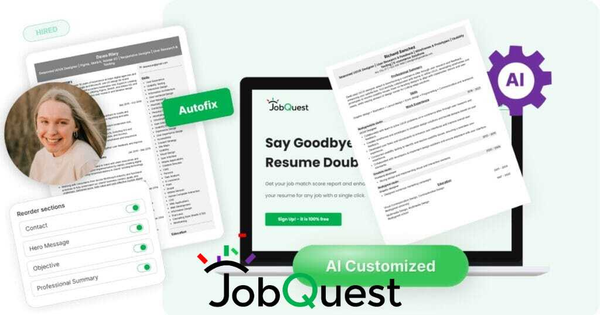
JobQuest.ai is an AI-powered platform that combines resume building, job discovery, and intelligent matching to help job seekers create optimized, ATS-friendly resumes and apply strategically to roles with high success potential. Its primary use cases include uploading or building a resume from scratch, generating a Job Match Score (0-100) against specific job descriptions to gauge fit beyond simple keyword matching, running automated daily job searches, and using one-click AI tailoring to boost alignment before submission. The tool emphasizes a data-driven 4-step (or expanded 7-step) workflow: create your resume, discover jobs, score them, and apply only to strong matches (75+ recommended).
The target audience is general job seekers at any career stage—entry-level, mid-career, or senior professionals—particularly those navigating ATS-heavy systems in industries like tech, marketing, finance, design, and administration. It is especially useful for U.S.-based applicants dealing with high-volume applications, as it helps avoid wasting time on poor-fit roles rather than targeting developers, marketers, or designers exclusively.
Key Features & Capabilities
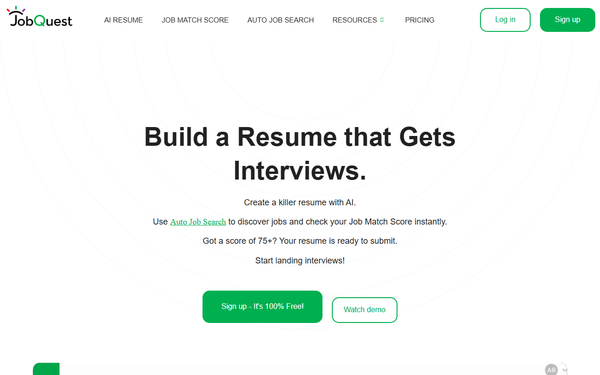
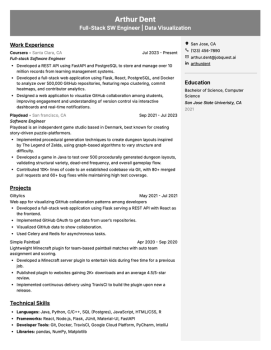
Core functionality revolves around an intuitive resume editor supporting imports, multiple versions, unlimited downloads, and four ATS-optimized templates (Standard Layouts A/B and Modern Layouts A/B) using clean Inter font for human and system readability. Users can discover keywords from job descriptions and apply basic formatting.
Standout features that differentiate it include the proprietary Job Match Score, which simulates human recruiter evaluation plus ATS keyword checks (unlike basic keyword counters); Auto Job Search, a TikTok-style daily feed of fresh jobs (<7 days old) sourced from over 1 million listings across 30+ U.S. boards with AI-built filters based on your profile; Job X-Ray for instant job summaries and ATS keywords; and one-click AI tools like Target Resume (tailors summary and recent experience), Autofix, Supercharge, and Compose for optimization. Additional perks include networking via Uncle Jobby (integrated GPT-style tool) and guidance to reject low-score jobs confidently.
Limitations include the absence of advanced AI features (scoring, tailoring, Auto Job Search, Job X-Ray) in the free plan, U.S.-only job sourcing with plans for expansion, and the need for manual review of AI outputs to ensure authenticity and coherence—especially for low-match jobs. Missing features compared to some competitors: no built-in cover letter generator, interview prep, or international job support; templates avoid graphics or complex designs, which suits ATS but may feel basic for creative fields.
User Experience
The platform boasts a low learning curve thanks to its guided 4-step process and effortless drag-and-drop editor for sections like experience, skills, and summaries. Setup involves a quick signup and Job Profile configuration, after which AI handles much of the heavy lifting. The interface is clean and modern, with professional templates emphasizing readability and a swipeable job feed that reduces overwhelm.
Documentation includes a comprehensive FAQ, blog with resume tips (e.g., soft skills examples, honesty vs. framing), and official tutorials. Support is available via email ([email protected]), though no live chat or extensive knowledge base is highlighted. Overall, the experience feels streamlined for busy job seekers, with instant scoring and daily recommendations minimizing manual effort.
Performance & Reliability
The tool performs efficiently with instant Job Match Score generation and daily refreshed job feeds. AI customization is fast, and the editor handles real-time updates without lag. Reliability appears solid based on secure Stripe payments and OpenAI-backed agents, with no widespread outages reported.
Known issues or complaints are minimal; independent reviews are scarce as the tool gained traction in 2025, but searches across Reddit, G2, Capterra, and scam checkers yield no major red flags—only promotional posts and a clean legitimacy rating. Some general AI resume tool caveats apply (e.g., occasional need to tweak for tone), but the platform advises manual editing and provides score bands to guide usage. No common performance complaints surfaced as of March 2026.
Pricing & Value
JobQuest.ai uses a freemium model with two clear tiers:
- Standard (Free Forever): $0/month – Includes resume editor, unlimited downloads, ATS templates, multiple resumes, imports, and basic keyword discovery.
- Pro (Monthly): $9.99/month – Adds full built-in AI suite (Job Match Score, Auto Job Search, Target Resume tailoring, Autofix/Supercharge/Compose, Job X-Ray) plus everything in Standard.
A 100% money-back guarantee applies within 7 days (no credit card required for signup), and subscriptions cancel anytime with remaining time honored. No enterprise options or annual discounts are listed.
The value proposition is strong for active job hunters: Pro is more affordable than many competitors (e.g., Rezi or Teal at $20+), while the free tier still enables solid basic resumes. The unique scoring and auto-search features deliver measurable time savings and higher application quality compared to generic builders, making it a cost-effective edge in competitive markets—though full power requires the modest Pro upgrade.
Practical Tutorial
Official tutorials and demos are available on the JobQuest site (e.g., resume editor guide) and YouTube playlist, including the comprehensive “JobQuest 101” walkthrough. Below is a step-by-step tutorial for a common task—building a resume, generating a Job Match Score, and tailoring it for a target role—based on the official 4-step process and FAQ guidance. This uses a real-world example: a mid-level marketing professional applying to a “Digital Marketing Manager” role at a tech company (hypothetical JD excerpt: “5+ years experience, SEO expertise, campaign management, Google Analytics proficiency”).
-
Sign up and create/build your base resume: Go to https://app.jobquest.ai/signup (free). Upload an existing PDF/Word resume or start fresh in the Easy Resume Editor. Add sections: Professional Summary, Work Experience (use chronological format), Skills, Education. Example: Input “Led SEO campaigns increasing traffic 40%” under experience. Use basic formatting—no graphics. Save as your base resume.
-
Set up Auto Job Search (Pro required for full feed) or paste a job description: In Settings > Job Profile, describe your experience (e.g., “Marketing specialist with SEO and analytics background, open to remote U.S. roles”). For a specific job, copy-paste the full JD into the scoring tool.
-
Generate Job Match Score and review: Click “Get Job Match Score.” The AI analyzes alignment (example output: 68/100—fair match, missing some analytics keywords). Review the breakdown: strengths (experience overlap) and gaps (e.g., “Add Google Analytics certification”). Bands guide action: 60-74 = customize; below 60 = skip job.
-
AI Customize/Tailor and finalize: Click “Target Resume” (one-click). AI optimizes Summary and recent experience (example: rewrites summary to include “Proven SEO and Google Analytics results driving 40% traffic growth”). Review/edit for authenticity (e.g., tweak phrasing to match your voice). Re-score (now 82/100). Download the tailored ATS-friendly PDF.
-
Apply and track: If 75+, submit. Use Auto Job Search feed for more matches or Uncle Jobby for recruiter outreach. Repeat weekly (aim for 10-15 quality apps).
This process typically takes 10-15 minutes per application. For visuals and variations, watch the official demo: https://www.youtube.com/watch?v=z661t-hM3CM or site tutorials at jobquest.ai/tutorials.
Final Verdict
Overall rating: 4.3/5 – Innovative scoring and automation stand out, though limited independent reviews and Pro paywall temper the score.
Job seekers in the U.S. who are tired of blind applications and want recruiter-level insights plus daily personalized jobs should use this tool for its strategic edge and time savings. Avoid it if you prefer a completely free advanced AI experience, need global job coverage, or rely on tools with extensive user testimonials and broader features like cover letters.
JobQuest.ai is worth trying for any serious job hunter looking to apply smarter, not harder.