Jotlify Review: Turn Complex Research Papers into Easy Stories
Overview & Purpose
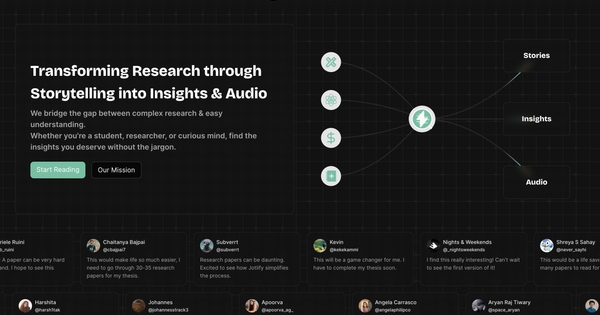
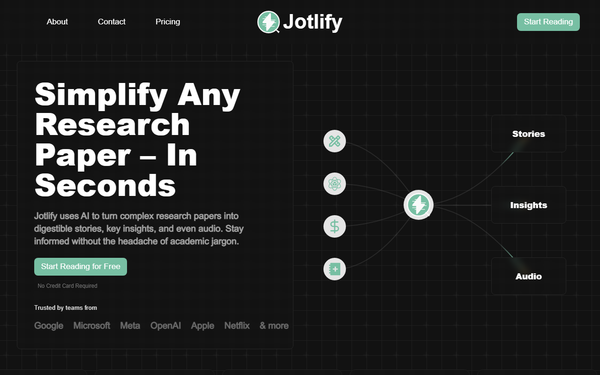
Jotlify is an AI-powered digital platform that transforms complex academic research papers into accessible, jargon-free stories, key insights, one-pagers, and podcast-style audio narrations. It pulls from a vast database of over 3 million new papers annually across 20+ disciplines while allowing users to upload their own PDFs for instant analysis. Primary use cases include quick literature reviews, on-the-go learning via audio, synthesizing multiple papers into cohesive overviews, collaborative note-taking, and turning dense technical content into shareable highlight cards or actionable insights for personal or professional growth.
The target audience spans students, researchers, busy professionals, knowledge workers, and lifelong learners—anyone who needs to absorb cutting-edge findings without spending hours deciphering academic language. It is not aimed at developers, marketers, or designers specifically, but rather at anyone in academia, industry R&D, or general knowledge consumption who wants to stay competitive and informed.
Key Features & Capabilities
Core functionality revolves around AI-assisted simplification: searching a built-in library or uploading PDFs to generate narrative summaries, “Explain-it-like-I’m-5” glossaries, key takeaways, and full audio versions. Standout features include advanced multi-paper search & merge (AI stitches selected papers into one unified synthesis), in-context AI Q&A for deep dives, real-time collaborative workspaces with comment-enabled highlight cards, personal note vault with tagging/export (including to Notion), personalized reading recommendations, and a weekly trend roundup email. Users can also create shareable private links and export highlights with citations.
These differentiate Jotlify from competitors like SciSpace, Elicit, or Google’s NotebookLM by emphasizing engaging storytelling techniques and seamless audio narration rather than purely technical extraction or citation graphs. Upload limits and collaboration scale with paid tiers; API access is Pro-only.
Limitations include caps on free-tier usage (detailed below), no public API on lower plans, and reliance on uploaded PDFs for custom documents (preprints, theses, white papers). It does not yet offer advanced integrations beyond basic exports or video summaries, and coverage, while broad, is still expanding per early user feedback.
User Experience
The platform boasts an intuitive, mobile-friendly interface with clean one-pager and PDF views designed for quick scanning. The learning curve is minimal—most users can start reading or uploading within seconds of signing up via Google/Apple/OTP. Navigation centers on a simple search bar, personal library, and highlight manager; AI interactions feel conversational and responsive.
Documentation is light but sufficient: in-app tooltips, clear onboarding flows, and a 7-day all-access trial guide new users. Support resources include email (implied via trial/guarantee) and community sentiment on Product Hunt and X, though no extensive help center or video library was evident. Testimonials repeatedly praise the “game-changer” simplicity and enjoyment factor, with zero mentions of clunky UX in available reviews.
Performance & Reliability
Summaries and audio generation occur “in seconds,” with merging and Q&A delivering near-instant results even for multi-paper synthesis. Upload processing is fast and reliable for standard PDFs. No widespread outages or major bugs surfaced in 2025–2026 reviews; the platform uses 256-bit encryption and auto-deletes uploads after 30 days (or on request) for privacy.
Known issues are minimal: occasional general AI limitations (potential minor inaccuracies in highly specialized fields) apply as with any LLM-based tool, but users report high confidence in core summaries. Early-stage complaints are absent; Product Hunt and X mentions remain positive with praise for time savings (e.g., processing 30+ thesis papers “ten times faster”).
Pricing & Value
Jotlify follows a freemium model with clear tiered limits and a 7-day risk-free all-access trial (no credit card required). Yearly billing saves 40%; 30-day money-back guarantee if reading time is not reduced.
- Reader (Free): Unlimited AI summaries, up to 5 audio narrations, 5 PDF uploads, and 50 AI questions per month; individual use only.
- Researcher: Unlimited audio and higher limits (100 uploads, 500 questions); individual use.
- Pro: Unlimited everything, 5 team seats, full API access.
- Enterprise: Custom for 25+ seats or campus licensing with volume discounts and integrations.
Exact monthly pricing for Researcher/Pro is not displayed publicly on the site (available post-trial or via contact); older 2025 sources referenced ~$12 starting points, but users should verify current rates. Value is excellent for heavy readers—unlimited access plus collaboration far outpaces free alternatives like basic arXiv readers or NotebookLM, while the storytelling + audio combo justifies the upgrade for professionals and researchers who save hours weekly. Casual users thrive on the robust free tier.
Practical Tutorial
No official video tutorial hub exists, but the process is straightforward. Here is a complete step-by-step walkthrough for a common task—uploading and analyzing your own research PDF (e.g., a recent arXiv preprint on AI ethics). This mirrors real usage and can be completed in under 5 minutes.
- Go to https://jotlify.com/ and click “Start Reading for Free.” Sign up with Google, Apple, or email OTP (instant; unlocks personal library and trial).
- Once in your dashboard, click the upload icon or “Bring Your Own Data” button. Select a PDF (max file size not specified but standard academic papers work fine).
- Wait seconds for processing: Jotlify auto-generates a narrative story summary, key insights bullet list, “Explain-it-like-I’m-5” glossary, and full audio narration.
- Review the one-pager view (mobile-optimized) or switch to audio mode—play the podcast-style reading during a commute.
- Open the AI Q&A chat: type “What are the main limitations discussed?” or “Compare this to the 2024 paper on the same topic” for instant, context-aware answers.
- Highlight key sentences, add tags/notes, and export to Notion or PDF with citations. For collaboration, share a private link and invite teammates to comment in real time.
- Save to your personal vault for later; set up weekly trend alerts if desired.
Example: Uploading the 2025 paper “LLM Safety Benchmarks” yields a 2-minute audio story, 8 key insights, and an AI-generated comparison to prior work—all exportable. For public papers, simply search the library instead of uploading. Official onboarding flow and YouTube demos (e.g., “4 Insanely Useful AI Tools for Research”) provide visual reinforcement.
Final Verdict
Overall rating: 4.5/5. Jotlify excels at making research enjoyable and efficient for students, researchers, professionals, and curious lifelong learners who regularly encounter dense papers and want audio-friendly, collaborative summaries without jargon. It shines for thesis writers, R&D teams, or anyone building knowledge libraries quickly.
Avoid it if you prefer raw academic PDFs with zero AI mediation, need advanced citation graphing (better in Elicit), or operate on a zero-budget with no room for any limits—stick to free arXiv readers instead.
One-sentence recommendation: If you’re tired of drowning in academic jargon and want research delivered as engaging stories and podcasts that actually stick, start with Jotlify’s free tier today—it’s the closest thing to a personal research assistant without the PhD.
(Research conducted March 2026 using official site, Product Hunt, SaaSworthy, and recent web/X mentions; tools evolve rapidly—verify latest details directly.)