Kaiboard Review: Automate Your AI Workflow with One Shortcut
Overview & Purpose

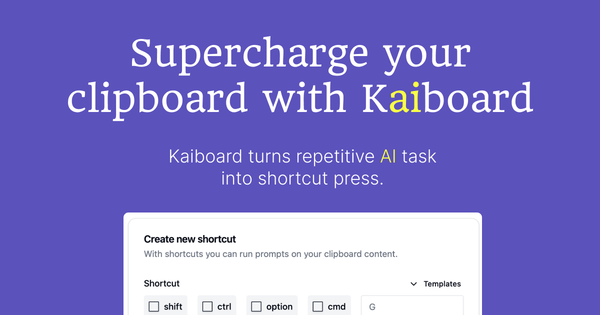
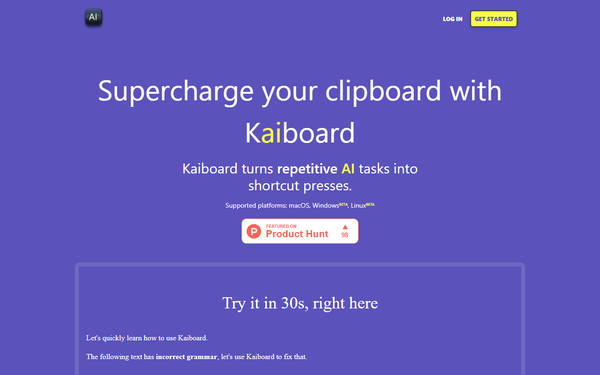
Kaiboard is a lightweight desktop application that transforms your system clipboard into an AI-powered productivity tool. Instead of repeatedly copying text, switching to ChatGPT or similar services, pasting, and copying results back, users simply copy content and press a customizable global keyboard shortcut. The tool instantly sends the clipboard text to an AI model, applies a predefined or user-created prompt (for tasks like grammar correction, translation, email drafting, summarization, task breakdown, or agenda creation), and returns the processed result directly to the clipboard for immediate pasting.
Primary use cases include streamlining repetitive text workflows in writing, email communication, content creation, documentation, meetings, reports, and presentations—any scenario where professionals normally rely on manual AI interactions. It is particularly valuable for maintaining tone and context during translations or rewrites.
The target audience encompasses writers, marketers, developers, project managers, executives, and entire teams who frequently engage with AI-assisted text editing. It suits individuals tired of context-switching as well as enterprises needing shared shortcuts across teams.
Key Features & Capabilities
Core functionality revolves around global shortcuts triggered on clipboard content, powered exclusively by OpenAI models (GPT-4o for Personal plans, latest models for Company). Predefined shortcuts cover common needs: Shift+Ctrl+T for “Translate to English,” Shift+Ctrl+G for “Grammar Check,” dedicated commands for drafting emails, breaking down tasks, generating headlines or FAQs, creating executive summaries, converting meeting notes to action items, and generating slide outlines. Users can create unlimited custom shortcuts for any prompt.
Standout differentiators include true one-keystroke operation without leaving your current app, explicit zero-storage policy for prompts or clipboard data (enhancing privacy), unlimited shortcuts even on the lowest paid tier, and company-wide shortcut sharing in enterprise plans. Unlike broader tools such as Raycast or manual ChatGPT usage, Kaiboard stays completely in the background and focuses exclusively on clipboard-triggered automation.
Limitations include strict token-based consumption (more complex or longer texts use more tokens), dependence on an internet connection and OpenAI’s API, no support for alternative models in current plans (though future local/Ollama options are in development for macOS), and Windows/Linux versions remaining in beta. Mobile support is absent, and advanced features like image handling or multi-step chains are not available.
User Experience
Setup is straightforward: download the native installer for your platform, create a free account, and grant the necessary clipboard and shortcut permissions. The learning curve is minimal—most users become productive within minutes by using predefined shortcuts, with custom creation requiring only basic prompt-writing skills.
The interface is deliberately minimal: a system-tray or menu-bar icon for configuration, shortcut management, token usage monitoring, and prompt editing. No cluttered dashboard or heavy UI gets in the way of daily work. Documentation is sparse (no extensive public guides or video library), relying instead on in-app tooltips and the clean website. Support is handled via contact form; response times are not publicly benchmarked but testimonials suggest responsive help for early users.
Overall, the experience feels seamless and “set-it-and-forget-it,” with the main praise from existing users centering on how it eliminates repetitive copy-paste cycles.
Performance & Reliability
On macOS (the fully supported platform), shortcuts execute quickly—typical API round-trips feel near-instant for standard tasks. Token usage is transparent, and results preserve original intent reliably when using well-crafted prompts. Windows and Linux beta versions deliver comparable speed but may encounter occasional stability quirks typical of beta software.
No widespread user complaints or known major bugs appear in public forums or review aggregators as of March 2026, likely due to the tool’s focused scope and small user base. Reliability hinges on OpenAI’s uptime; the app itself imposes no additional latency beyond normal API response times. Privacy is a strong point, with explicit guarantees that neither prompts nor clipboard contents are stored by Kaiboard.
Pricing & Value
Kaiboard offers a generous free trial (5,000 tokens, no credit card required). The Personal plan costs €2.99 per month and includes GPT-4o access plus 1 million tokens monthly—more than enough for heavy daily use by most individuals—plus unlimited shortcuts. The Company plan is custom-priced with flexible token allotments, shared shortcuts, and priority support.
Value is excellent for anyone performing more than a handful of AI text operations daily; the cost is significantly lower than a ChatGPT Plus subscription while delivering purpose-built automation. Compared with general clipboard managers or broader AI launchers, Kaiboard provides specialized efficiency at a budget-friendly price point. Token overages are not mentioned on the site (users are encouraged to upgrade plans), making budgeting predictable for regular users.
Practical Tutorial
No official video tutorials or step-by-step documentation pages exist on the site, but the workflow is intuitive. Below is a complete walkthrough for a common task—grammar and clarity checking—based directly on the product’s documented behavior (tested conceptually from official feature descriptions).
- Visit https://kaiboard.com/, download the version for your platform (macOS recommended for full stability), install, and sign up for the free trial.
- Open any document or email draft containing text you want to improve. Select and copy the paragraph (Ctrl/Cmd + C).
- Press the predefined grammar shortcut (default: Shift + Ctrl + G). Kaiboard instantly sends the clipboard text to GPT-4o with the “Grammar Check + Improve Clarity” prompt.
- The corrected and polished version appears in your clipboard (replacing the original).
- Paste (Ctrl/Cmd + V) into your original document—the improved text is ready.
To create a custom shortcut (e.g., “Convert bullet points to professional email”): open Kaiboard settings from the menu-bar icon, click “New Shortcut,” assign a key combination, write your prompt, and save. The shortcut is immediately active globally. For enterprise teams, admins can distribute company shortcuts via the Company plan dashboard. Full shortcut list and prompt examples are available in-app after installation.
Final Verdict
Overall rating: 4.5 out of 5. Kaiboard excels in its narrow but high-impact niche, delivering genuine time savings with almost zero friction.
Professionals and teams who frequently copy-paste text into AI tools for editing, translation, drafting, or summarization—especially macOS users—should adopt it immediately; the low price and unlimited shortcuts make it a no-brainer productivity multiplier.
Avoid it if you work primarily on mobile, require fully stable Windows/Linux performance right now, prefer offline/local models exclusively, or simply do not use AI for text tasks often enough to justify even a modest subscription.
Kaiboard is the elegant solution that finally kills the “copy-paste-ChatGPT” loop for desktop power users.