Kerlig Review: The Ultimate AI Writing Assistant for macOS
Overview & Purpose

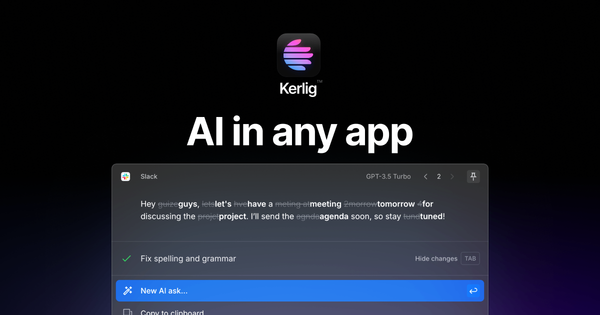
Kerlig is a native macOS AI writing assistant that brings powerful language models directly into any application on your Mac. By selecting text anywhere and pressing a customizable global hotkey (such as Option + Space), users can instantly apply AI actions like rewriting, proofreading, summarizing, or chatting with the content—no browser tabs or context switching required. It supports over 350 AI models, including cloud options from OpenAI, Anthropic (Claude), Google Gemini, Groq, xAI, Perplexity, and OpenRouter, plus fully local models via Ollama, LM Studio, or Apple Foundation Models. Additional capabilities include attaching documents (PDFs, eBooks, images) for analysis, deep research with reasoning models, and personalization to match your unique tone of voice.
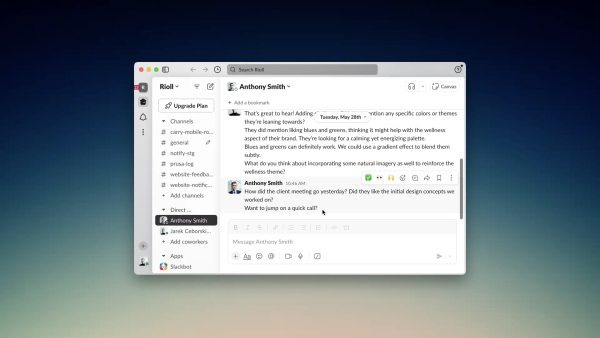
Primary use cases include composing professional emails and Slack replies, fixing grammar and style for client communications, summarizing long documents or web pages, brainstorming ideas, translating text, and even specialized tasks like generating TypeScript interfaces or YouTube scripts. It excels at streamlining written communication without leaving your current workflow.
The target audience includes Mac-based professionals such as product designers, software engineers, marketers, business owners, and PhD students, as well as non-native English speakers and anyone who writes frequently in apps like Mail, Slack, Notes, Notion, or browsers. Testimonials highlight its value for teams and individuals seeking productivity gains without monthly fees.
Key Features & Capabilities
Core functionality revolves around the hotkey-triggered interface: select text in any app to load it as context, then choose from built-in actions (Fix spelling and grammar, Improve writing, Make shorter, Summarize) or run a custom prompt/chat. Users can switch models instantly, regenerate responses, view citations, and edit history. Attachments and vision support let you chat with PDFs, images, or website content captured directly from supported browsers (Safari, Chrome, etc.), Mail threads, Slack channels, Notes, or Notion pages—requiring one-time Accessibility and Automation permissions.
Standout features that differentiate Kerlig include its one-time purchase model with lifetime updates on current promotions, support for 350+ models (cloud and local) in a single native app, custom action presets with personal tone-of-voice training, headless mode for background automation, team deployment via CLI, and deep macOS integrations like browser tab capture (added in version 2.3). Privacy is strong: content stays local unless sent to your chosen provider.
Compared to competitors like Grammarly (subscription-based, always-on) or browser AI tools, Kerlig offers broader model flexibility, true system-wide access, and document-level interaction without leaving the Mac ecosystem. Recent updates continue to add capabilities such as enhanced browser content capture and Apple on-device model support.
Limitations include macOS 12+ requirement only (no Windows or iOS), need to supply your own API keys (or set up local models), per-model context/token limits for very long documents, and per-seat licensing (one Mac for Basic). There is no unlimited free tier—though local models incur no token costs—and setup involves adding keys and permissions.
User Experience
Kerlig boasts an extremely low learning curve thanks to intuitive onboarding: install, define your hotkey, and add one or more API keys. Basics like selecting text and applying “Improve writing” feel immediate and natural. Custom actions and advanced features (attachments, tone training) add depth but remain accessible via a clean, ChatGPT-style interface with keyboard navigation, regenerate buttons, and history.
The interface is beautifully native—seamless, lightweight, and integrated into macOS without intrusive icons or always-on overlays. Users consistently describe it as “fluid,” “super seamless,” and “a beautifully designed time saver,” with no context switching.
Documentation is excellent via the official help center (kerlig.com/help), featuring clear guides for API key setup, local model configuration, running actions, inserting content, and browser integrations. Email support is responsive (48-hour for Basic, 24-hour for Pro, priority Zoom for Team). Community feedback on Product Hunt and G2 rates the experience 5.0 and 4.9 stars, praising keyboard-driven speed and reliability.
Performance & Reliability
As a native macOS app, Kerlig is fast and efficient, with near-instant hotkey activation and model responses dependent only on your chosen provider (local models or fast Groq endpoints deliver sub-second replies). It runs lightly in the background with no reported battery drain or memory issues in reviews. Updates (e.g., 2.3.0 adding deeper app captures) actively improve stability and add features.
Known issues are minimal and rarely reported: occasional need for manual permission tweaks during browser setup, variable response quality tied to the underlying model rather than Kerlig itself, and the expected token limits for massive documents. No widespread bugs or crashes appear in user forums, Reddit, or review aggregators as of March 2026. Overall reliability earns high marks for daily professional use.
Pricing & Value
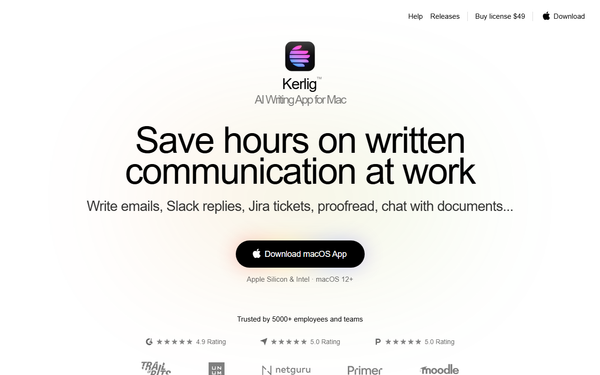
Kerlig uses a one-time purchase model with no subscriptions—pay once and only for the tokens you use with cloud providers (local models are free). Current pricing (USD, subject to VAT):
- Basic License: $49 (1 Mac seat, 1 year updates)
- Pro License: $79 (2 Mac seats, 1 year updates)
- Team License: $297 (10 Mac seats, priority support + CLI deployment)
A 14-day money-back guarantee applies, and promotional deals often extend lifetime updates.
Value is exceptional compared to subscription alternatives like Grammarly ($144+/year) or per-seat browser tools. For heavy writers, the upfront cost pays for itself quickly through time savings and model flexibility in one polished app. Light users benefit from local options to keep costs near zero. Reviews highlight the “game-changing” economics versus recurring fees.
Practical Tutorial
Official tutorials are available at kerlig.com/help, covering quick start, API setup, browser captures, and more. Below is a complete step-by-step walkthrough for a common task: professionally rewriting a casual client email draft in your personal tone.
-
Download and install Kerlig from kerlig.com/download. Launch it and complete onboarding: choose your hotkey (e.g., Option + Space) and add an API key (e.g., OpenAI—detailed guide at kerlig.com/help/open-ai/get-api-key).
-
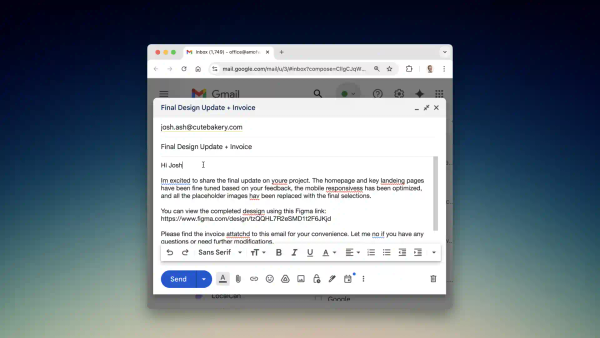
Open your email app (Mail, Gmail in browser, etc.) and write or select your draft text. Example input:
“Hey team, just wanted to say the new feature looks super cool but maybe we could tweak the colors a bit? Let me know what you think!” -
With the text selected (or simply with the app active), press your hotkey. Kerlig opens with the content pre-loaded.
-
In the action bar, choose “Improve writing” or type a custom prompt: “Rewrite this email professionally but keep my friendly tone of voice.” (Train your tone once in settings for best results.)
-
Select your preferred model (e.g., Claude 3.5 Sonnet for nuance or Groq for speed). Hit Enter. Review the response:
Example output: “Hi team, I really like the new feature—great work! I’d suggest a small color adjustment for better contrast. What are your thoughts?” -
Click “Insert in…” to replace the original text directly in your email app, or copy to clipboard (content stays available for 10 seconds after closing). Press Command + R to restore and retry if needed.
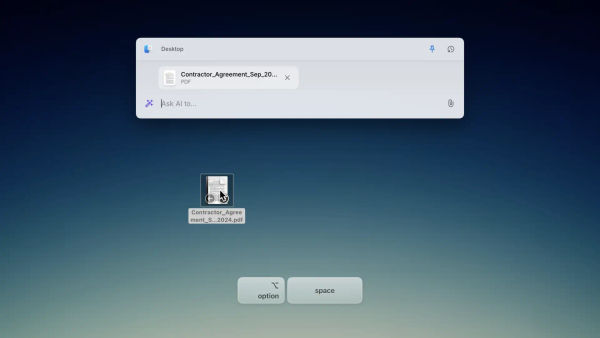
For document summarization, launch from a PDF viewer or browser tab—Kerlig auto-captures content. Full guides for attachments and browser permissions are in the official help center.
Final Verdict
Overall rating: 4.8/5 — An outstanding native Mac tool that delivers on its promise of frictionless AI writing help.
Kerlig is ideal for Mac professionals, students, and writers who value speed, model choice, and seamless integration without monthly fees or context switching. It shines for anyone tired of tab-hopping between apps and ChatGPT.
Avoid it if you need cross-platform support, prefer a completely free/unlimited solution, or rarely write in macOS apps.
One-sentence recommendation: If you live in macOS and write for a living, buy Kerlig today—it’s the smartest one-time investment you’ll make for daily communication.