Kits AI Review: The Ultimate AI Tool for Music Production
Overview & Purpose

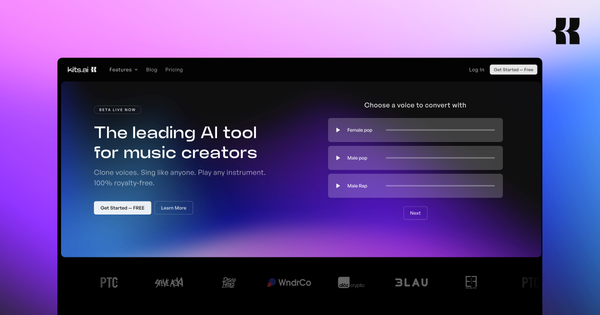
Kits AI is an AI-powered platform designed for music production, specializing in voice cloning, conversion, and generation to create studio-quality singing vocals. It allows users to swap or transform vocals in tracks using pre-built voices, train custom AI singing models from personal audio, and access a suite of integrated audio tools like stem splitting, vocal isolation, enhancements, harmonies, text-to-speech, and basic mastering. Primary use cases include producing AI music covers, demoing songs in different styles or voices without studio sessions, expanding vocal ranges for artists, collaborating remotely, and generating royalty-free tracks for release.
The target audience is primarily musicians, producers, vocalists, and independent creators in the music industry who want accessible AI tools for singing voice manipulation and full-track production workflows. It is less suited for general speech or non-musical content creators compared to broader platforms.

Key Features & Capabilities
Core functionality revolves around an AI Voice Studio for uploading audio (acapella or full tracks) and converting it with selected voices from a library or custom models, plus one-click or guided training for personal AI voices. Users can access 100+ royalty-free AI singing voices/styles or artist-licensed options, blend voices, design new ones via traits, and apply post-processing like pitch correction or noise reduction. Additional standout tools include stem splitter, vocal remover/enhance, harmony generator, key/BPM finder, and an AI instrument library.
Differentiating features include Kits Earn (monetize trained voices via passive income and revenue sharing), ethical Fairly Trained certification with artist compensation, RVC compatibility (upload existing .pth files for v1/v2 models alongside native Kits VC training), and instant/professional cloning options. Commercial use is straightforward for the royalty-free library (no approval needed for releases), while Official Artist Licensed voices typically require direct artist approval for commercial tracks.
Limitations include dependency on subscription for unlimited features (download minutes capped even on paid plans under fair use), no full offline access, and voice quality heavily reliant on dataset preparation—poor inputs yield robotic or artifact-heavy results. Missing are advanced collaboration features or direct integration with major DAWs beyond API access.
User Experience
The web-based interface at app.kits.ai is clean and intuitive with drag-and-drop uploads, guided prompts for cloning, and real-time previews, resulting in a low learning curve for basic voice changes. Advanced training requires more effort for optimal datasets, but pre-processing tools and dashboard monitoring simplify the process overall.
Interface quality feels modern and music-focused, with before/after visuals and easy navigation between voices, conversions, and tools. Documentation is solid via official blogs, a help center with training FAQs, and a comprehensive YouTube masterclass playlist covering workflows. Support resources include in-app bug reporting and community channels, though user complaints highlight slower response times on billing or quality issues.
Performance & Reliability
Conversions are fast (often seconds for instant cloning), with training completing in 30 minutes to several hours depending on dataset size. The platform handles high-fidelity outputs effectively for well-prepared vocals, supporting professional-grade results in many cases.
Known issues include inconsistent voice quality (occasional robotic artifacts or pitch inaccuracies per user reports), download failures, and glitches during high usage. Trustpilot reviews average 1.4/5 from dozens of users citing surprise billing, limited free-tier restrictions, and reliability dips, while Reddit and YouTube feedback is more mixed—praising creativity for covers but noting paywall frustrations and variable results without expert dataset prep.
Pricing & Value
Kits AI uses a freemium model: the Free tier offers 1 voice slot, 15 conversion minutes, basic tools (no downloads), and medium quality—suitable for testing. Paid plans start at Starter ($10/month or $8 annual) with 2 voices, unlimited conversions (fair use), 15 download minutes; Producer ($30/$24) adds unlimited voices and 60 minutes; Professional ($60/$48) provides unlimited downloads and priority features. Custom voices remain accessible only during active subscriptions.
Value is strong for dedicated musicians due to the integrated toolkit, ethical licensing, and earn potential versus fragmented alternatives (e.g., free Colab RVC setups or general voice AIs like ElevenLabs lacking music-specific singing focus). However, aggressive paywalls and download limits reduce appeal for casual or budget users compared to fully free open-source options.
Practical Tutorial
A common task is training and using a custom AI voice model for track conversion. Official guidance is available in the site's voice model creation blog and YouTube masterclass; here is a real walkthrough based on current processes (as of March 2026):
- Prepare your dataset: Record or gather 30-60 minutes of dry, monophonic (single-note) vocals in a quiet space using a quality mic at 48kHz. Export as true mono 16-bit WAV files with no effects, reverb, silence, or layering. Use the platform's vocal separator tool if starting from full tracks. Cover full vocal range (chest voice, falsetto, different keys) and pre-process lightly with EQ, de-essing, and compression for best results.
- Upload and train: Log into app.kits.ai, navigate to Voices > Create Voice > Professional Voice Cloning. Upload your cleaned files (or .pth for existing RVC models). The system handles one-click elements of training—monitor progress on the dashboard (typically 30 minutes to hours).
- Refine and test: Once trained (high-fidelity on paid plans), go to your library, select the model, and apply subtle settings like conversion strength or pitch shift.
- Convert a track: Upload an acapella or full song to the Voice Studio, choose your custom model (or blend with library voices), generate, then enhance with stem splitter or harmonies if needed. Export and check commercial rights based on the voice type.
- Iterate: For issues (e.g., artifacts), revisit dataset variety or contact support.
For visuals and updates, see the official guide at https://www.kits.ai/blog/voice-model-creation-guide or the Kits.ai Masterclass YouTube playlist.
Final Verdict
Overall rating: 3.8/5 – a capable and innovative tool with room for quality consistency improvements.
Serious musicians and producers should use this for its ethical voice library, seamless music workflow integration, custom training, and monetization options that empower creativity and revenue. Avoid it if you need unlimited free access, flawless out-of-the-box quality without audio prep, or have no tolerance for subscription gating and occasional support hiccups.
Kits AI stands out as a musician-centric AI voice powerhouse worth the investment for ethical, high-potential music creation.