Klavis AI Review: The Ultimate MCP Integration for AI Agents
Overview & Purpose

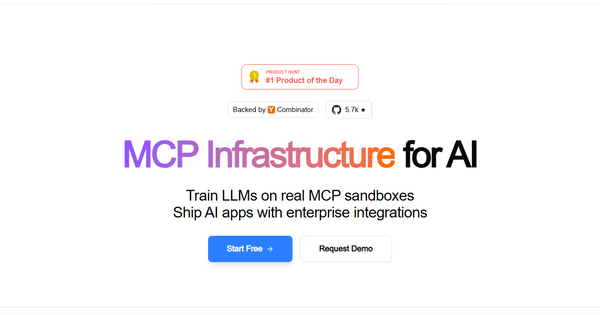
Klavis AI is an open-source Model Context Protocol (MCP) integration platform that enables language models and autonomous AI agents to reliably connect to external business tools and platforms at any scale. It abstracts away the complexities of authentication (including enterprise OAuth), client library management, security, and context overload, allowing developers to equip agents with deep, programmatic access to real-world data and workflows through managed MCP servers.
Primary use cases include building sophisticated AI agent workflows such as sales research across CRMs (e.g., Salesforce, HubSpot), automated communication and data processing (e.g., summarizing YouTube videos and emailing via Gmail), multi-app automation, and training/evaluating LLMs on tool usage via sandbox environments. It supports progressive tool discovery across hundreds of functions per app, making it ideal for production-grade AI applications.
The target audience is primarily developers, AI engineers, and enterprises building AI-powered applications. It integrates seamlessly with frameworks like LangChain, LlamaIndex, CrewAI, OpenAI, Claude, and Gemini. Non-technical users (e.g., marketers or designers without coding experience) are not the focus, as it requires API/SDK integration or MCP-compatible clients.
All information in this review is based on official documentation, GitHub, Product Hunt listings, and third-party sources consulted as of March 2026.
Key Features & Capabilities
Core functionality revolves around production-ready MCP servers (90+ listed, with claims of 300+ total across ecosystems) that provide full tool fidelity for apps including Gmail, Slack, GitHub, Salesforce, Notion, Stripe, Google Workspace, Jira, and more. Developers access these via a simple REST API, Python SDK, or self-hosted Docker deployments. A standout feature is Strata, a single MCP server that enables progressive tool discovery across multiple apps, dramatically reducing context window bloat (up to 60% in comparisons) while guiding agents reliably at scale.
Additional capabilities include fully managed sandbox environments for RL training and model evaluation (with account pooling and state handling), enterprise-grade security (SOC 2 Type II, GDPR compliance, RBAC, zero-trust guardrails), and direct integrations with major AI platforms. Self-hosted options and open-source core allow full control, while hosted API provides instant scalability with 99.99% uptime SLAs.
Differentiators from competitors (e.g., Composio or traditional Zapier-style tools) include its open-source foundation (YC X25-backed), Strata's context optimization, built-in multi-tenancy auth, and focus on AI-native reliability rather than simple no-code triggers. It excels in deep function access and agentic workflows where traditional tools fall short on scale or security.
Limitations include a developer-centric scope (no pure no-code interface for end users), reliance on MCP adoption (still emerging), and a current integration count that, while robust for core business tools, may not yet match the broadest no-code platforms in niche categories. Self-hosting requires infrastructure management, and advanced sandboxes are custom-priced. No major missing enterprise features were noted, but real-world performance depends on underlying LLM quality.
User Experience
Setup is straightforward with a low learning curve for Python/AI developers: create an account, generate an API key, authorize tools via OAuth in a clean dashboard, and connect via SDK or MCP URL. Most users can enable integrations in minutes without writing custom auth code. The interface (dashboard for MCP servers and auth) is modern and functional, focusing on essentials rather than flashy design.
Documentation is excellent—comprehensive, well-structured with per-integration guides, full API reference, and code samples for every major framework. The blog offers additional tutorials, and a Discord community provides peer support. Paid plans include email support; self-hosted users rely on GitHub and community resources. Overall, it's one of the more approachable infrastructure tools for agent builders, though beginners to MCP or agent frameworks may need 1–2 hours to ramp up.
Performance & Reliability
Tool calls are efficient thanks to Strata's progressive discovery, which minimizes token usage and latency compared to flat tool lists. Hosted servers claim 99.99% uptime with real-time monitoring, and enterprise features like sandbox isolation ensure consistent performance even at scale. No widespread speed benchmarks are public, but official comparisons highlight advantages in context efficiency and stability.
Known issues are minimal; GitHub issues exist as with any open-source project, but independent searches (Reddit, Hacker News, reviews) reveal no recurring complaints about downtime or reliability. Early users praise its stability over alternatives like Composio. Occasional OAuth edge cases or framework-specific tweaks may arise, but managed auth and SOC 2 compliance make it production-ready. As of March 2026, it has strong uptime track record for YC-backed infrastructure.
Pricing & Value
Klavis AI offers a freemium model with clear tiers:
- Hobby (Free): Up to 3 user accounts, 500 tool calls/month; additional calls at $0.05 each. Basic email support—ideal for experimentation.
- Pro (~$99/month): Up to 100 users, 10,000 tool calls/month; additional at $0.02 each. Full features for professional use.
- Team/Enterprise: Starting ~$499/month or custom (includes dedicated support, higher limits, SOC 2 details, and sandbox environments via contact sales).
Self-hosted deployment is completely free (open-source). Sandboxes for LLM training are custom-priced.
Value proposition is excellent for developers: it eliminates weeks of auth and integration work, scales affordably, and provides open-source flexibility that proprietary tools lack. Compared to alternatives, it's often more cost-effective and reliable for production AI agents. Free tier lowers barriers, while paid plans deliver strong ROI through reduced operational overhead and faster time-to-market.
Practical Tutorial
A common task—building an agent that summarizes a YouTube video and emails the summary—demonstrates Klavis AI's power. This uses the official Strata MCP server with LangChain (adaptable to LlamaIndex or others). Full official tutorial and code are available at https://www.klavis.ai/docs/quickstart.
Step-by-step walkthrough (Python + LangChain example):
-
Set up account and API key: Sign up at klavis.ai, generate an API key from the dashboard (https://www.klavis.ai/home/api-keys).
-
Install SDK and dependencies:
pip install klavis langchain langchain-openai langchain-mcp-adapters langgraph python-dotenv -
Create Strata MCP server (combines Gmail + YouTube in one progressive server):
from klavis import Klavis from klavis.types import McpServerName import os from dotenv import load_dotenv import webbrowser load_dotenv() klavis_client = Klavis(api_key=os.getenv("KLAVIS_API_KEY")) response = klavis_client.mcp_server.create_strata_server( user_id="demo_user", servers=[McpServerName.GMAIL, McpServerName.YOUTUBE] ) # Open OAuth flows and complete authorization if response.oauth_urls: for server, url in response.oauth_urls.items(): webbrowser.open(url) input(f"Press Enter after authorizing {server}...") -
Connect to LangChain agent:
from langchain_mcp_adapters.client import MultiServerMCPClient from langchain_openai import ChatOpenAI from langgraph.prebuilt import create_react_agent mcp_client = MultiServerMCPClient({ "strata": {"transport": "streamable_http", "url": response.strata_server_url} }) tools = await mcp_client.get_tools() llm = ChatOpenAI(model="gpt-4o-mini") agent = create_react_agent(llm, tools) result = await agent.ainvoke({ "messages": [{"role": "user", "content": "Summarize this video https://youtu.be/yebNIHKAC4A and email the summary to [email protected]"}] }) print(result["messages"][-1].content) -
Run and test: The agent discovers tools progressively, summarizes via YouTube MCP, and sends via Gmail—all with managed auth. Expand by adding more servers (e.g., Slack, Salesforce).
This real example from Klavis docs works end-to-end and highlights minimal code for complex workflows. Additional tutorials are on the Klavis blog (https://www.klavis.ai/blog).
Final Verdict
Overall rating: 4.7/5. Klavis AI delivers robust, scalable tool integration for AI agents with exceptional developer experience and enterprise readiness.
Teams of developers and enterprises building production AI applications with real-world tool access should use it—its open-source foundation, Strata efficiency, managed auth, and framework integrations accelerate development while cutting costs and complexity.
Non-technical users or those seeking simple no-code automation (without any coding) should avoid it; they may find traditional platforms like Zapier more suitable. Early-stage projects wary of emerging protocols might also prefer more mature alternatives until MCP adoption grows further.
Recommendation: For any developer serious about empowering AI agents with reliable business-tool integrations, Klavis AI is a must-try—start with the free tier and official quickstart today.