Klipme Review: Automate Viral Short-Form Video Creation Fast

Overview & Purpose

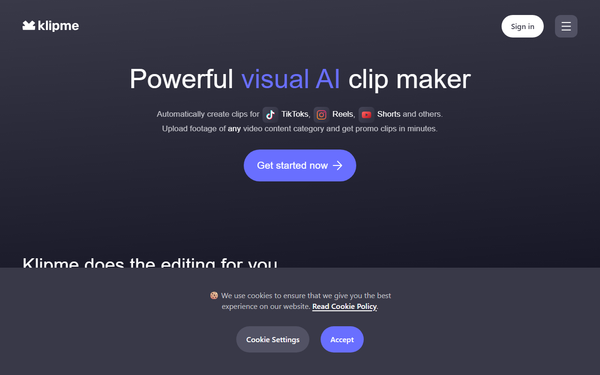
Klipme is an AI-powered visual clip maker that automatically generates short, ready-to-publish video clips—such as TikToks, Instagram Reels, YouTube Shorts, promotional teasers, summaries, and compilations—from long-form content. It analyzes footage using proprietary Cognitive Mill™ technology, which imitates human visual perception, context understanding, and emotional attention to identify key moments without requiring manual prompts or complex editing. Primary use cases include repurposing podcasts, interviews, vlogs, sports events, movies, or family videos into vertical social media formats with auto-cropping, subtitles, stylistic effects, and beat-synced music for virality.
Target audience includes content creators, YouTubers, vloggers, marketers, podcasters, and digital agencies or companies needing quick social media assets. It appeals especially to non-editors who want to save hours on trimming and formatting long videos for mobile-first platforms. As of my research in March 2026, it positions itself as a hassle-free web app rather than a full video editor, focusing on autonomous automation for high-volume clip production.
Key Features & Capabilities
Core functionality revolves around a simple upload-analyze-generate workflow: users upload any video type (professional films to smartphone clips), trigger initial AI analysis (identifying themes and highlights), select presets, and receive packs of clips. Standout features include:
- Multiple driving modes (visual-only for action like “college-day dunks,” audio-only for podcasts/interviews, or music-driven thematic matching).
- AI Beatpulse for syncing video pace to chosen music beats.
- Automatic vertical autocrop, speech-based subtitles, generative styling/effects, and customizable durations (20- or 60-second promos; up to 2-minute summaries).
- Up to 25 prepped clips per single AI run, with options to relaunch or tweak presets for more variations.
Differentiators from competitors like Opus Clip or Munch include its prompt-free Visual AI (no text instructions needed) and Cognitive Mill™ emphasis on human-like scene understanding, plus generative transformation into “trendy, animated, stylish” content. It has processed over 200,000 minutes and generated thousands of clips across 30+ categories.
Limitations include reliance on predefined presets (limited deep customization or manual overrides), potential AI prediction errors leading to mismatched or generic outputs, internet dependency (no offline mode), unspecified full format support, and lack of advanced batch processing or post-generation editing tools. It is not suited for highly complex or precision projects requiring frame-by-frame control.
User Experience
Klipme boasts a streamlined web-based interface that prioritizes simplicity—“no menus within menus”—making it accessible even for beginners with virtually no learning curve. The process is fully autonomous: upload, let AI analyze, review clip packs, and export without tinkering. Users praise the intuitive navigation and quick onboarding, though some aggregator feedback notes occasional disappointment when final clips do not perfectly match preview samples.
Documentation is basic but sufficient, centered on the clear “How it Works” page with step explanations and credit usage details. Support includes an in-app widget for rapid responses (engineers reportedly handle queries personally) and email at [email protected]. No extensive video tutorials or knowledge base exist publicly, but social media examples demonstrate real outputs. Overall, the UX excels for speed and minimal friction but may feel limiting for power users wanting finer control.
Performance & Reliability
Processing is exceptionally fast: initial analysis followed by clip generation can summarize hours of footage in roughly one minute once analyzed, far outperforming manual editing. The platform claims reliable results across diverse content, backed by 200k+ minutes processed and daily multi-category production.
Known issues are minimal in public discourse due to sparse user reviews, but comparisons highlight occasional AI “prediction errors,” inconsistent clip quality, and reliance on stable internet. No widespread outages or major complaints appear on established platforms like G2 or Reddit as of March 2026; reliability seems solid for its intended quick-turnaround use, though outputs can feel generic without post-editing.
Pricing & Value
Klipme operates on a credit-based subscription model with no confirmed free tier in official terms (last updated October 2023). The Basic plan costs USD 49.98 per month and includes 5,000 Klipme Credits. Approximate usage is 17 credits for initial analysis per minute of footage plus additional processing (~20 credits per minute total). Overages beyond 5,000 credits are charged on a graduated tier (0.01 USD per credit from 5,001–13,000; lower rates thereafter), with billing triggered at a USD 15 threshold. Custom/enterprise plans are available via negotiation for higher volumes or tailored limits. Payments are handled exclusively via Stripe; some aggregator sites mention promotional first-month pricing around $9.99, but this is not guaranteed in core terms.
Value is strong for high-volume social media creators or marketers who repurpose long content frequently—the credit system ensures pay-for-what-you-use fairness, and time savings (hours reduced to minutes) outweigh the ~$50 monthly base for active users. Compared to alternatives like Opus Clip (often higher per-clip fees) or manual tools, Klipme delivers competitive automation at reasonable scale, though light users may find the subscription commitment less attractive without a robust free trial.
Practical Tutorial
Official detailed video tutorials are limited, but the “How it Works” page and social examples provide clear guidance. Here is a step-by-step walkthrough for a common task—creating a 30-second promotional Reel from a 10-minute travel vlog (based on official process and verified examples like those shared on Klipme’s TikTok). Link to official resource: https://klipmeapp.com/how-it-works.
- Sign up or log in: Visit https://klipmeapp.com/, create an account (email required), and access the dashboard. New users may see premade demo projects.
- Upload your footage: Drag or select your long-form video (e.g., a 10-minute hiking trip vlog—any format supported). The app begins initial AI analysis automatically (costs ~170 credits for 10 minutes).
- Choose parameters and preset: Select “promo” mode, visual-driven (focus on scenic highlights like mountain views), 30-second duration, enable vertical autocrop for Reels, add speech subtitles, apply generative styling effects, and pick or upload music for Beatpulse sync.
- Generate clips: Launch processing. AI delivers a pack of multiple clip options (up to 25 variations) in 1–2 minutes.
- Review and refine: Browse the pack—preview clips for best moments (e.g., one capturing a summit sunrise synced to upbeat music). Relaunch with a different preset (e.g., music-driven) if needed for alternatives without re-analyzing.
- Export and publish: Download the chosen clip(s) ready for TikTok/Reels. Example outcome: A stylized 30-second vertical promo with auto-captions, beat-matched cuts, and viral-ready effects from your raw vlog.
For visual examples, check Klipme’s TikTok (@klipme) demos of comedy stand-up or train travel clips transformed similarly. The entire process typically takes under 5 minutes after upload.
Final Verdict
Overall rating: 7.5/10. Klipme shines as a time-saving, autonomous tool for marketers, content creators, and podcasters who need fast, visually smart social clips without editing expertise—its Cognitive Mill™ AI and simple workflow deliver genuine efficiency gains.
Avoid it if you require full manual control, offline capability, heavy customization, or precise professional editing, or if you are a light user hesitant about the subscription model.
One-sentence recommendation: If you regularly repurpose long videos into engaging social media shorts, Klipme is a worthwhile investment for its speed and AI intelligence—just test with a small project first.