Koolio AI Review: Create Professional Podcasts in Minutes
Overview & Purpose
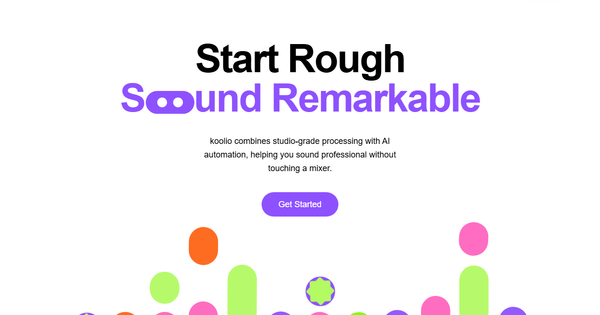
Koolio.ai is a web-based AI-powered platform designed to simplify the creation of professional audio content, including podcasts, digital advertisements, and enterprise broadcasts. It allows users to transform a simple prompt, uploaded document, audio recording, or link into a complete, polished production—from script generation and transcription to editing, sound enhancement, and direct publishing—all within minutes and without needing specialized software or audio expertise.
Primary use cases include generating full-length podcasts from raw ideas or recordings, creating targeted digital ads with scripted voiceovers and background elements, and producing internal enterprise communications such as daily team updates or asynchronous audio briefings to improve workforce alignment. The tool emphasizes speed and accessibility, making high-quality audio production painless for non-professionals.
The target audience spans storytellers of all kinds: beginner podcasters, content creators, marketers producing ads, educators and students developing audio materials, small teams, and enterprises seeking efficient internal communication tools. It is particularly appealing to users who want a no-code, visual workflow rather than traditional digital audio workstations (DAWs).
Research note: Information compiled as of April 2026 from the official website and recent third-party reviews.
Key Features & Capabilities
Core functionality revolves around an end-to-end podcast and audio workflow: AI-driven script generation from text prompts or documents, automatic transcription with speaker detection, visual transcript editing, voice selection or cloning to modify dialogues, AI-suggested or manual addition of background music and sound effects, and audio manipulations such as noise reduction, leveling, volume/fade/pitch adjustments. Users can collaborate asynchronously via shared projects with timestamped comments and edit history, then export in formats like MP3/WAV/M4A or publish directly to platforms including Spotify, Apple Podcasts, and Google Podcasts.
Standout features that differentiate Koolio.ai include its fully web-based, icon-driven interface that requires no installation, instant voice cloning for dialogue changes without re-recording, context-aware auto-selection of sound effects and music, and one-click publishing—capabilities that compress a traditionally multi-tool, time-intensive process into a single browser tab. Real-time or async collaboration with full project history further sets it apart for team use.
Limitations include project duration caps on the free tier (30 minutes maximum), restricted sound effect and music tracks (only 3 allowed), a 100 MB project size limit, 5-minute recording segment restrictions in some cases, and dependency on an internet connection. Advanced creative control over AI-generated music may feel limited compared to dedicated music libraries or manual editing suites, and some users note it is still maturing from beta stages with occasional glitches. Offline editing and highly complex multi-track productions are not supported.
User Experience
Koolio.ai boasts an exceptionally low learning curve thanks to its simple, visual, and intuitive interface tailored for all skill levels—no prior audio engineering experience required. The editor presents transcripts in an easy-to-read format where users can click to edit text, swap voices, or drag in effects, making the entire process feel more like document editing than complex audio software.
Interface quality is clean and modern, with drag-and-drop elements, preview tools, and clear icons that guide users from concept to publish. Setup is quick via email, Google, or social login.
Documentation and support resources are relatively light on the official site (primarily a “Get in Touch” contact form), but community-driven YouTube tutorials and quick-start guides from promotional content provide practical help. Response to inquiries appears prompt based on user mentions, though formal help-center articles are not prominently featured.
Performance & Reliability
The platform performs efficiently for its intended quick-turnaround use cases, with AI transcription, script generation, and enhancement steps completing in seconds to minutes depending on audio length. Users consistently report that a full podcast can move from idea to published episode remarkably fast.
Known issues are minor and largely tied to its web-only nature: occasional bugs or glitches (noted more frequently during earlier beta phases), reliance on stable internet, and processing delays for very long files within free-tier limits. No widespread reliability complaints appear in recent reviews; direct publishing and exports generally work smoothly to major platforms. Speaker detection and noise removal perform well on clear recordings but may require manual tweaks on lower-quality input.
Pricing & Value
Koolio.ai follows a freemium model. The free Starter plan includes 30-minute project limits, up to 3 sound effects/music tracks, automatic transcription with speaker detection, and 5 publishing credits—sufficient for testing or light personal use. The Pro plan costs $20 per month (or $200 annually) and unlocks unlimited projects, unlimited SFX/music, AI audio enhancement, full collaboration features, project history/restore, and unlimited publishing. Enterprise options involve custom contact for tailored internal broadcasting needs. No free trial beyond the Starter plan is explicitly advertised, though users can begin immediately with the free tier.
Value is strong for its speed and simplicity: Pro pricing is competitive against more complex tools like Descript or Riverside.fm, delivering professional results without steep learning curves or high costs. The free tier provides meaningful functionality for hobbyists, while Pro offers excellent ROI for regular creators or small teams by saving hours of editing time. Heavy users or studios needing offline access or unlimited creative control may find alternatives more suitable.
Practical Tutorial
Official comprehensive documentation is limited, but the workflow is straightforward and well-covered in promotional materials and scattered YouTube demonstrations. Below is a step-by-step tutorial for creating and publishing a basic podcast episode (based on official site descriptions and verified review workflows as of April 2026).
- Sign up and start a project: Visit https://www.koolio.ai/, create a free account, and click “New Project.”
- Input your content: Type a topic/prompt, upload an audio recording or document, or paste a link. The AI instantly generates a full script and transcript with automatic speaker detection.
- Refine the script: Use the visual editor to rewrite text, clone or swap voices for different speakers, and adjust tone or pacing directly on the transcript timeline.
- Enhance with audio elements: Let AI auto-select and insert background music, ambient soundscapes, or sound effects from the library (or manually browse and layer them). Adjust volume, fades, and positioning.
- Apply AI enhancements: Use one-click tools for noise removal, leveling, and overall audio polishing (available in Pro). Preview the full episode.
- Collaborate (optional): Share the project link with teammates for timestamped comments and real-time or async edits with full history tracking.
- Export or publish: Download in your preferred format (MP3, WAV, etc.) or hit “Publish” to distribute directly to Spotify, Apple Podcasts, and other platforms—no extra hosting setup required.
The entire process typically takes under 15–30 minutes for a short episode. For visual walkthroughs, search “koolio.ai tutorial” on YouTube for the latest creator demos.
Final Verdict
Overall rating: 4.3/5. Koolio.ai excels at making podcast and audio creation accessible and enjoyable, delivering impressive results with minimal effort. It shines for beginners, marketers, educators, and small teams who prioritize speed and simplicity over granular control.
Who should use this tool: Podcasters, content creators, and businesses wanting to produce professional audio quickly without learning complex software—especially those who value direct publishing and AI assistance for music and effects.
Who should avoid this tool: Professional audio engineers or studios needing offline capabilities, unlimited file sizes, or deep manual mixing tools; heavy users frustrated by free-tier restrictions may outgrow it quickly.
One-sentence recommendation: If you want to go from podcast idea to published episode in minutes with zero technical headaches, Koolio.ai is one of the most approachable AI tools available today.