Kosmik Review: The Ultimate AI-Powered Visual Workspace
Overview & Purpose

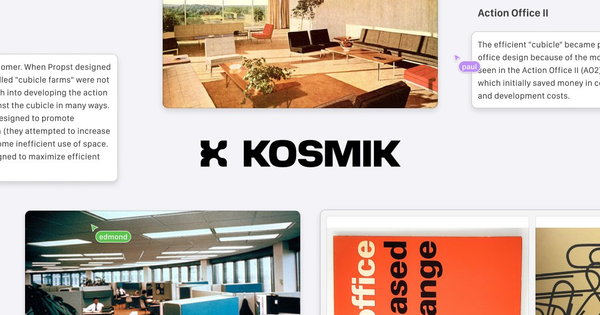
Kosmik is an all-in-one visual digital workspace that merges an infinite canvas with a built-in web browser, PDF reader, and powerful AI tools. Users can drag in text, images, videos, web pages, PDFs, and notes onto a single spatial canvas, organize them visually, and retrieve content instantly through AI-driven tagging and semantic search—eliminating the constant switching between tabs, apps, or folders. Primary use cases include building moodboards for inspiration, conducting visual research, managing personal knowledge bases (a “second brain”), collaborative project planning, and organizing complex information like articles, PDFs, and media assets in one living workspace.
It targets creative professionals (designers, marketers), researchers, students, solopreneurs, and small teams—especially visual thinkers who struggle with scattered tabs, Pinterest boards, or download folders and want a more intuitive, spatial way to work. As of March 2026 research, Kosmik positions itself as a next-generation tool for anyone tired of traditional note-taking apps or whiteboards that lack native browsing and AI intelligence.
Key Features & Capabilities
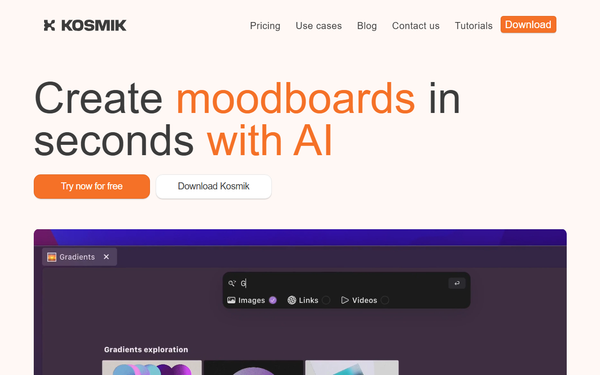
Core functionality revolves around the infinite canvas where everything lives together: drop web content directly from the integrated browser, extract text/images from PDFs, embed videos (with key-frame capture), and add notes or stickers. Real-time collaboration lets teams edit the same canvas, with workspaces for organizing projects and instant web publishing for sharing boards publicly.
Standout differentiators include the seamless built-in browser (no tab-switching), automatic AI tagging that recognizes objects, subjects, colors, and content (enabling natural-language search like “show me all red abstract designs”), web clipper extension for instant captures, and semantic search that teleports you to items across huge canvases. These features make it feel like a “living folder” or upgraded Freeform/Arc Easel with deeper intelligence.
Limitations include no native mobile apps (desktop Mac/Windows and limited web version only), occasional performance slowdowns with very large collections, and a browser that lacks advanced features like ad-blocking or extensive extensions (it’s Electron-based). Some users note it’s still maturing, with fewer templates and less customization depth than Obsidian or Notion. Summarization AI is not as prominently featured as auto-tagging, and enterprise security options are only in higher plans.
User Experience
Kosmik offers an intuitive interface for visual learners—beautiful macOS-optimized design with smooth gestures (pinch-zoom, two-finger pan) and a clean toolbar. The learning curve is gentle for canvas users but requires a short adjustment for browser integration and keyboard shortcuts (e.g., “W” to open browser). Most users report becoming productive within minutes thanks to the visual-first approach.
Documentation is excellent: concise text guides and short video tutorials cover every core feature. Support includes community channels and priority help on paid plans; the indie team is praised for responsiveness to bug reports and feature requests. Overall, the experience feels delightful and momentum-preserving—no more context-switching.
Performance & Reliability
The desktop apps (especially Mac) are fast and responsive, with users frequently calling the in-app browser “faster than Arc or Chrome.” Infinite canvas handling is smooth for typical projects, and AI tagging/search works near-instantly. Reliability is solid for daily use, with real-time collaboration performing well.
Common complaints center on early-stage bugs (e.g., occasional glitches in capture or layout), the “unfinished” feel noted in reviews, and slower performance with thousands of items or on the web version. No major outages reported, but lack of mobile sync and occasional Electron quirks (e.g., no ad-block) frustrate power users. The active development team quickly addresses issues.
Pricing & Value
Kosmik offers a generous free tier (Rover plan) with one workspace, limited members/guests, file storage, and AI requests—enough for personal use or small projects. Paid plans start around $7–$11/month (billed yearly for best rate) for Plus/Pro tiers, unlocking unlimited workspaces, files, AI usage, priority support, and full collaboration. Enterprise/custom plans (including Ambassador features like brand kits, Figma plugin, dedicated Slack) are available via contact for larger teams.
Value is strong compared to alternatives: it replaces multiple tools (browser + Miro + Notion + PDF reader) at a lower cost than Miro’s team plans or Heptabase subscriptions, especially for visual workflows. Free tier beats purely paid competitors, while unlimited AI and native integration deliver high ROI for heavy researchers or creatives.
Practical Tutorial
Official tutorials are available at https://www.kosmik.app/tutorials. Here is a complete step-by-step walkthrough for a common task—building a visual research moodboard or project board—using real examples (e.g., researching “minimalist UI design trends 2026”).
-
Sign up and create your first canvas: Download the Mac/Windows app or use the web version at kosmik.app. Sign up with email/Google. You land in your main workspace with a blank infinite canvas (called a “universe”).
-
Navigate the canvas: Use trackpad pinch to zoom or Cmd/Ctrl + scroll. Pan with two fingers (trackpad) or Space + click-drag (mouse). Right-click selected items for auto-layout options.
-
Open the integrated browser and capture content: Click the browser icon (or press “W”). Navigate to any site (e.g., dribbble.com or a design blog). Activate capture mode via the top-left icon (or hover + click). Drag images, text, or entire sections straight onto the canvas. For videos, capture key frames automatically.
-
Import PDFs and media: Drag PDFs or files from your computer onto the canvas, or click the file icon. Open any PDF in the side reader, select areas, and extract text/images directly to the canvas.
-
Let AI auto-tag everything: Kosmik automatically tags captured items (objects, colors, subjects). Click the tag icon on any item to review/edit. Example: all “minimalist” or “blue gradient” assets are now searchable.
-
Search and organize: Type a natural query like “red abstract backgrounds” in the search bar. Results appear; double-click any to teleport across the canvas. Use right-click auto-layout or manually arrange for your moodboard.
-
Collaborate and share: Click “Invite to Workspace” in the sidebar to add team members (free plan allows up to 10 guests). For one board only, open the universe, click Share → Publish, and copy the public link. Unpublish anytime.
This process typically takes under 10 minutes and turns scattered research into a dynamic, searchable board. Follow the official videos for visual demos of each step.
Final Verdict
Kosmik earns a strong 8.5/10. It shines for visual thinkers—designers, researchers, students, and small creative teams—who want to consolidate browsing, note-taking, PDFs, and inspiration into one fluid, AI-powered space. The infinite canvas + native browser combo saves hours of switching and the auto-tagging/search is genuinely transformative.
Avoid it if you need a full-featured mobile experience, advanced browser extensions, or rock-solid enterprise compliance without custom plans—traditional tools like Obsidian (free/local) or Miro (mature collaboration) may suit better.
Kosmik is the workspace you didn’t know you needed if you think spatially—download it today and watch your scattered ideas finally click into place.