Kowabunga Review: The Ultimate Mission Control for AI Agents
Overview & Purpose
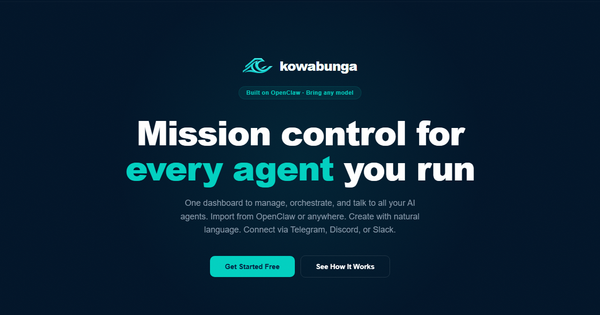
Kowabunga is a mission-control platform designed for orchestrating and managing fleets of AI agents. It acts as a centralized dashboard that lets users import existing agents (particularly from the popular open-source OpenClaw ecosystem), create new ones using plain-language prompts, chain multiple agents and skills into complex workflows, and integrate them with external tools like messaging apps and cryptocurrency wallets. The primary purpose is to provide a unified control layer for multi-agent AI automation without forcing users into vendor-locked billing or hosting models.
Key use cases include automating DeFi operations (e.g., monitoring wallets and executing approved transactions), building notification systems across Telegram, Discord, or Slack, orchestrating research or analysis pipelines with multiple specialized agents, and scaling personal or team-based AI workflows. It emphasizes control, auditability, and flexibility for users who already have API keys for models like GPT, Claude, or Gemini.
Target audience primarily includes developers, AI builders, crypto/DeFi enthusiasts, automation-focused teams, and power users who manage multiple agents. It appeals to those comfortable with technical setups but seeking a visual, no-code layer on top of their existing AI infrastructure. Marketers or non-technical designers may find it useful for simpler workflows but would benefit from developer support.
Key Features & Capabilities
Core functionality revolves around agent management and workflow orchestration:
- Bring Your Own Models: Connect your own API keys for GPT, Claude, or Gemini; Kowabunga never bills you for AI usage.
- Agent Creation & Import: Build agents via plain-English descriptions or import directly from OpenClaw (via URL or marketplace).
- Visual Workflow Builder: Drag-and-drop graph editor to chain agents, skills, and tasks; alternatively, describe workflows in natural language for auto-generation.
- Smart Command Bar: Quick text-based commands (accessible even via Telegram) for managing agents, workflows, and status checks.
- Skill Marketplace: One-tap installation of 100+ pre-built skills for data feeds, wallet integrations, DeFi executors, analysis tools, and more, leveraging the OpenClaw ecosystem.
- Two-Way Integrations: Native connections to Telegram, Discord, Slack, WhatsApp, iMessage, SMS for sending commands and receiving real-time alerts; wallet support for MetaMask, Phantom, Ledger with read/execute capabilities (user-approved).
- Hosting Flexibility: Run agents on Kowabunga’s cloud for zero-setup 24/7 operation or self-host on your own infrastructure while using Kowabunga purely as the control panel.
Standout differentiators include its emphasis on user-controlled costs (BYO models + optional hosting), seamless OpenClaw compatibility, DeFi/wallet-native features with explicit approvals, and the combination of visual graph building with a command-bar interface. Unlike pure no-code platforms, it positions itself as infrastructure-agnostic “mission control” rather than a hosted AI service.
Limitations and missing features: Public documentation appears limited or login-gated as of April 9, 2026, with no extensive public tutorials or community forums visible in searches. Advanced enterprise features like role-based access control or SOC2 compliance details are not prominently advertised. It relies heavily on external model providers for intelligence and OpenClaw for skills, so users must manage those ecosystems separately. No native mobile app or advanced analytics dashboard beyond basic management is mentioned.
User Experience
The interface is described as modern and intuitive, featuring a clean dashboard, visual graph builder, and always-available smart command bar. Setup involves adding API keys and optionally importing agents—straightforward for users familiar with OpenClaw or similar tools. The learning curve is moderate: developers and automation enthusiasts will pick it up quickly thanks to the visual builder and natural-language options, but beginners without prior agent experience may need time to understand chaining and skills.
Documentation and support resources are sparse publicly; the official site focuses on high-level marketing with few in-depth guides. API SDKs (e.g., Go SDK) exist in the related open-source repositories for advanced users. Community support appears minimal, with no widespread Reddit or review-site discussions found. In-app help or Telegram-based command access may serve as primary support channels post-signup.
Performance & Reliability
Specific benchmarks for speed or uptime are not publicly available, as Kowabunga is relatively new and lacks extensive user reviews or third-party tests as of April 9, 2026. The platform’s reliance on user-provided models and optional self-hosting suggests performance scales with the user’s infrastructure and chosen LLM providers. Cloud hosting promises 24/7 operation with zero setup.
Known issues or common complaints: Independent user feedback is scarce (zero written reviews on aggregator sites like Wavel.io). No major outages or reliability complaints surfaced in searches. Potential pain points inferred from similar tools include workflow debugging complexity in visual graphs and latency from multi-agent chaining or external integrations. The self-hosting option via the open-source Kowabunga Core Engine (Apache 2.0) provides predictability for advanced users but requires DevOps knowledge.
Pricing & Value
Kowabunga uses a transparent, usage-based model that separates AI compute from platform costs:
- Free Tier: Unlimited dashboarding, agent imports, messaging integrations, and command-bar access forever. No credit card required.
- Paid Hosting: Charged only for compute resources when running agents on Kowabunga’s infrastructure (users bring their own AI API keys).
- Pro Plan (approx. $20/month): Supports 5 hosted agents with expanded workflows and tasks.
- Team Plan (approx. $50/month): Higher limits suitable for collaborative use.
Self-hosting via the open-source core engine incurs no runtime fees beyond your own hardware/cloud. Value proposition is strong for cost-conscious users who already invest in LLMs elsewhere: it avoids markup on AI usage and offers flexibility between cloud simplicity and on-prem control. Compared to alternatives like pure OpenClaw self-hosting or general platforms (e.g., n8n, Zapier with AI), Kowabunga stands out for agent-specific orchestration and DeFi focus at a lower effective cost. However, total spend depends on hosting usage and external API bills.
Practical Tutorial
Official public tutorials are not readily available on the website or in searches as of April 9, 2026 (docs appear internal or post-signup). Below is a practical, step-by-step walkthrough for a common task—creating a simple wallet-monitoring workflow that alerts via Telegram—based directly on the platform’s documented capabilities. This uses real features described on kowabunga.ai.
-
Sign Up & Initial Setup: Visit https://kowabunga.ai/ and click “Launch Kowabunga.” Create a free account (no credit card needed). Once in the dashboard, navigate to settings and add your OpenAI/Claude/Gemini API keys.
-
Import or Create an Agent: In the Agents section, select “Import from OpenClaw” and paste a public OpenClaw agent URL, or choose “Create New Agent” and describe it in plain language (e.g., “A wallet monitoring agent that reads Ethereum balances and detects large transactions”).
-
Install Relevant Skills: Open the Skill Marketplace, search for “wallet” or “DeFi,” and install skills like MetaMask/Etherscan integration and balance checker (one-tap install).
-
Build the Visual Workflow: Go to the Workflow Builder. Drag your wallet agent onto the canvas. Add a Telegram integration node (connect your Telegram account via the channels setup). Draw connections: Wallet Agent → Condition (e.g., balance change > $100) → Telegram Alert node. Use the smart command bar or natural-language prompt (“Monitor my ETH wallet and notify me on Telegram if balance changes”) to auto-generate parts of the graph.
-
Configure & Test: Set wallet connection (approve MetaMask link). Define triggers and approval flows for any DeFi actions. Test the workflow using the command bar (type “test wallet alert”) or directly in Telegram.
-
Deploy & Monitor: Choose hosting—cloud for instant 24/7 run or self-host. Monitor status from the dashboard or via Telegram commands. Scale by adding more agents/skills as needed.
For updates, check the official site or related GitHub repos for any new guides. This workflow centralizes control while keeping costs low (free tier sufficient for basic monitoring).
Final Verdict
Overall rating: 4.2/5. Kowabunga excels as a flexible, cost-transparent control plane for AI agents, particularly for users already in the OpenClaw ecosystem or working with DeFi/crypto automation.
Who should use this tool: Developers, AI automation enthusiasts, crypto traders, and small teams seeking a visual, multi-channel orchestrator that keeps AI billing and hosting under their control—ideal if you value self-hosting options and wallet integrations.
Who should avoid this tool: Complete beginners without LLM or agent experience (steep initial setup), users needing extensive public documentation/support, or those preferring fully managed all-in-one platforms with built-in models (due to BYO requirement and limited reviews).
One-sentence recommendation: If you’re managing multiple AI agents and want centralized visual workflows with crypto-native features without hidden AI costs, Kowabunga is a compelling mission-control solution worth trying on its generous free tier.