Krea AI Review: The Ultimate Real-Time Creative Suite for Designers
Overview & Purpose
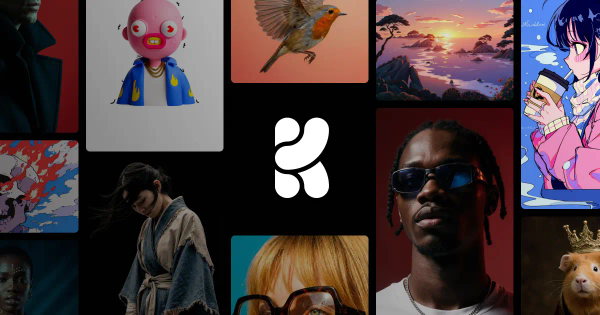
KREA (https://www.krea.ai/) is an AI creative suite that enables users to generate, edit, enhance, and animate high-quality images, videos, and 3D meshes using advanced AI models. It emphasizes real-time interaction on a canvas, where outputs update instantly as users type prompts, draw shapes, or upload references. Primary use cases include rapid concept art, marketing visuals, social media content, product mockups, architectural visualizations, short video clips, character designs, and 3D assets for games or AR/VR.
The target audience includes digital designers, graphic artists, marketers, content creators, illustrators, and professionals in advertising, entertainment, e-commerce, and architecture. It appeals to both beginners and enterprises (such as LEGO, Samsung, Nike, Microsoft, and Shopify) thanks to its accessible interface and professional-grade tools.
Key Features & Capabilities
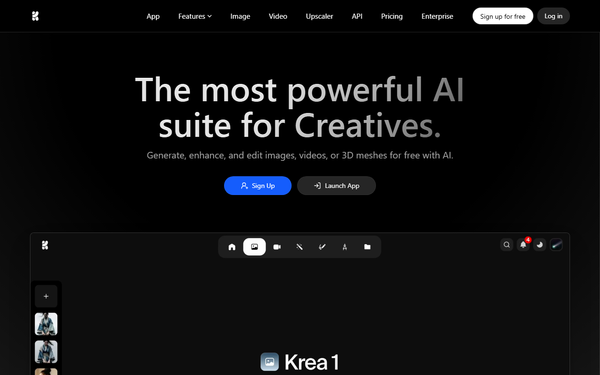
Core functionality centers on AI-powered generation across images, video, and 3D, powered by over 60 integrated models (including proprietary Krea 1 for photorealism and expressive styles, Flux, Ideogram, DeepMind Veo, Runway, and Luma). Users access text-to-image/video/3D, with seamless transitions between tools.
Standout features that differentiate KREA from competitors like Midjourney (static focus) or Runway (video-only) include the Realtime Canvas for sub-second updates during typing or drawing, AI Enhancer for upscaling to 22K with quality improvements, LoRA fine-tuning for custom styles/characters (using user datasets), inpainting/smart object removal, lipsync, motion transfer, asset management, and workflow automation via Nodes and Apps. It also offers quick access to new models on or near release day, 1000+ styles, and text-to-3D capabilities.
Limitations include a compute-unit credit system that can constrain heavy video or 3D usage without upgrades, primarily short-form video clips rather than full timeline editing, occasional inconsistencies in complex human anatomy or motion physics, and emerging 3D features that do not yet replace dedicated software. Some users report quality shifts in the enhancer post-updates (e.g., added grain or tints).
User Experience
KREA features a clean, minimalist interface with real-time feedback that dramatically flattens the learning curve—even AI novices can produce professional results quickly without extensive tutorials. The browser-based app supports dark mode and responsive design (with basic mobile web access), making iteration feel intuitive and engaging.
Documentation is strong through the official user guide at docs.krea.ai (covering models, quickstarts, and features like training), supplemented by abundant YouTube tutorials. Community support via Discord helps with tips, though paid users report mixed experiences with responsiveness and account issues. Overall, the experience prioritizes creative flow over complexity.

Performance & Reliability
Performance shines with industry-leading inference speeds, especially in real-time mode (often under 0.5 seconds per update), making it highly efficient for ideation and high-resolution outputs like native 4K or 22K upscales. Reliability is generally strong for image tasks, with consistent high-quality results when using detailed prompts.
Known issues include occasional server delays during peak loads, motion glitches or unrealistic physics in videos, prompt sensitivity leading to variable outputs, and user-reported enhancer degradation (e.g., unwanted artifacts). Billing and subscription management have drawn criticism, contributing to lower Trustpilot scores around 2.7/5, though core generation remains stable for most creative workflows as of early 2026.

Pricing & Value
KREA uses a credit-based freemium model with flexible scaling:
- Free: 100 compute units/day; real-time access with limited models/upscaling/training; no commercial license.
- Basic (~$10/month): 5,000 units, full commercial license, image/3D models, basic video, LoRA with up to 50 images, 4K upscale.
- Pro (~$35/month): 20,000 units, all video models (Veo, Kling, etc.), Nodes/Apps, 8K upscale.
- Max (~$60/month): Higher units, unlimited LoRAs/concurrency/relaxed generations, 22K upscale.
- Business/Enterprise: Custom (starting higher with team seats included), advanced admin controls, priority support, up to 20,000+ images for training, and indemnification.
Annual billing offers ~20% discounts; extra compute packs available with bulk savings. Value is excellent for real-time iteration and unified workflows, often replacing multiple tool subscriptions and saving time on concepts—particularly strong for designers and marketers. It may feel less cost-effective for ultra-high-volume video users compared to specialized unlimited plans.
Practical Tutorial
Official resources encourage direct experimentation (no mandatory tutorials needed) with guidance at docs.krea.ai and numerous YouTube videos (search “Krea AI tutorial 2026”). Here is a step-by-step walkthrough for a common task: generating and refining a product mockup using the Realtime Canvas and editor (example: “modern wireless earbuds”).
- Visit https://www.krea.ai/, sign up for a free account (no credit card required), and click “Launch App” to log in.
- Navigate to the Realtime or Image tool and select a model (e.g., Krea 1 for photorealism or Flux for versatility).
- Enter a starting prompt in the canvas: “photorealistic wireless earbuds on a clean wooden desk, professional product photography, soft natural lighting, high detail.”
- Refine live: Type adjustments (e.g., “add sleek matte black finish and subtle blue accents”) or draw guides/shapes—the image updates instantly (sub-second). Upload a rough sketch or use webcam for real-time reference.
- Lock a base image, switch to Edit mode, and use brushes for inpainting: mask unwanted areas and prompt changes (e.g., “replace background with minimalist studio” or smart object removal for distractions).
- Send to the Enhancer: select upscale to 4K (or higher on paid plans), adjust strength, and apply for polished quality.
- (Optional advanced step on Basic+ plans) Train a LoRA: upload 5–10 product photos to the Training tool, generate a custom style code, then apply it in new prompts for brand-consistent variations.
- Save to the Asset Manager or export.
Results can be further animated into short videos on Pro+. Practice with simple prompts first; community-shared models and styles accelerate results.
Final Verdict
Overall rating: 8.5/10.
KREA is ideal for designers, marketers, concept artists, and teams who value rapid real-time iteration, high-quality multi-modal generation, and custom model training in one intuitive platform—especially those transitioning from fragmented tools.
Avoid it if you need pixel-perfect long-form video editing, unlimited high-volume outputs on a strict budget, advanced dedicated 3D software, or robust traditional customer support channels.
One-sentence recommendation: KREA turns AI image, video, and 3D creation into an engaging, lightning-fast creative playground that professionals and beginners alike will love for its real-time magic and versatility.