Kwizie Review: Turn Videos Into Interactive Certified Training
Overview & Purpose

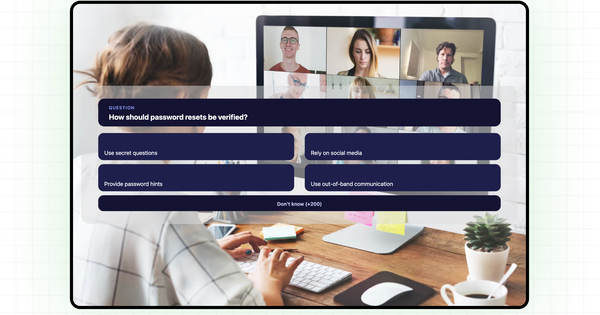
Kwizie.ai is an AI-powered platform that automatically transforms training content—such as YouTube videos, uploaded videos, webinars, audio files, documents, PDFs, and articles—into interactive, testable experiences. It embeds questions at key moments in the content to verify understanding, automatically issues certificates upon passing, tracks completion with audit-ready logs, and provides analytics, all without requiring a traditional Learning Management System (LMS).
Primary use cases include compliance training, onboarding validation, safety/SOP updates, webinar follow-up certification, and turning passive video watching into measurable learning. It supports sharing via link, QR code, or embed, with optional gamification through leaderboards and prizes.
The target audience is primarily training professionals, HR, L&D (Learning & Development), and Ops teams in industries like insurance, healthcare, retail, construction, and manufacturing who need verifiable proof of comprehension for audits or compliance. Educators and content creators can also use it for engaging quizzes, though the current positioning emphasizes corporate-scale certification over pure classroom gamification.
Key Features & Capabilities
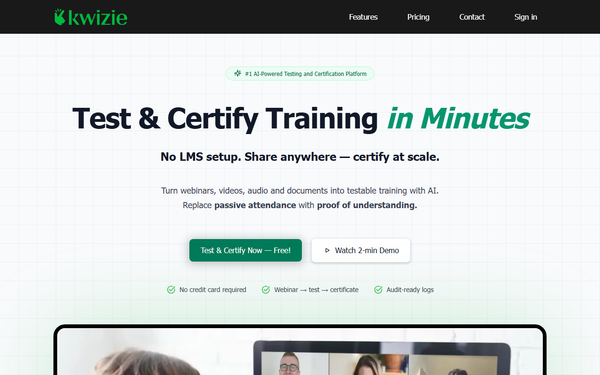
Core functionality centers on AI-driven automation: upload or link content, and the platform auto-chapters long videos or webinars into 2–7 minute segments, generates questions/summaries, inserts them at natural breaks, and handles multilingual delivery (95% of spoken languages). Users define passing scores, attempt limits, deadlines, identity verification, and access rules in one dashboard. Certificates are issued instantly with unique verification IDs, and all data exports as CSV for compliance.
Standout features that differentiate it include seamless video-timeline question insertion (no manual timestamping), automatic certification and audit logs without an LMS, scalable sharing to anonymous or restricted participants, and optional gamified tournaments/prizes. Integrations with LMS platforms (Moodle, Canvas, LTI), hosting services (Vimeo, Microsoft Teams), and custom workflows add flexibility. Private hosting and enhanced security options are available for enterprises.
Limitations include a per-training learner cap (100 on base plans, expandable at extra cost), occasional need for manual question editing due to AI variability, and reported issues handling certain PDFs in the current professional version. Advanced customizations (e.g., private AI deployment, extra question types) require enterprise add-ons. No fully free ongoing tier exists beyond the trial.

User Experience
Setup is straightforward with a low learning curve—most users can go from content upload to a shareable certified training in under 10 minutes. The interface is clean and modern, centered on a simple workflow dashboard for content addition, AI generation, rule configuration, and analytics.
Documentation includes an embedded demo video on the homepage and quick-start guidance, though the FAQ page is relatively sparse on detailed troubleshooting. Support is available via email (business hours, EET), with enterprise plans adding tailored workshops. YouTube tutorials from independent creators provide clear walkthroughs of the quiz-generation process.
Overall, the experience feels intuitive for video-based training, but users transitioning from the earlier quiz-focused version have noted occasional friction during the platform update.

Performance & Reliability
Generation and processing are fast and efficient for video and YouTube content, with AI accurately extracting concepts and inserting questions in real time. Large-scale sharing works smoothly without participant accounts, and analytics/export features deliver reliable audit trails.
Known issues are limited but notable: one verified user report highlights freezing and errors with PDF uploads following the shift to the professional certification platform, along with delayed support responses during the transition. Broader user feedback (primarily from earlier demos) praises reliability for YouTube quizzes, with minimal complaints about downtime or inaccuracies in video handling. No widespread outages or scam reports appear in recent searches. Reliability is generally high for core video use cases, though non-video files may require workarounds.
Pricing & Value
Kwizie offers a no-credit-card free trial that unlocks the full workflow for testing. Paid plans include:
- Training Provider (individuals): $24.99–$39.99 USD/month (annual savings up to $840), with up to 100 learners per training, full features, and audit logs.
- Teams (organizations): $49.99–$79.99 USD/month (annual savings up to $480), including 3 Training Provider accounts (additional at 50% discount), organization-wide tracking, and branded certificates.
Enterprise options provide custom integrations, increased capacity, private AI, and tailored support via a request form. Cancel anytime; refunds available for certain account transfers.
Value is strong for teams needing quick, compliant certification without LMS overhead—saving hours on manual quiz creation and record-keeping. It outperforms basic quiz tools (e.g., free alternatives lacking auto-certification or audit exports) for professional training, though pure educators on tight budgets may find the paid entry higher than free gamified options.
Practical Tutorial
Official quick-start guidance and an embedded demo video are available on the homepage. For a common task—creating a certified quiz from a YouTube video—here is a step-by-step walkthrough (verified via 2024–2025 demos that align with the current platform):
- Sign up for the free trial at kwizie.ai (no credit card required).
- From the dashboard, click to add content and paste a YouTube URL (or upload video/audio/PDF).
- AI automatically analyzes the video, breaks it into 2–7 minute chapters with timestamps and summaries (editable), and generates multiple-choice or open questions inserted at optimal moments.
- Review and customize: edit questions, set passing score, attempts allowed, deadlines, and identity checks. Enable gamification (leaderboards/prizes) or multilingual options if needed.
- Define certification rules and branding, then publish.
- Share the link, QR code, or embed code with your audience—no registration required for participants.
- Monitor the analytics dashboard for completion rates, scores, and engagement; download CSV logs or issue automatic certificates with unique verification IDs.
Real example: Paste a 20-minute onboarding webinar URL → AI creates 8 timed questions → Set 80% pass rate → Share via company Slack → Track who earned certificates for compliance records.
For visual guidance, watch the independent tutorial “kwizie.ai Makes Gamified Quizzes from YouTube Videos-Outstanding” (YouTube, ~10 minutes). Official FAQ and support handle advanced customizations.
Final Verdict
Overall rating: 4.2/5. Kwizie.ai excels at turning video training into verifiable, engaging experiences with minimal effort.
Who should use this tool: Corporate trainers, HR/L&D teams, and compliance-focused organizations that need audit-ready certification and analytics from existing video or document content without LMS complexity—especially those handling large audiences or multilingual training.
Who should avoid this tool: Budget-conscious individual educators seeking a completely free ongoing solution, or users heavily reliant on PDF uploads who cannot tolerate potential transition bugs until resolved.
One-sentence recommendation: If you want to replace passive video training with instant, certifiable quizzes and compliance-proof tracking in minutes, Kwizie.ai is a powerful, scalable choice worth trying today.